pgEdge vs Neon: Distributed vs Serverless Postgres
pgEdge vs Neon compares distributed active-active Postgres against serverless branching. See the regions, pricing, and ops burden before you pick either one.
pgEdge vs Neon is the wrong question for most teams, because the two solve different problems. pgEdge is distributed, multi-master Postgres built for writes landing correctly in more than one region. Neon is single-primary serverless Postgres built to scale to zero and branch like Git. If all your writers sit in one region, pgEdge’s conflict resolution is complexity you pay for and never use. If your one database runs 24/7, Neon’s $0.106 per compute-hour meter never gets the chance to scale to zero.
Choose pgEdge if your application needs writes accepted correctly in more than one region at once, not just reads served locally. Choose Neon if most of your databases are short-lived or spiky, and instant, disposable branches for previews, CI, or per-agent sessions matter more than steady-state cost. Choose neither if you want one flat-priced, single-region Postgres host and neither multi-master complexity nor a usage meter fits what your team actually needs. Nearbase, covered later in this article, is built for exactly that case.
We read Spock’s own limitations doc and rendered both providers’ live pricing and region pages on the same day. We also read the public threads where developers explain why they walked away from each one.
TL;DR
Reach for pgEdge when an application genuinely needs writes accepted in more than one region and your team can own real distributed-systems complexity. Reach for Neon when the job is scale-to-zero economics and instant, disposable database branches for previews and CI, not steady multi-region production traffic. Neither one is a flat-priced, single-region Postgres host.
What is pgEdge?
pgEdge is a distributed PostgreSQL platform built on its Spock extension for multi-master logical replication. Every node in a cluster accepts both reads and writes, with built-in conflict resolution reconciling collisions between them. It ships two ways: a self-hosted Distributed Postgres VM Edition you run yourself, and a managed pgEdge Cloud that deploys into AWS, Azure, or GCP regions you pick. All of pgEdge’s distributed components, including Spock, went fully open source under the PostgreSQL License in 2025.
What is Neon?
Neon is serverless Postgres that separates storage from compute, the split that makes scale-to-zero and Git-like branching possible. One primary handles every write per project, with no multi-region write path. It is fully managed only, with no self-hosted edition, and runs in eight AWS regions. Databricks acquired Neon in 2025.
pgEdge vs Neon: deployment, pricing, and uptime side by side
| Dimension | pgEdge | Neon |
|---|---|---|
| Deployment model | Distributed, multi-master (Spock extension); self-managed VM Edition or managed pgEdge Cloud | Single-primary serverless; fully managed only |
| Multi-region writes | Yes, active-active across regions by design | No, one write region per project |
| Scale-to-zero / branching | Neither; nodes run continuously | Both: scale-to-zero after 5 minutes idle, Git-like branching built in |
| Pricing model | Self-hosted is free for development and evaluation, a paid subscription for production; pgEdge Cloud has a free self-serve Developer Edition, paid Cloud tiers are contact-sales | Usage-based: metered by the compute-hour and by storage, no monthly minimum |
| Asia footprint | Deploys into AWS, Azure, or GCP regions you choose, including Asia, but you select and operate the node | Two Asia-Pacific regions: Singapore and Sydney |
| Ops burden | High: conflict resolution, cluster topology, and replication design are your responsibility; pgEdge Cloud does provide the monitoring dashboards | Low for the covered workload: Neon manages compute, storage, and scaling for you |
| Uptime / HA / backups | No published uptime SLA; pgEdge markets four-nines availability as achievable with automatic node failover; pgEdge Cloud backs up with point-in-time recovery | 99.95% published SLA with service credits on Business/Scale only, none on Free/Launch; multi-AZ storage and a point-in-time restore window from 6 hours on Free up to 30 days on Scale |
| Maturity / track record | Newly fully open source (2025); zero reviews yet on G2, Capterra, or SoftwareSuggest | Established serverless Postgres provider, acquired by Databricks in 2025 |
| Where it falls short | You own the conflict-resolution and topology work, and there is no published Cloud price beyond the free Developer Edition | The bill moves with usage as traffic grows, and only two Asia-Pacific regions exist |
The shape of that difference is easier to see than to describe. pgEdge runs several nodes that all accept writes and reconcile with each other. Neon runs one write path with cheap copies hanging off it.
pgEdge: distributed active-active Postgres for multi-region writes
When two nodes change the same row, Spock resolves the conflict and picks a winner for you. Schema changes propagate across every node on their own, so you are not scripting DDL out by hand. Neon has no equivalent: it writes through one primary per project. pgEdge, by contrast, is built for an application whose writers sit in more than one region at once.
Who it’s for
pgEdge is the right call for a team that genuinely needs active-active, write-anywhere Postgres across multiple regions and is willing to own real distributed-systems operations. It is the wrong tool for a single-region app or a team that wants a boring, drop-in managed database.
Concrete fits, based on what its architecture actually does:
- Multi-region active-active writes, where users in different regions all need to write locally and have those writes reconcile correctly
- Low-latency global apps serving users spread across continents, where routing every write back to one region is not acceptable
- Regulatory or data-distribution requirements where writes must land and stay in-country, not just reads
What it does well
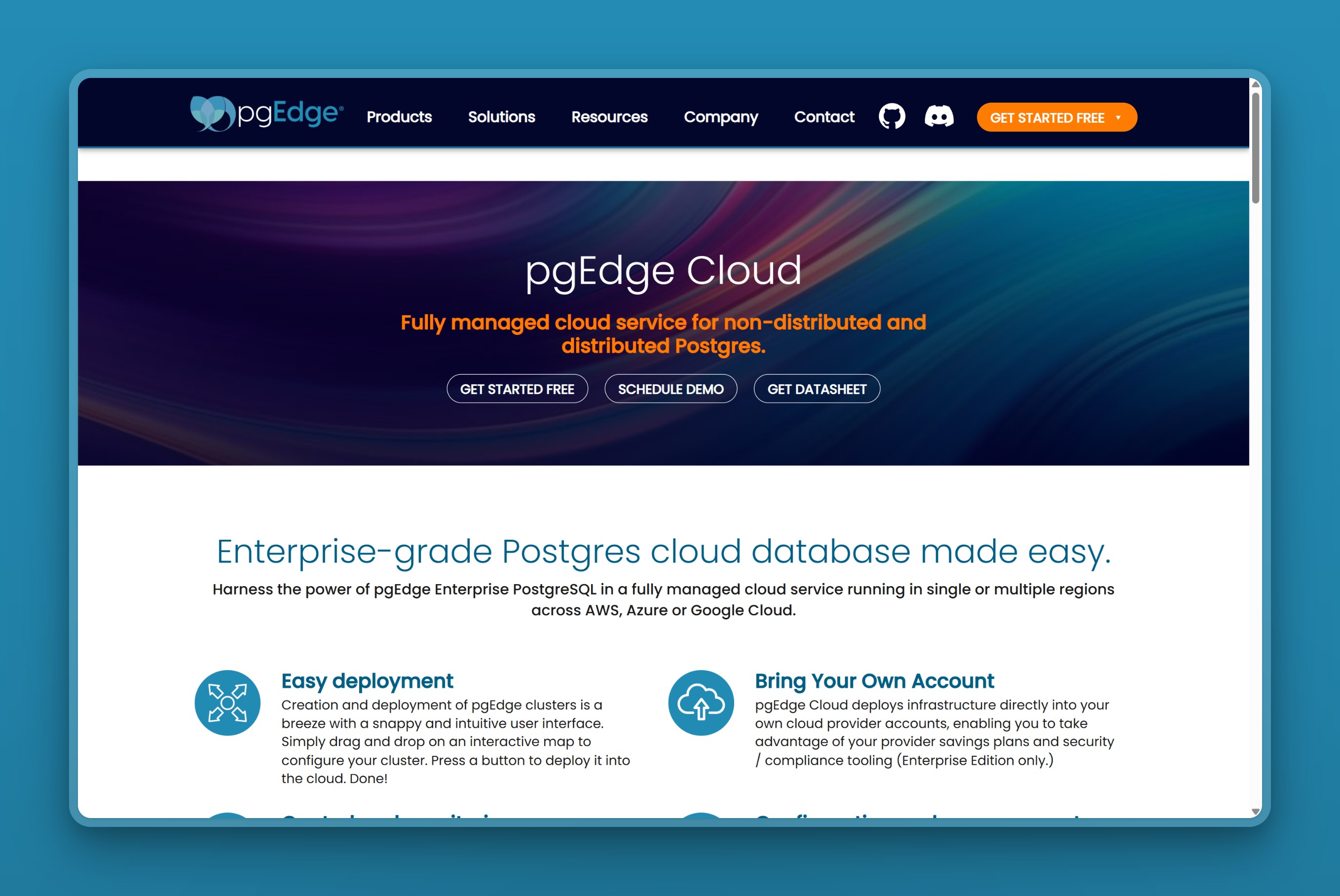
That 2025 relicense, documented in pgEdge’s press release, replaced an earlier, more restrictive community license. You can download and run the software on a VM, bare metal, or Kubernetes at no cost, but pgEdge’s own FAQ scopes that free use to development, testing, and evaluation. Running it in production means a paid subscription for certified binaries, updates, and support, the same as any other supported PostgreSQL distribution.
pgEdge Cloud, the managed offering, deploys nodes across AWS, Azure, or GCP regions you choose, with automatic latency-based routing to the nearest node. That means Asia coverage is whatever regions your chosen cloud offers there, not a fixed list. It also handles provisioning, backups with point-in-time recovery, and cluster monitoring through a web dashboard, API, or infrastructure-as-code tools.
Where it falls short
You place and coordinate those nodes yourself, not pick from a short menu. Managed monitoring does not remove the distributed-systems work: you still design the cluster topology, decide which tables replicate where, and watch for conflicts. That is different work than picking a single region and letting a provider manage one primary.
The most useful thing we read while researching pgEdge was not its marketing pages. It was Spock’s own documented limitations, because a distributed-systems claim is only as good as its documented edge cases. Spock’s documented conflict-resolution limitations include deferrable unique constraints that get silently skipped during insert conflict resolution, which can produce duplicate rows with no error. Foreign keys are also not enforced during replication, so a valid write on one node can land as an orphaned record on another. Skipping a stuck subscriber past a replication position permanently discards the changes in between.
Its early Getting Started docs once asked for passwordless sudo and SSH access. That pushed at least one evaluating developer to walk away over the security exposure, before pgEdge’s team acknowledged the guidance needed to be clearer. With zero reviews yet on G2, Capterra, or SoftwareSuggest, buyers have little independent track record to weigh against pgEdge’s own claims. Its community footprint is also still small, since its distributed components only went fully open source in 2025.
pgEdge also does not publish a contractual uptime SLA. It markets four-nines availability as achievable in a well-architected multi-region cluster with automatic node failover. Building and operating that architecture is the customer’s job, not a number pgEdge commits to in writing.
It is also thin on public pricing: there is no published Cloud price beyond the free Developer Edition. Anything past that entry tier goes through a sales conversation, with no public number to anchor against.
Pricing
Downloading and self-hosting is free for development and evaluation. A production deployment needs pgEdge’s paid subscription, per its own FAQ.
pgEdge Cloud, the managed offering, has a free self-serve Developer Edition: a three-node multi-master cluster with about 12 GB of storage across the nodes. It is enough to evaluate the product without talking to anyone.
Beyond that entry tier, pgEdge does not publish recurring Cloud pricing for any configuration. pgedge.com/pricing 404s, and its FAQ directs every paid or production Cloud inquiry to its sales team. There is no public sticker price to total for a real deployment. A like-for-like comparison with Neon’s published per-hour rates is impossible without a sales conversation.
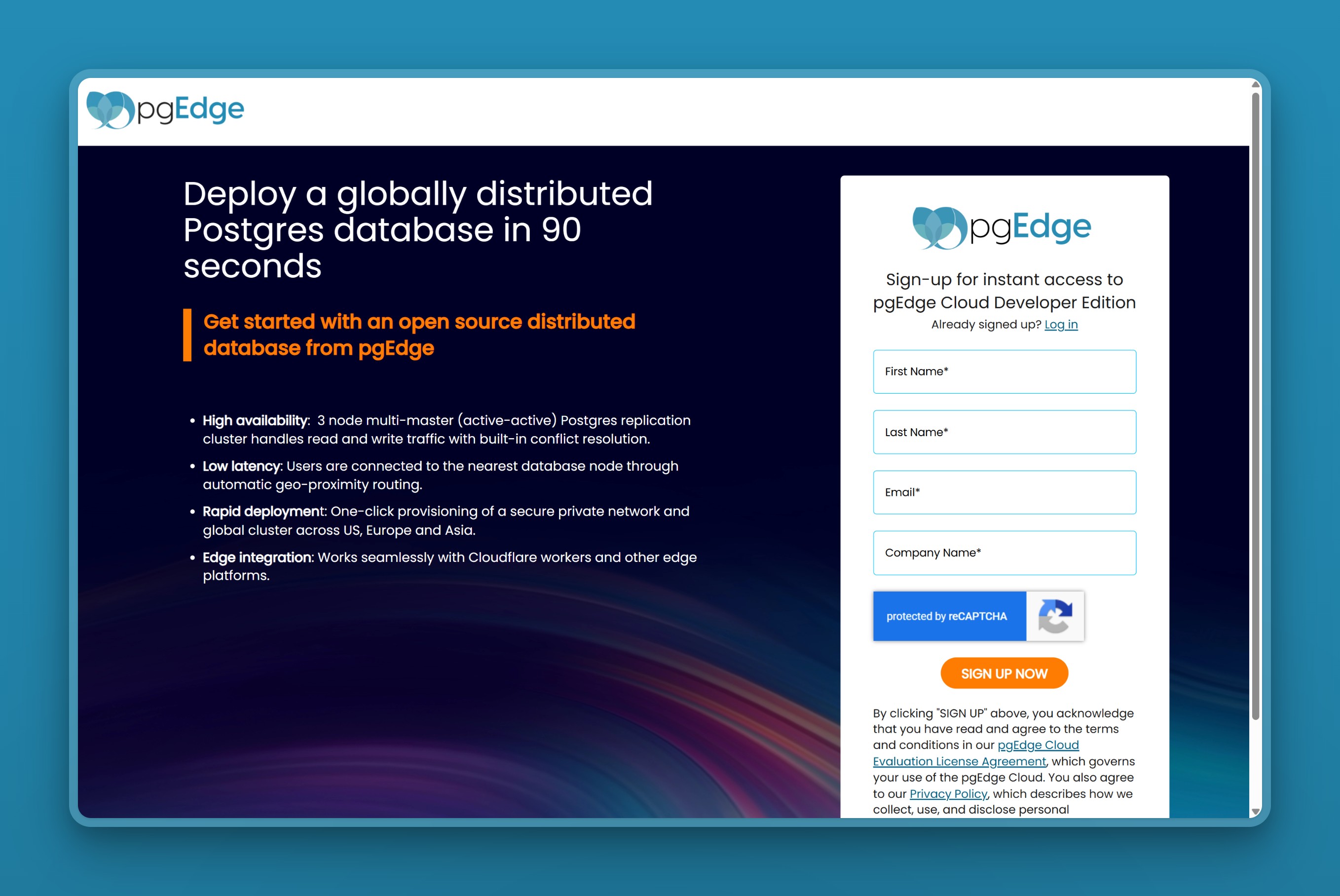 pgEdge publishes no pricing page; this free Developer Edition signup is its only public price point. Everything beyond it goes through sales.
We caught our own mistake here while fact-checking this section: an earlier draft carried a five-figure pgEdge support price pulled from our internal review notes. Re-checking that source turned up a document that belongs to Stackable UK Limited, an unrelated data-platform supplier, not pgEdge. We pulled the number rather than run a price that was never pgEdge’s.
Neon: serverless Postgres built for scale-to-zero and branching
Neon’s single write path buys it two things pgEdge has no answer for: compute that pauses to zero, and a full, isolated database branch in seconds. There is only one primary’s state to copy, so both come cheap. Where pgEdge spends its engineering effort making many writers agree, Neon spends its effort making one writer cheap to start, stop, and clone.
Who it’s for
That combination made Neon a default for teams that create and destroy databases constantly: CI runs, preview deploys, AI agents that provision one database per session. Scale-to-zero economics and instant, disposable branching are what it is built to do well.
Concrete fits, based on what its architecture actually does:
- Serverless workloads with spiky, unpredictable traffic that genuinely benefit from paying only when the database is awake
- Dev and preview branching per pull request, where every branch needs its own isolated, disposable database
- Scale-to-zero side projects and demos that sit idle most of the time and should not run up a bill while they wait
What it does well
Databricks acquired Neon in 2025. Most of what has shipped since targets AI tooling rather than the core database, including an agent-focused plan for platforms that provision many databases for generated apps. The core serverless Postgres product is unchanged.
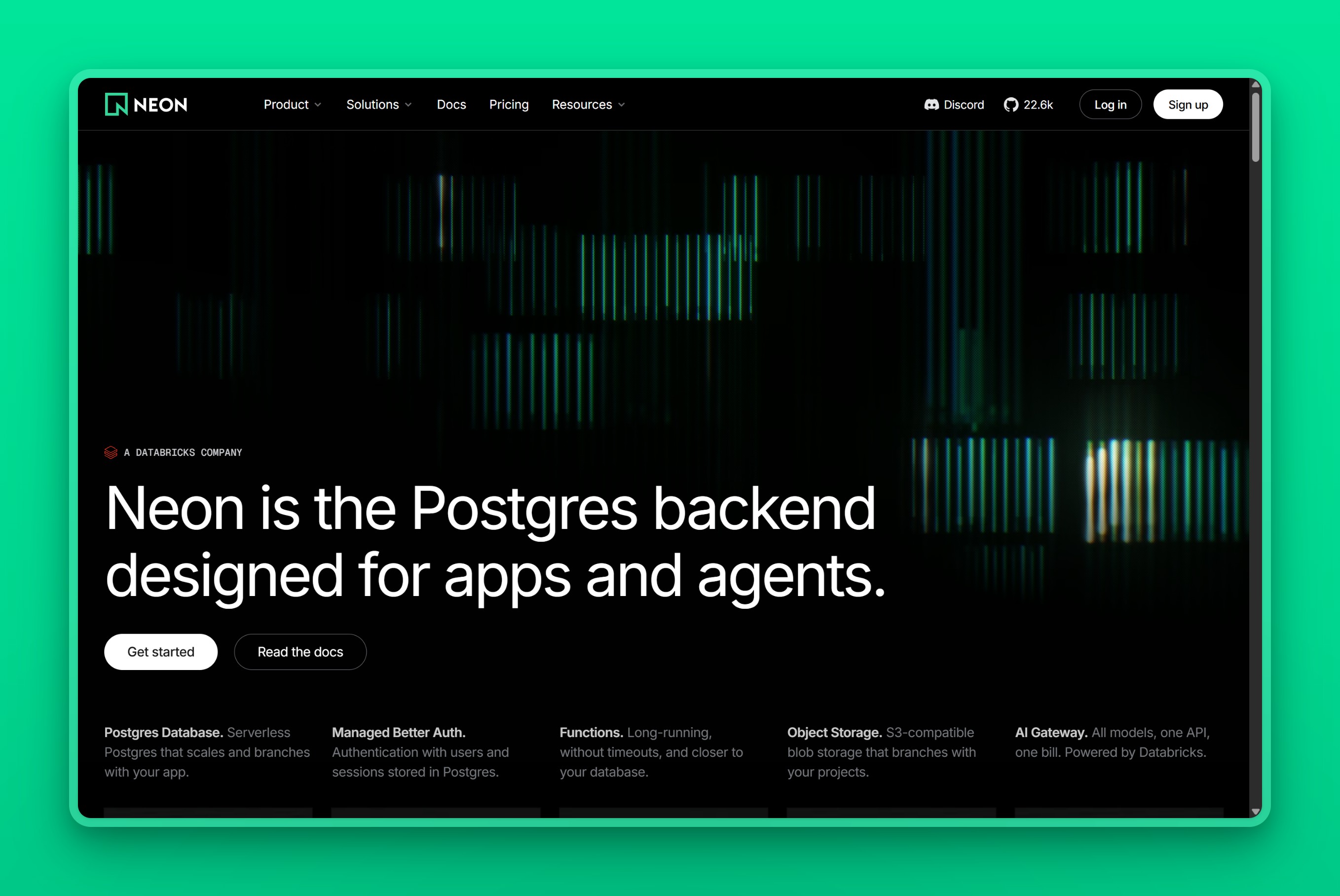
Neon runs in eight AWS regions: US East (Virginia and Ohio), US West (Oregon), Europe (Frankfurt and London), South America (São Paulo), and two in Asia Pacific, Singapore and Sydney. Its Azure regions are deprecated, and you can no longer create new projects there.
Neon fully manages compute, storage, scaling, and backups for the regions it covers. There is no cluster topology to design, because there is only one write path per project.
Scale-to-zero suspends compute after five minutes of inactivity. Free-plan users cannot change that threshold, and paid-plan users can only disable it entirely to keep compute always on, not shorten or lengthen it. A suspended database wakes within a few hundred milliseconds of the next query. Branches are near-instant copy-on-write snapshots of a parent database.
Neon also backs every plan with multi-AZ storage and a point-in-time restore window that widens on higher plan tiers, from a few hours up to a full month.
Neon is also the more established of the two, with a larger docs and community footprint built up over years as a serverless Postgres provider. It carries a 4.8 out of 5 rating on G2, though from just four reviews, too small a sample to lean on heavily.
Where it falls short
It is a weaker pick for steady-state production in Asia, where Singapore is its only regional option. A project’s region is also fixed at creation, unlike pgEdge, where you can add a node to a new region without rebuilding the cluster. Moving a Neon project later means a full migration.
The usage-based bill also moves unpredictably as traffic grows. One startup’s bill for four databases reached roughly $250 a month. The team wrote on Hacker News, as selfhost.dev reports it, that Neon’s pricing “punished our success.”
Cold starts of 300 to 500 milliseconds also force many always-on apps onto a paid compute floor just to avoid the wake-up delay. That erodes the savings scale-to-zero was supposed to deliver.
Its 99.95% published uptime SLA comes with service credits if it is missed, but that is a Business/Scale benefit only. Free and Launch carry no published SLA at all.
Pricing
Neon prices in three tiers, per project. The Free plan costs nothing; paid usage on Launch and Scale is metered, with no monthly minimum.
| Tier | Compute-hour | Storage | Included on Free |
|---|---|---|---|
| Free | 100 compute-hours included | 0.5 GB included | Plus 5 GB of egress |
| Launch | $0.106 | $0.35 per GB-month | Not applicable, paid plan |
| Scale | $0.222 | $0.35 per GB-month | Not applicable, paid plan |
Extra database branches cost $1.50 per branch-month, prorated hourly, on paid plans. Read those per-unit rates as inputs, not the bill. The real monthly cost adds compute-hours, storage, and any extra branches together, and it moves with usage rather than sitting still.
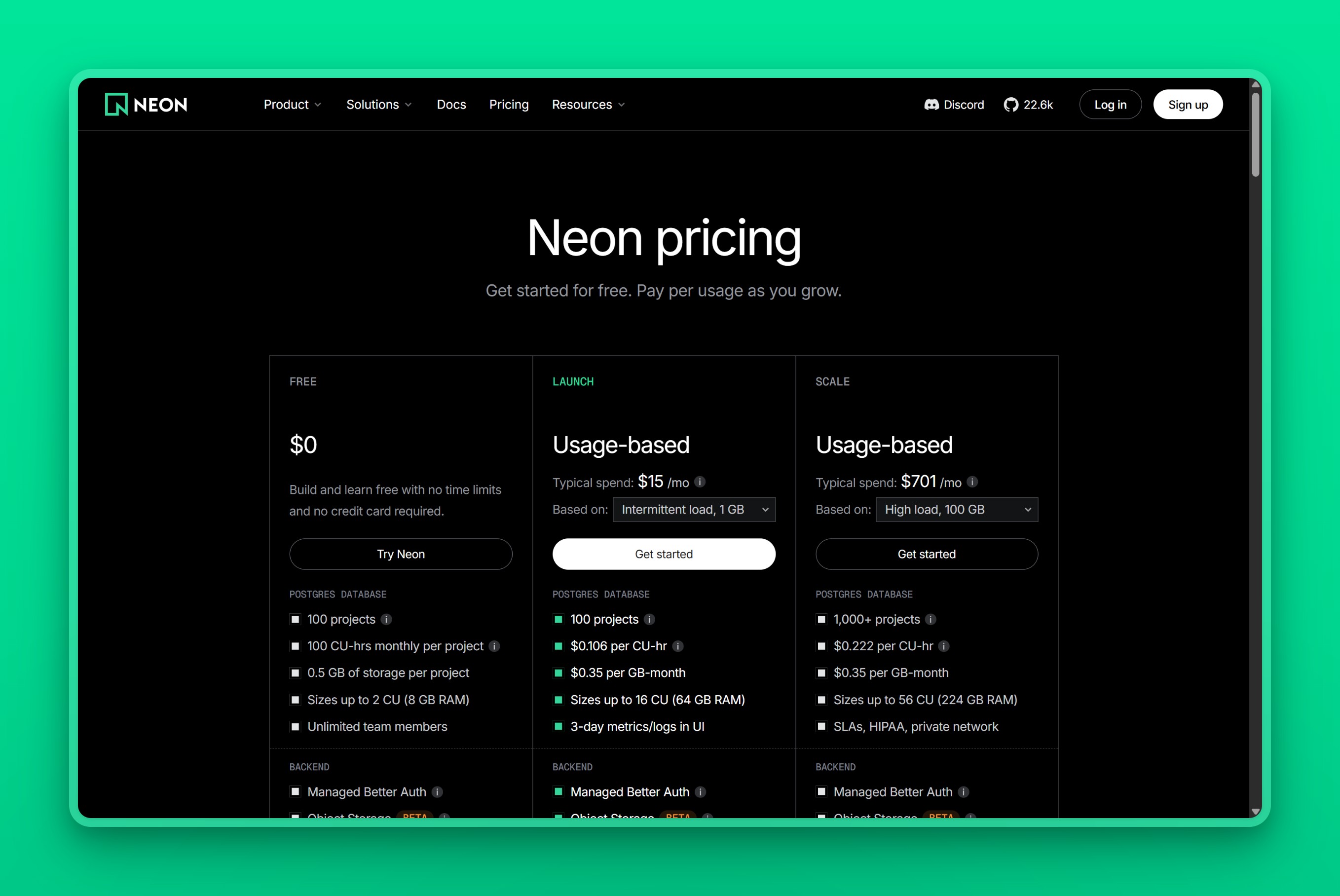 Neon pricing page.
Choosing between pgEdge and Neon
Choose pgEdge if:
- Your application needs writes accepted correctly in more than one region at once, not just reads served locally
- You have in-house Postgres expertise to design around multi-master conflict resolution and monitor it in production
- A published, predictable price matters less than getting the distributed architecture right
Choose Neon if:
- Most of your databases are short-lived: previews, CI runs, or per-agent sessions that genuinely idle to zero
- Instant, disposable database branching is central to how your team ships
- Your production traffic is steady and single-region, and Singapore or Sydney covers your users
Neither answer fits a team that wants a single, always-on production database in an Asia or Middle East city outside Neon’s two regions. That team does not want pgEdge’s distributed-systems complexity or Neon’s usage meter either.
When the answer is neither
Sometimes neither one is the answer. You do not need writes landing in five regions at once, so pgEdge’s complexity is more than the problem calls for. You are also not running a fleet of short-lived preview databases, so Neon’s scale-to-zero and branching solve a problem you do not have. Its usage meter still runs on the one steady database you do have.
What you want is one managed Postgres instance sitting near your users in Asia or the Middle East, at a price that does not move. Nearbase runs managed PostgreSQL in local data centers across ten regions: nine cities in Asia and the Middle East, plus Virginia in the US. Singapore is the only Asian city both Nearbase and Neon cover; Jakarta, Manila, Kuala Lumpur, Bangkok, Hong Kong, Tokyo, Seoul, and Dubai are places Neon does not run at all.
pgEdge could, in theory, reach any of those cities too. It deploys into whichever AWS, Azure, or GCP region you choose, and it is SOC 2 Type II certified with Data Residency as a named solution. The difference is who does the placement work. With pgEdge, you select, provision, and operate that region yourself; Nearbase ships the in-country location as the default, not a decision you make.
Nearbase charges one flat monthly price per instance, the same in every region, according to its live pricing page. Storage is billed separately, and there is no per-query or egress meter. An entry instance starts at $6 a month before storage.
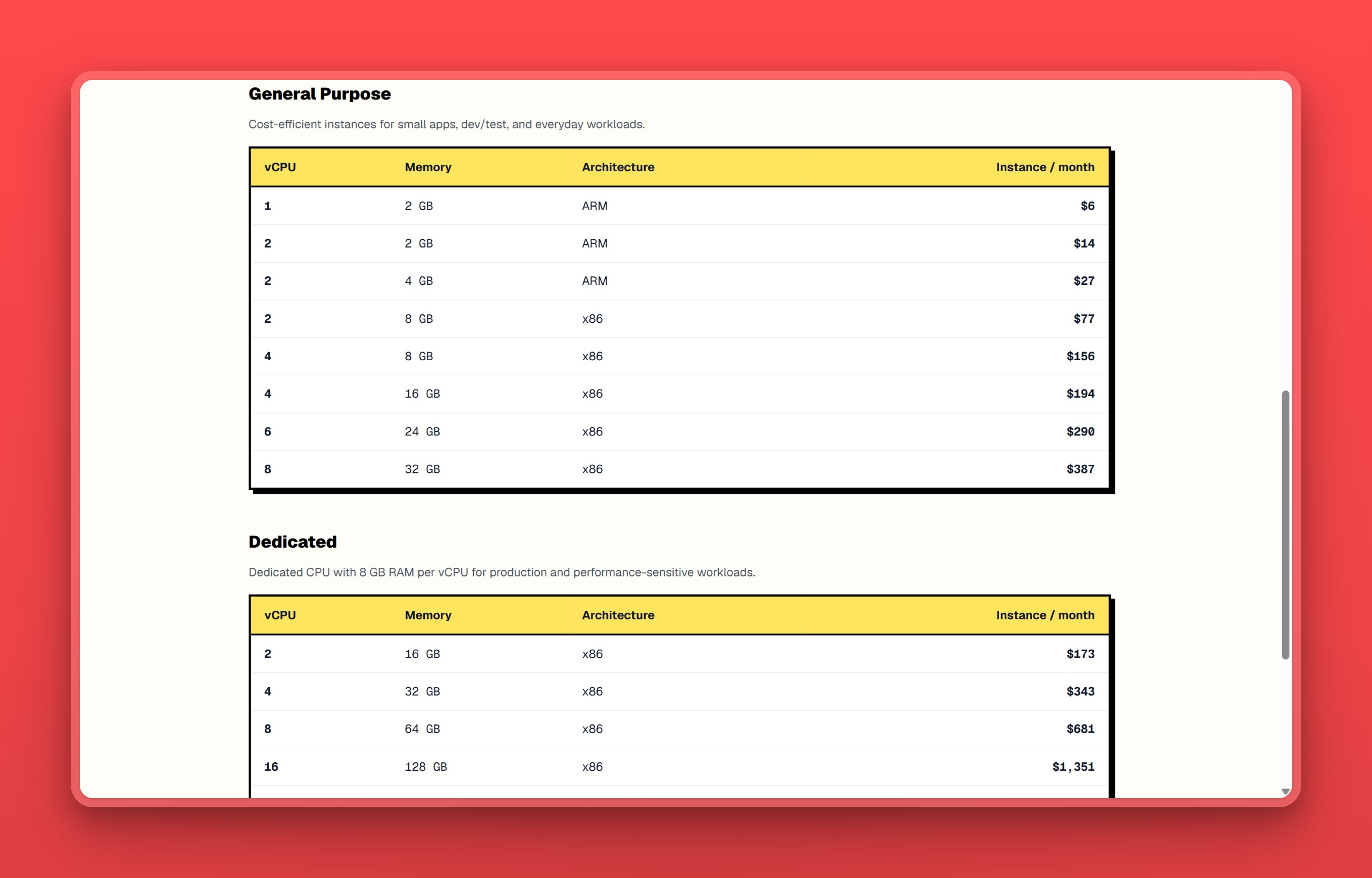 Nearbase pricing page, instance price only; storage is billed separately.
A Reddit user, replying in a thread about switching from Neon to Nearbase, put it plainly. “The DB has been stable, the bill is predictable, and I haven’t had to think much about it since migrating, which is exactly what I wanted.”
Its trade runs the other way: a single primary, not several that need to agree, means there is no cluster topology to design. Writes never land in two places at once, so there is no conflict-resolution policy to tune. The database does not sleep, so there is no idle timeout to weigh against cold starts.
Nearbase is fully managed, with a 99.99% uptime SLA behind that one primary. Nearbase is not the fit if you genuinely need multi-master active-active writes like pgEdge, or scale-to-zero and branching like Neon; that team stays with pgEdge or Neon instead.
If you do not need writes in five regions and you do not need a database that sleeps, try Nearbase. One region, one price.
Frequently asked questions
Architecture and fit
Can pgEdge and Neon be used together?
Not in any documented, supported way. They are separate products with separate architectures, and neither vendor describes an integration between them. A team that needs both distributed writes and scale-to-zero branching would run two separate systems for two separate workloads, which adds real operational overhead.
Does Neon support multi-region writes like pgEdge?
No. Neon runs a single write region per project, chosen at creation and fixed afterward. Its read replicas and branching features do not add write capacity in additional regions. Multi-region active-active writes are pgEdge’s core design, built around its Spock replication extension.
Is pgEdge production-ready?
Yes, but with real caveats. Its distributed components went fully open source under the PostgreSQL License in 2025. The self-hosted VM Edition is free to download and run, though pgEdge’s own FAQ scopes that free use to development, testing, and evaluation, and a production deployment needs a paid subscription for certified binaries, updates, and support. With zero reviews yet on G2, Capterra, or SoftwareSuggest, and no published contractual uptime SLA, buyers have little independent track record to check pgEdge’s own claims against.
Is Neon better than pgEdge for a startup?
It depends on what the startup’s databases actually do, not which product sounds newer. A startup spinning up and tearing down databases for previews, CI, or per-agent sessions gets real value from Neon’s scale-to-zero pricing and instant branching. A startup whose application genuinely needs writes accepted correctly in more than one region at once needs pgEdge’s active-active design instead, and no amount of Neon’s convenience replaces that architecture.
How do pgEdge and Neon compare to plain, self-hosted PostgreSQL?
Neither product replaces plain PostgreSQL outright, since both are Postgres, extended or re-architected for a specific problem. pgEdge’s distributed components are extensions, Spock among them, added to standard Postgres nodes; the self-hosted VM Edition is free for development and evaluation, per pgEdge’s own FAQ, but a production deployment needs pgEdge’s paid subscription. Neon modifies Postgres internals to separate storage from compute and ships no self-hosted edition at all, so running Neon yourself is not an option. Wanting neither pgEdge’s multi-master extensions nor Neon’s serverless architecture, just Postgres you run yourself, is a third path neither product replaces.
Pricing and regions
Is pgEdge free to use?
The self-hosted Distributed Postgres VM Edition, including the Spock extension, is fully open source under the standard PostgreSQL License and free to download and run, but pgEdge’s own FAQ scopes that free use to development, testing, and evaluation. A production deployment needs a paid subscription for certified binaries, updates, and support. pgEdge Cloud, the managed offering, has a free self-serve Developer Edition to evaluate with, but does not publish recurring pricing beyond that for any configuration, and directs paid or production inquiries to its sales team.
Does pgEdge have a region in Singapore or elsewhere in Asia?
pgEdge Cloud deploys into AWS, Azure, or GCP regions you select, so Asia coverage depends on which cloud and region you choose during setup rather than a fixed list. That is broader in theory than Neon’s two Asia-Pacific regions, but it also means you are responsible for picking and coordinating those regions yourself.
What if I need managed Postgres in an Asian city neither one covers?
Neither pgEdge nor Neon runs a fixed regional footprint in cities like Jakarta, Manila, or Dubai. pgEdge can be deployed there only if you select, provision, and operate that cloud region yourself; Neon’s eight fixed regions do not reach that far into Asia at all. Nearbase runs managed PostgreSQL in those cities directly, at one flat monthly price per instance according to its live pricing page. It does not do active-active multi-region writes and it does not branch databases, so a team that needs either of those stays with pgEdge or Neon.
What is the cheapest way to run Postgres in multiple regions?
Between these two, pgEdge’s free Developer Edition is the cheapest way to try it: a three-node multi-master cluster at no cost. pgEdge’s FAQ scopes that free tier to development and evaluation, though, and any production or paid Cloud configuration goes through a sales conversation with no published price. Neon does not offer multi-region writes at all, so it is not an option for this specific need regardless of price.
Read next
Leaving Neon specifically, rather than comparing it to pgEdge? Our guide to Neon alternatives covers eleven managed-Postgres options grouped by the reason teams actually leave. For the wider managed-Postgres market beyond these two, see the best Postgres hosting providers.
Last updated 2026-07-30