Postgres MCP Server (2026): Security, Setup, Which to Pick
Postgres MCP server's most popular package ships an unpatched SQL injection (100K weekly). Pick a safe replacement, lock the database role, get real config.
Use Postgres MCP Pro. It uses pglast to parse and restrict SQL before execution, and its performance tooling (slow query analysis, index recommendations) goes deeper than anything else in this space. pgconsole and pgEdge 1.1.0 also perform pre-execution statement classification or rejection, but Pro’s pglast-based parsing is the most granular. If you work across multiple database types or need the smallest context-window footprint, DBHub is the alternative: 2 tools by default at about 1,400 tokens. Both are free.
Do not point @modelcontextprotocol/server-postgres at anything you care about. Datadog Security Labs documented an unpatched SQL injection that escapes its read-only mode, and the NPM package still draws about 100,000 weekly downloads without a fix. Whatever server you pick, create a dedicated read-only database role first. The read-only flag inside the MCP server is not a security boundary.
Table of contents
- What is a Postgres MCP server?
- Key takeaways
- Postgres MCP server SQL injection: why the official server was archived
- How to lock down your Postgres database role
- Postgres MCP servers at a glance
- 5 Postgres MCP servers in 2026
- Setting up Postgres MCP: Claude Desktop, Claude Code, Cursor, and VS Code
- Using Postgres MCP with managed Postgres
- Which Postgres MCP server should you choose?
- When the archived official server is actually still fine
- When a platform-specific MCP server is the right call
- Bottom line on Postgres MCP servers
- Postgres MCP server FAQ
What is a Postgres MCP server?
A Postgres MCP server is a small process that implements Anthropic’s Model Context Protocol. MCP is a JSON-RPC standard that lets AI assistants talk to external tools and data sources without being hardcoded into the AI client or your application. In practice, that means Claude, Cursor, or VS Code Copilot can read your schema, run queries, and explain execution plans without you pasting DDL into every conversation.
The protocol treats database capabilities as typed tools the AI can call: list tables, run a query, analyze a slow statement, recommend an index. The server handles the translation from AI request to SQL and back. Your AI client never holds a raw database connection directly.
Transport is JSON-RPC over stdio or HTTP, so any MCP-capable client uses the same server binary. The same stdio server command can be adapted across clients, but configuration file locations and JSON schemas differ.
Common uses:
- Schema exploration without clipboard work. The AI sees your table definitions, column types, and relationships directly, so “write a query joining orders to customers” goes to execution rather than “paste your schema first.”
- Natural-language SQL with schema visibility. The AI generates SQL against visible table definitions, which reduces the most common hallucination class: references to tables and columns that do not exist.
- DBA assistance. With the right server (Postgres MCP Pro, specifically) you get slow-query analysis and index recommendations that use real Postgres internals, not generic advice.
MCP does not make the AI’s SQL reliable, does not enforce your access policies on its own, and does not prevent prompt injection from data your AI reads back. Those problems sit with you, and the next section is about the most consequential one.
Key takeaways
| Takeaway | Why it matters |
|---|---|
The official @modelcontextprotocol/server-postgres has an unpatched SQL injection and should not be used | It still ships about 100,000 weekly downloads on NPM. Datadog Security Labs proved the read-only flag is not a security boundary. |
| Postgres MCP Pro is our pick for development and DBA workflows | Structural SQL parsing via pglast, slow query analysis, index recommendations. pgconsole and pgEdge 1.1.0 also classify statements, but Pro goes deepest on Postgres internals. |
| DBHub is the pick for multi-database teams or tight context budgets | 2 tools by default at about 1,400 tokens (execute_sql and search_objects), with opt-in explain, health-check, and custom tools. Supports Postgres, MySQL, and SQLite. Actively maintained by Bytebase. |
| Create a read-only database role before connecting any MCP server | This newly created role lacks ordinary table DML and DDL privileges, but you must also audit ownership, inherited roles, schemas, sequences, PUBLIC privileges, and executable functions, especially SECURITY DEFINER functions. |
| Every MCP server on this list is free and open-source | The cost is zero. The security posture and feature depth are the differentiators. |
| These servers connect to any reachable, version-compatible PostgreSQL endpoint | RDS, Cloud SQL, Neon, Nearbase, and other providers work with an authentication method the server supports; provider networking and IAM requirements may need additional configuration. |
Postgres MCP server SQL injection: why the official server was archived
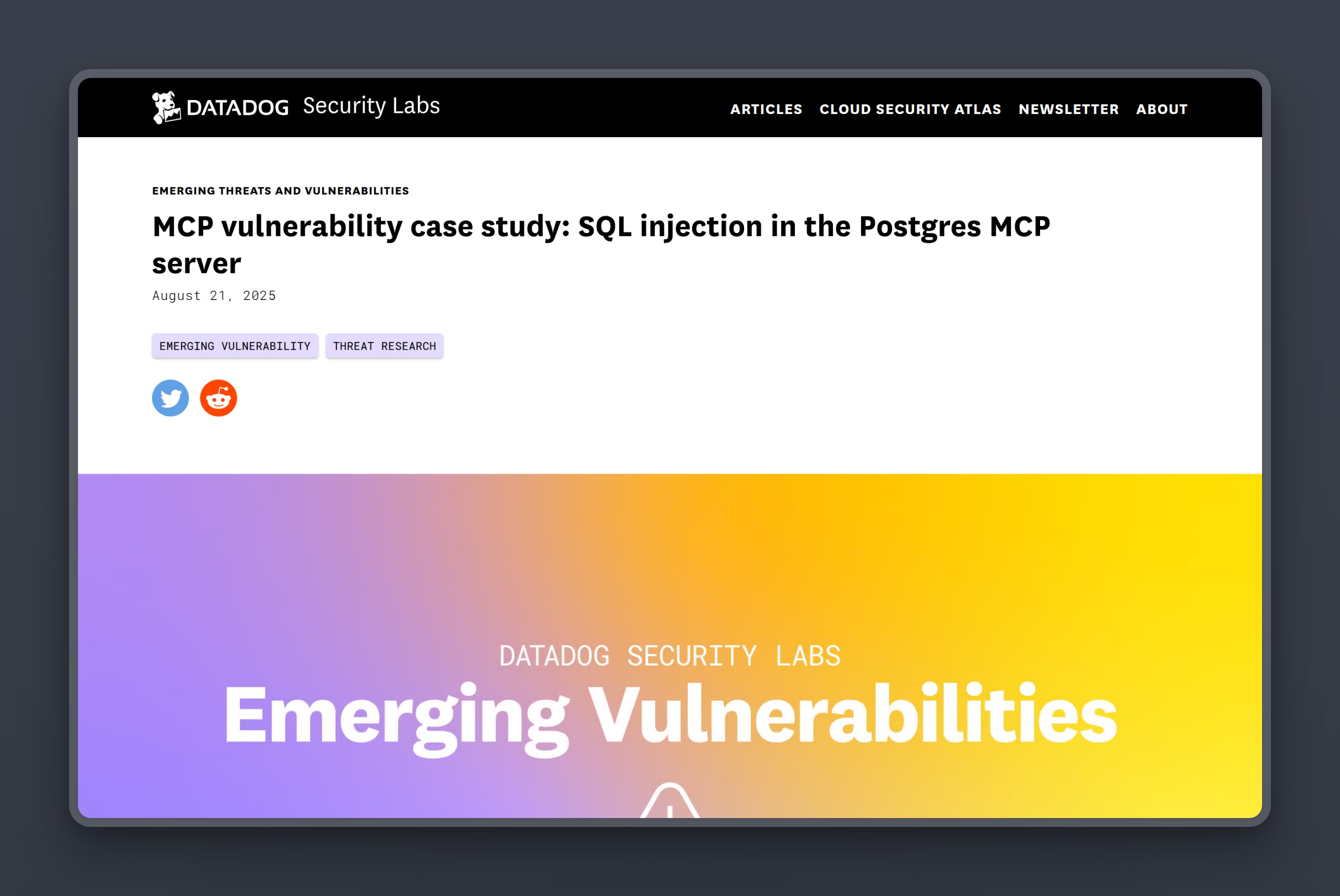
Anthropic published a reference Postgres MCP server, @modelcontextprotocol/server-postgres, to demonstrate how the protocol worked. Datadog Security Labs then showed it allowed SQL injection that bypassed the server’s own read-only mode, and that the NPM package was never patched.
Node.js’s client.query() accepts multi-statement strings separated by semicolons. The server passed SQL from the AI to that function without parameterization. An attacker who could influence the AI’s queries could submit something like COMMIT; DROP SCHEMA public CASCADE;. The semicolon exits the read-only transaction the server opened, and the second statement runs with whatever privileges the connecting database user holds.
A second attack path was subtler. In pooled connection environments, the sequence COMMIT; SET statement_timeout TO 1; persists session variables for the next user to pick up that connection. No data destruction required. The attack degrades everyone sharing the pool.
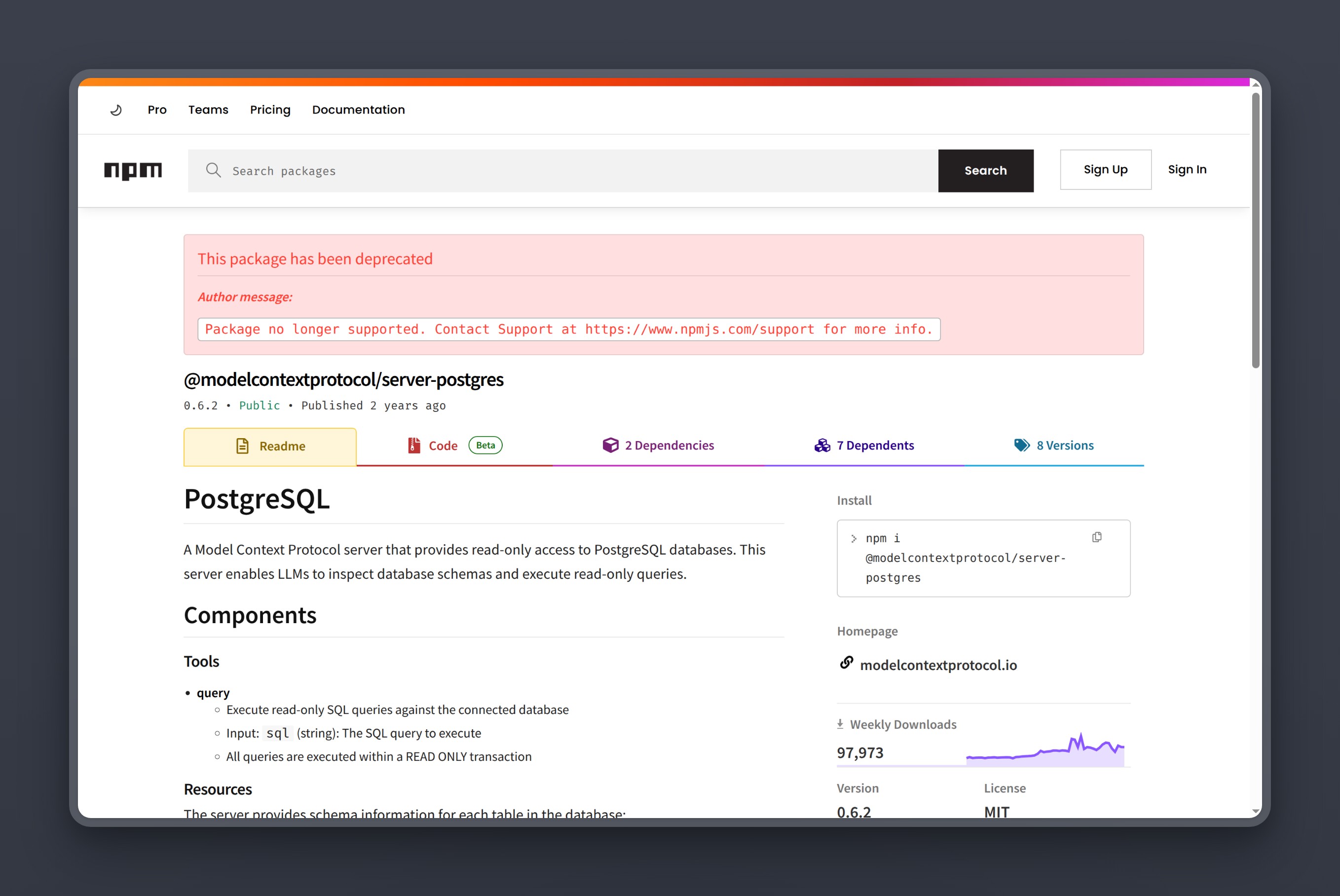
The vulnerability was first reported in late 2024. Datadog Security Labs submitted a detailed report with a patch in spring 2025. Zed Industries shipped a patched fork around the same time. Anthropic archived the server shortly after, then formally deprecated it mid-2025. NPM version 0.6.2, the latest published version, was never patched.
Trend Micro demonstrated this chain where untrusted stored data is passed to an LLM that can perform consequential follow-up actions. Malicious text written to database fields hijacks the agent when it reads those fields back. The AI cannot distinguish a legitimate query result from adversarial instructions planted in the data.
Simon Willison described the underlying problem as a lethal trifecta: access to private data, exposure to untrusted content, and exfiltration capability. A database MCP can supply private-data access and exposure to untrusted content; the lethal trifecta is complete only when the surrounding agent also has an exfiltration-capable channel. Datadog put the conclusion plainly: “classic application security vulnerabilities are still very relevant to MCP servers and other AI tooling.”
Read-only mode inside the MCP server is application-layer enforcement. Application-layer enforcement is exactly what the Datadog exploit escaped. The database role is the real perimeter.
How to lock down your Postgres database role before connecting an MCP server
The database role enforces what the MCP server cannot. It does not matter what the MCP server allows or what the AI requests. Create a dedicated role before you connect anything.
-- Create a dedicated role for your MCP server
CREATE ROLE mcp_readonly WITH LOGIN PASSWORD 'use-a-strong-password';

-- Allow the role to connect to the target database
GRANT CONNECT ON DATABASE your_database TO mcp_readonly;

-- Allow schema visibility
GRANT USAGE ON SCHEMA public TO mcp_readonly;

-- Grant read access to all existing tables
GRANT SELECT ON ALL TABLES IN SCHEMA public TO mcp_readonly;

-- Grant read access to future tables created by the role executing this command
-- If another role creates tables, add: FOR ROLE that_role
ALTER DEFAULT PRIVILEGES IN SCHEMA public
  GRANT SELECT ON TABLES TO mcp_readonly;
This role can read existing table-like objects in public. It does not automatically receive sequence access, and it may retain privileges inherited through PUBLIC. Audit ownership, inherited roles, sequences, and executable functions, especially SECURITY DEFINER functions, before trusting any role as read-only. Session-variable manipulation (the pooled-connection vector from the Datadog research) survives a read-only role. If you use connection pooling, use a pool that destroys connections rather than recycling them, or configure the pool to reset all session state on return.
Three controls worth adding on top:
Enforce TLS. The config examples below use sslmode=require, which refuses a plaintext channel. If you manage your own certificate authority, sslmode=verify-full validates the server certificate against your CA and checks the hostname. That prevents MITM on the connection.
Set statement_timeout. Add options=-c statement_timeout=30000 (30 seconds) to the connection parameters. This bounds runaway queries from the assistant. Note that statement_timeout is a Postgres server GUC, not a libpq keyword, so it must be passed via the options parameter: postgresql://...?sslmode=require&options=-c%20statement_timeout%3D30000.
Use a non-production database. Give the AI a copy of the schema with representative data, not your live production database. A read-only role limits write damage; it does not prevent a prompt-injection attack from exfiltrating data the role can read. Limit what the role can see.
Sometimes read-write access is genuinely justified: generating seed data, running migrations in a controlled environment. In those cases, create a separate role and scope it to specific tables only. GRANT INSERT, UPDATE ON specific_table TO mcp_readwrite; is the posture, not blanket write access to the schema. Never hand the MCP server a superuser connection.
Postgres MCP servers at a glance
We evaluated five generic-Postgres MCP servers that work with any Postgres database. Platform-locked options (Supabase, Neon, Aurora) are covered in a later section.
All five are free and open-source.
| Server | Best for | Key strength | Where it falls short |
|---|---|---|---|
| Postgres MCP Pro | Dev and DBA workflows | pglast SQL parsing, performance analysis, index tuning | Development slowed after Temporal acquisition |
| DBHub | Multi-database teams, tight context budgets | 2 tools by default at about 1,400 tokens; MySQL and SQLite alongside Postgres | No built-in slow-query analysis or index recommendations; optional explain and health-check tools available |
| pgEdge Postgres MCP | Enterprise and self-hosted | Go binary, TLS and auth, web UI, hybrid search | Newest of the five; less community testing |
| pgconsole | Strictest access control | Default-deny, 7 granular permission types | Early stage; not production-vetted at scale |
| Google MCP Toolbox | GCP-native stacks | Enterprise scale, multi-database, 16,317 stars | Cloud SQL auth friction makes it impractical outside GCP |
5 Postgres MCP servers in 2026
The order runs from the most useful pick for a developer connecting a Postgres database to an AI assistant, to the most specialized option for a GCP-native enterprise stack.
1. Postgres MCP Pro: the deepest Postgres-specific tooling
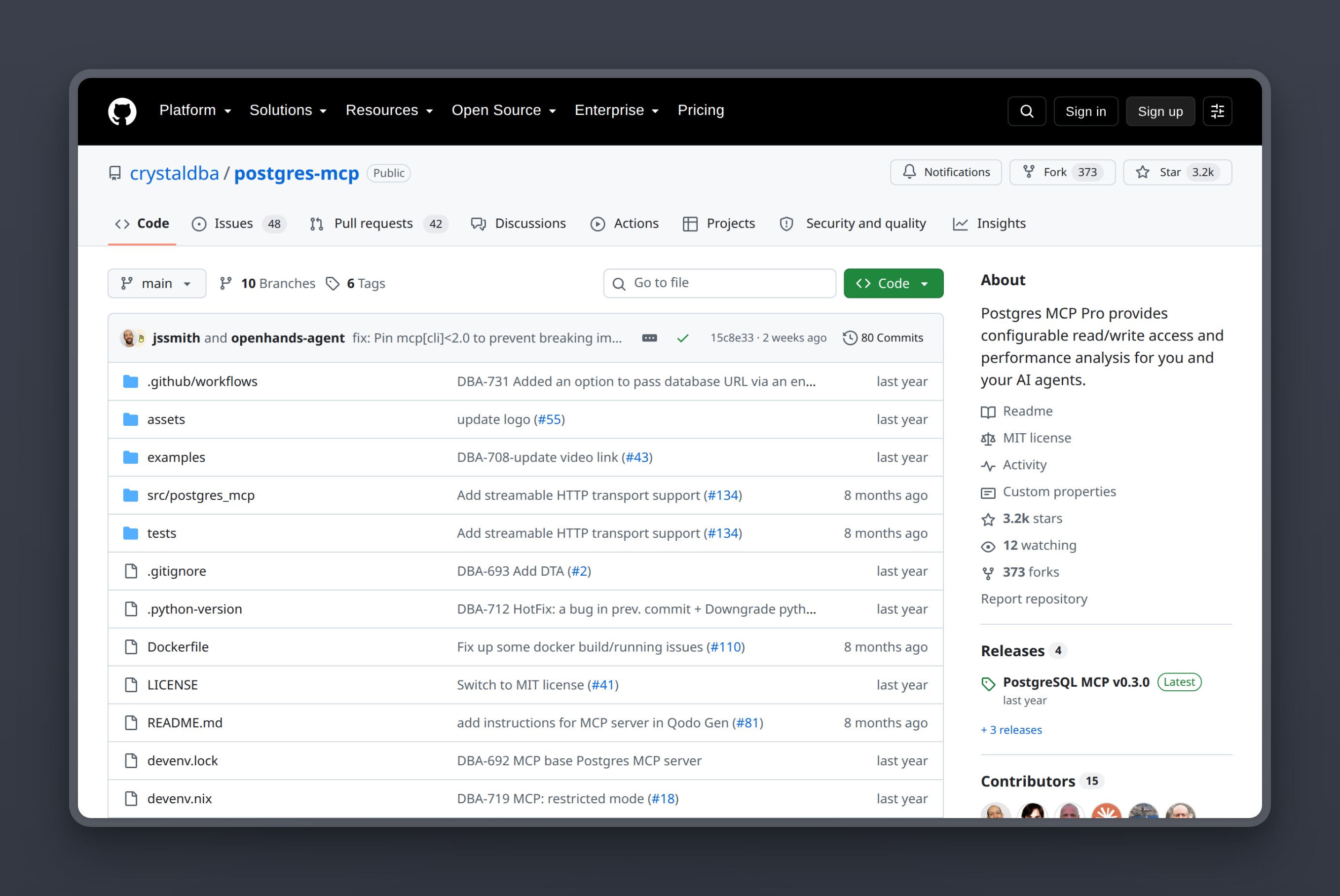
Postgres MCP Pro, from Crystal DBA, is our pick for most development and DBA workflows. Its restricted mode parses SQL through pglast before executing. That is a structural check rather than a text filter, so it blocks destructive statement classes even if prompt injection slips past your other controls. pgconsole and pgEdge 1.1.0 also perform pre-execution statement classification or multi-statement rejection, but Pro’s allowlist covers the widest range of structural checks. Its performance tools go further than anything else in this list: slow query analysis, index recommendations, and health checks that use actual Postgres internals.
Crystal DBA was acquired by Temporal Technologies in 2025. The server works and the last commit landed in 2026, and it remains the best option available for Postgres-specific DBA workflows through an MCP server.
Key Features
- Restricted mode with
pglastSQL parsing that blocks destructive statement classes structurally - Slow query analysis using actual Postgres internals
- Index recommendations based on real query patterns
- Health checks and performance diagnostics
- Read-only and restricted access modes
- Works with Claude Desktop, Claude Code, Cursor, and VS Code
Pros
- Structural SQL parsing is a genuine security layer on top of the database role
- Deepest Postgres-specific DBA tooling of any generic MCP server
- Free and open-source (MIT license)
- Catches destructive SQL before it reaches the database; pgconsole and pgEdge 1.1.0 also classify or reject statements, but Pro’s pglast-based parsing is the most granular
Cons
- Development slowed after Crystal DBA’s acquisition by Temporal Technologies; sporadic commits since early 2026
- Larger tool surface means more context-window consumption than DBHub
- Future maintenance is uncertain given the acquisition
Pricing
- Free (MIT license)
User Reviews
Postgres MCP Pro holds 3,268 stars on GitHub.
“There are lots of these MCP servers out there. The index analysis and health checks make it stick out.”
- rahulcap, commenting on Hacker News
Best For
Developers and DBAs who want the deepest Postgres-specific tooling from their MCP server: performance analysis, index recommendations, and structural SQL parsing as a security layer.
vs the archived official server: Postgres MCP Pro’s restricted mode parses SQL through pglast and blocks destructive statement classes before they reach the database. The official server passed raw SQL to client.query() without parameterization, which is how the Datadog exploit worked. That is the difference between a structural check and no check at all. Both are free; there is no reason to stay on the deprecated package.
2. DBHub: smallest token footprint, multi-database support
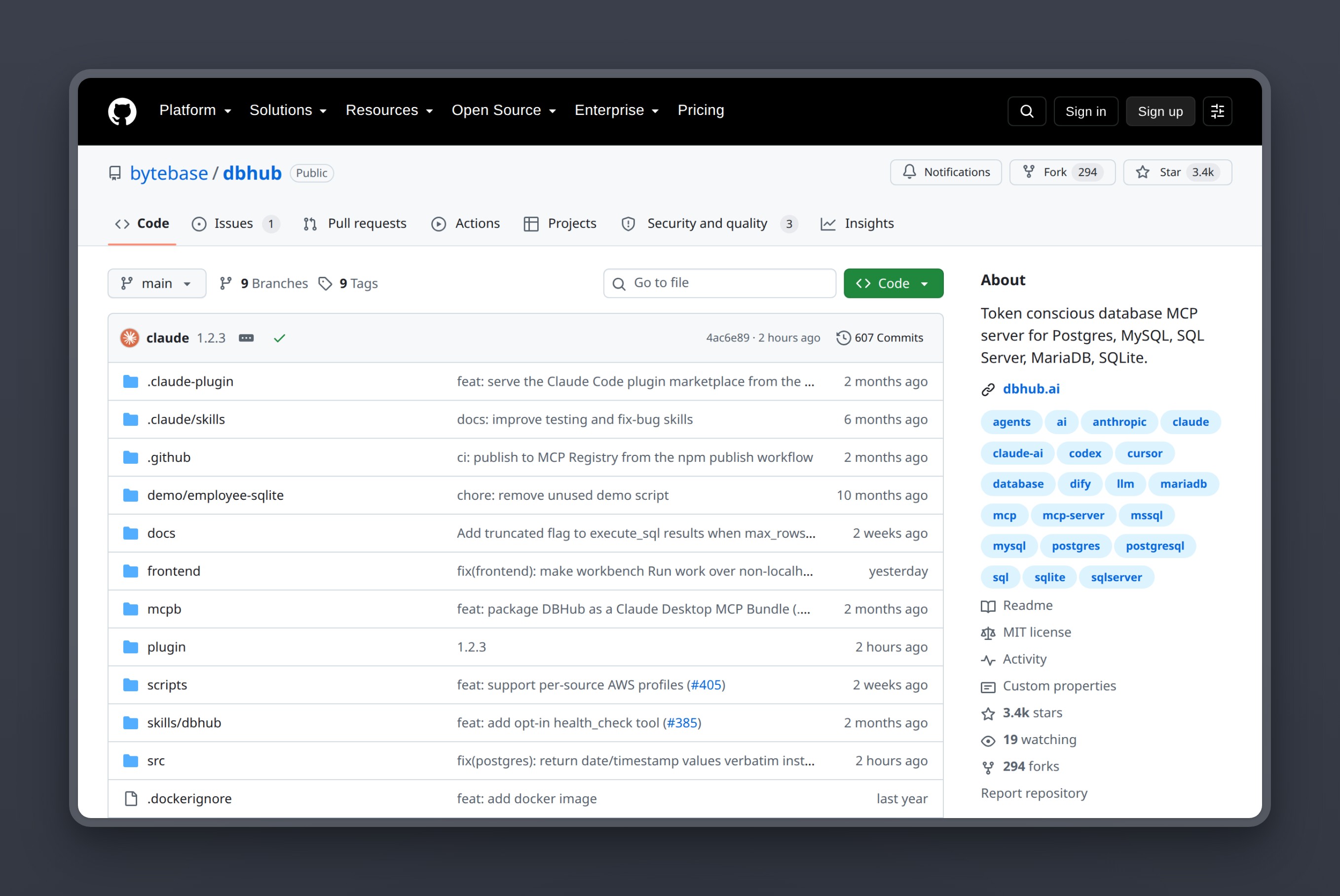
DBHub, from Bytebase, takes the opposite approach from Postgres MCP Pro. It loads 2 tools by default at about 1,400 tokens (execute_sql and search_objects), with opt-in explain, health-check, and custom tools. That means about 1,400 tokens of context-window overhead versus the thousands that a larger tool surface consumes. It also supports MySQL and SQLite alongside Postgres, so a team with multiple database types can use one server for all of them.
DBHub’s efficiency is hard to beat. It connects, it queries, it describes, and the two-tool default means the AI spends its context window on your schema and results, not on tool definitions. Bytebase actively maintains it with regular releases.
Key Features
- 2 tools by default at approximately 1,400 tokens of context-window overhead (
execute_sqlandsearch_objects), with opt-in explain, health-check, and custom tools - Multi-database support: Postgres, MySQL, SQLite, and others
- Read-only mode enforced at the server level
- Actively maintained by the Bytebase team
- Works with Claude Desktop, Claude Code, Cursor, and VS Code
- Transport via stdio
Pros
- Smallest context-window footprint of any server on this list
- Multi-database support means one server for teams with mixed database types
- Actively maintained with regular updates from Bytebase
- Free and open-source (MIT license)
Cons
- No built-in slow-query analysis or index recommendations; optional
explain_sqlandhealth_checktools are available - No structural SQL parsing; security relies entirely on the database role
- 2-tool default means less granular control over what the AI can do
Pricing
- Free (MIT license)
User Reviews
DBHub holds 3,462 stars on GitHub.
“Primary use case: local development, data exploration, production support/troubleshooting. What’s working well: this MCP server only having two tools (execute_sql and search_object) and minimally loading the context window. Please keep it this way. Prior to that I tried and thrown away two or three other postgres MCP tools which were insanely overblown.”
- DmitriyAlergant, reviewing DBHub on GitHub
Best For
Multi-database teams or developers who need the tightest possible context-window budget. Teams running Postgres alongside MySQL or SQLite who want one MCP server for all of them.
vs the archived official server: DBHub loads 2 tools by default at about 1,400 tokens. The deprecated server exposed a query tool and schema resources behind a bypassable read-only transaction. DBHub’s read-only mode is still an application-layer constraint (back it with a database role), but the attack surface is smaller by design, and Bytebase is actively maintaining it. The deprecated package was never patched.
3. pgEdge Postgres MCP: enterprise-grade Go binary with built-in auth
pgEdge Postgres MCP is the most enterprise-oriented option on this list. It is a Go binary (not a Python or Node package) with built-in TLS, authentication, multi-database support, a web UI, and hybrid search capabilities. It went GA in 2026, with TLS and authentication as native capabilities of the binary.
pgEdge packages its MCP server as a standalone Go binary with TLS and authentication; pgconsole also offers a single-binary, authenticated web UI and MCP endpoint. The Go binary deploys as a single file with no runtime dependencies, which simplifies infrastructure for enterprise environments.
Key Features
- Go binary with built-in TLS and authentication
- Multi-database support
- Web UI for management and monitoring
- Hybrid search capabilities
- Self-hosted with full infrastructure control
- Stdio and HTTP/HTTPS transport support
Pros
- Transport-level security (TLS + auth) built into the binary, not bolted on
- Go binary deploys as a single file with no runtime dependencies
- Web UI provides visibility into server operations
- Free and open-source
Cons
- Newest of the five at 222 GitHub stars; less community testing than Pro or DBHub
- No structural SQL parsing like Postgres MCP Pro’s pglast
Pricing
- Free (open-source)
User Reviews
pgEdge Postgres MCP holds 222 stars on GitHub. The project is too new for review-platform listings, and we found no substantive independent user review.
Best For
Enterprise teams that want to self-host an MCP server with authentication and TLS built into the binary rather than relying on application-layer config.
vs the archived official server: pgEdge ships with TLS and authentication at the transport layer. The deprecated server had neither, and its SQL handling was the attack surface Datadog exploited. pgEdge 1.1.0 uses PostgreSQL’s extended-query protocol for read-only connections and rejects multi-statement requests; versions through 1.0.0 were vulnerable to statement smuggling.
4. pgconsole: strictest default-deny access control
pgconsole takes the position that the MCP server itself should enforce granular access control, not just the database role. It ships with a default-deny posture and 7 distinct permission types that you explicitly grant. Default-deny governs connection access and execution tools; list_connections remains available to every authenticated agent. That is the opposite of every other server on this list, where tools are available by default and you restrict what you do not want.
For teams that want the MCP server’s permission model to mirror the principle of least privilege, pgconsole is the only option that starts locked down and opens only what you grant. The 7 permission types give more control than a binary read-only flag, and the explicit-grant model means new tools added in future versions do not silently gain access.
Key Features
- Default-deny access control: connection access and execution tools require explicit grants;
list_connectionsremains available to authenticated agents - 7 granular permission types for fine-grained control
- Explicit permission grants per tool and per operation
- Connection-scoped, independent
read,write,ddl,admin,explain,execute, andexportpermissions - Works with standard MCP clients
Pros
- Strictest access control model of any server on this list
- Default-deny means you start locked down and open only what you need
- 7 permission types give more granularity than a binary read-only flag
- Free and open-source
Cons
- Early stage at 148 GitHub stars; not production-vetted at scale
- Less community validation means fewer known edge cases
- More configuration overhead than plug-and-play alternatives
- No Postgres-specific DBA features
Pricing
- Free (open-source)
User Reviews
pgconsole holds 148 stars on GitHub. The project is too early for review-platform listings, and we found no substantive independent user review.
Best For
Security-conscious teams that want the MCP server itself to enforce granular, default-deny access control on top of the database role.
vs the archived official server: pgconsole’s default-deny model is the structural opposite of the deprecated server, which exposed a query tool and schema resources behind a bypassable read-only transaction. pgconsole requires you to explicitly grant every permission beyond basic connection listing.
5. Google MCP Toolbox for Databases: enterprise scale for GCP stacks
Google MCP Toolbox for Databases is Google’s entry into the MCP server space. It supports Cloud SQL, Spanner, AlloyDB, and standard Postgres, and has the largest GitHub presence on this list at 16,317 stars. For teams already running Cloud SQL with IAM auth, the Toolbox handles connector setup internally.
The Toolbox brings multi-database support across Cloud SQL, Spanner, and AlloyDB. With 16,317 stars, it has the largest GitHub presence of any server on this list.
Key Features
- Multi-database architecture covering Cloud SQL, Spanner, AlloyDB, and standard Postgres, built and maintained by Google
- Native integration with Cloud SQL IAM authentication
- 16,317 GitHub stars: the largest community of any server on this list
- Maintained by Google as a production-ready, actively released project
Pros
- Largest GitHub star count of any MCP server on this list
- Native Cloud SQL IAM auth handles connector setup internally if you are already on GCP
- Multi-database support for Cloud SQL, Spanner, and AlloyDB, built and maintained by Google
- Free and open-source (Apache 2.0)
Cons
- Cloud SQL auth friction makes it impractical outside GCP
- Adds complexity for non-GCP Postgres deployments that the other four servers do not
- Heavier setup than pip/npx one-liners
- Enterprise architecture means more moving parts for simple use cases
Pricing
- Free (Apache 2.0 license)
User Reviews
Google MCP Toolbox has 16,317 stars on GitHub, the largest star count among the five listed servers. We found no substantive independent user review on G2, Trustpilot, or Hacker News.
Best For
Enterprise teams running Postgres on Google Cloud SQL who want native IAM integration and Google’s infrastructure patterns.
vs the archived official server: Google MCP Toolbox brings multi-database support for Cloud SQL, Spanner, and AlloyDB, along with native Cloud SQL auth. The deprecated server was a reference implementation with no production hardening. This is an actively maintained project; the mcp-server-postgres package was deprecated.
Setting up Postgres MCP: Claude Desktop, Claude Code, Cursor, and VS Code
These configs use Postgres MCP Pro. If you choose DBHub instead, replace the uvx postgres-mcp command with npx @bytebase/dbhub --transport stdio --dsn followed by the connection string. DBHub is a Node package, not a Python one, so the launch command differs. The connection string in all four examples follows the same pattern: postgresql://mcp_readonly:password@host:5432/dbname?sslmode=require. That is the role you created, its password, your host, and sslmode=require to enforce encryption in transit.
Claude Desktop: Postgres MCP config
The config file location by platform:
- macOS:
~/Library/Application Support/Claude/claude_desktop_config.json - Windows:
%APPDATA%\Claude\claude_desktop_config.json - Linux (beta):
~/.config/Claude/claude_desktop_config.json
Add or merge the mcpServers block:
{
  "mcpServers": {
    "postgres": {
      "command": "uvx",
      "args": [
        "postgres-mcp",
        "--access-mode=restricted",
        "postgresql://mcp_readonly:password@host:5432/dbname?sslmode=require"
      ]
    }
  }
}
--access-mode=restricted enables the pglast SQL parser, which blocks destructive statement classes structurally. It does not replace the database role; use both. Restart Claude Desktop after saving the file for the server to appear.
Claude Code: Postgres MCP config
Add the server via the CLI:
claude mcp add postgres -- uvx postgres-mcp \
  --access-mode=restricted \
  "postgresql://mcp_readonly:password@host:5432/dbname?sslmode=require"
Or add it directly to .mcp.json in your project root:
{
  "mcpServers": {
    "postgres": {
      "command": "uvx",
      "args": [
        "postgres-mcp",
        "--access-mode=restricted",
        "postgresql://mcp_readonly:password@host:5432/dbname?sslmode=require"
      ]
    }
  }
}
A project-scoped .mcp.json activates the server only when you are working in that directory. Check it into version control so everyone on your team gets the same MCP setup. For a server you want available across all projects, use claude mcp add --scope user instead.
Cursor: Postgres MCP config
Create or edit .cursor/mcp.json in your project root:
{
  "mcpServers": {
    "postgres": {
      "command": "uvx",
      "args": [
        "postgres-mcp",
        "--access-mode=restricted",
        "postgresql://mcp_readonly:password@host:5432/dbname?sslmode=require"
      ]
    }
  }
}
Open Cursor Settings and navigate to the MCP section to confirm the server appears as connected. The same server package works with Cursor without modification.
VS Code (GitHub Copilot): Postgres MCP config
VS Code supports MCP servers through Copilot Chat. Add the configuration to your workspace .vscode/mcp.json:
{
  "servers": {
    "postgres": {
      "type": "stdio",
      "command": "uvx",
      "args": [
        "postgres-mcp",
        "--access-mode=restricted",
        "postgresql://mcp_readonly:password@host:5432/dbname?sslmode=require"
      ]
    }
  }
}
Reload VS Code and open Copilot Chat. The postgres server will appear as an available tool in the chat interface. Enable it for the session before sending database queries.
Using Postgres MCP with managed Postgres
These servers connect to any reachable, version-compatible PostgreSQL endpoint using an authentication method the server supports. Provider networking and IAM requirements may need additional configuration. The protocol speaks standard PostgreSQL over TCP.
The connection string anatomy is the same regardless of provider:
postgresql://mcp_readonly:password@host:5432/dbname?sslmode=requireYour managed Postgres console gives you the host, database name, and port. You supply the role name and password from the CREATE ROLE script in the Lock Down section.
Nearbase: managed Postgres that works with any MCP server
Nearbase is managed Postgres focused on Asia and the Middle East. Create the read-only role using the script above, copy the connection string from the Nearbase console (console.nearbase.dev), and paste it into your MCP config. The server connects to Nearbase exactly as any other Postgres client would.
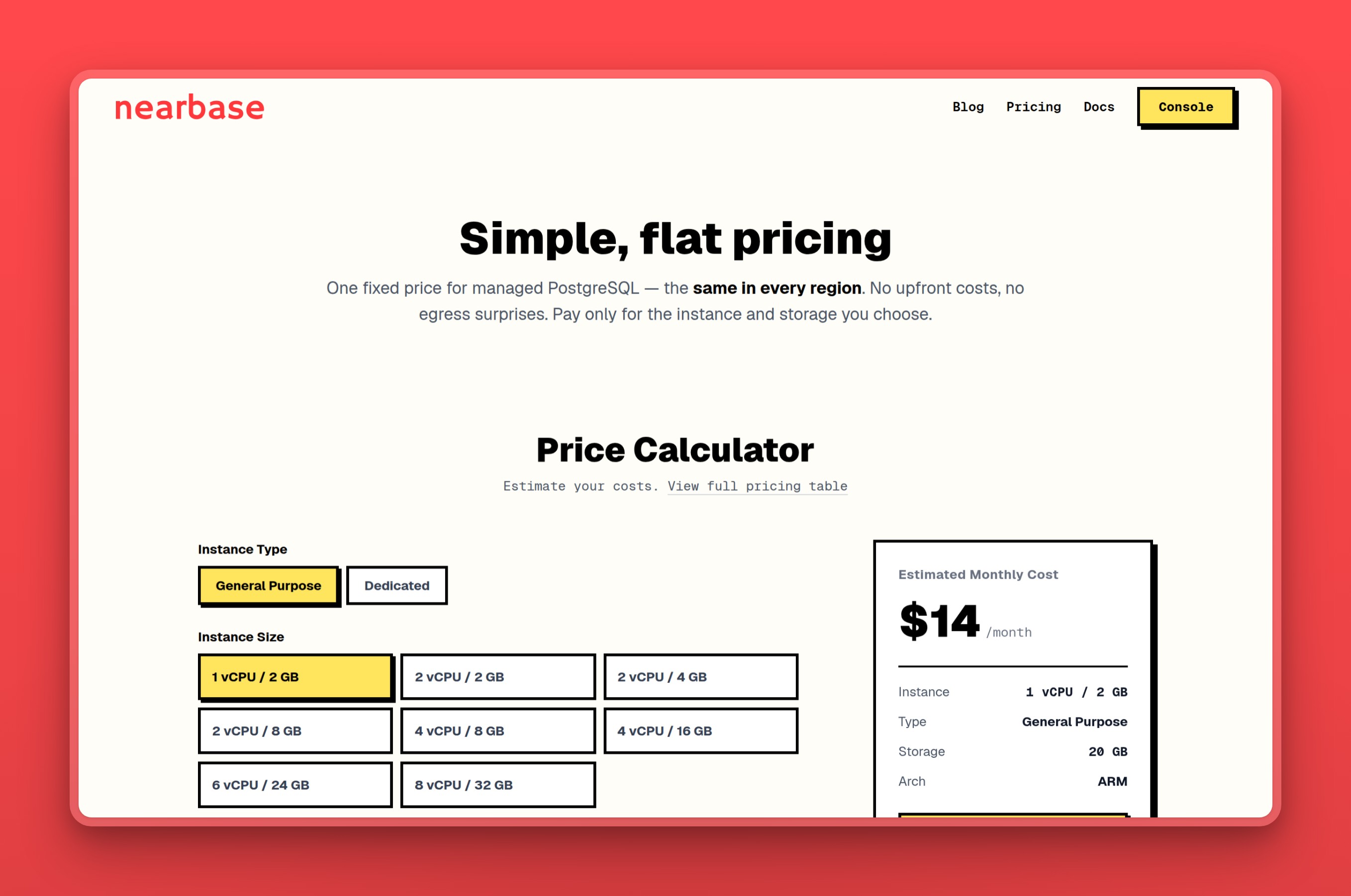
Nearbase charges a flat monthly price across 10 regions (9 Asia/ME cities plus Virginia), one fixed price in every region with no per-query fees and no egress charges.
Key Features
- Managed PostgreSQL with standard connection strings on port 5432
- 10 regions: Jakarta, Manila, Kuala Lumpur, Hong Kong, Singapore, Tokyo, Seoul, Dubai, Bangkok, Virginia
- Automated daily backups with point-in-time recovery handled by Nearbase support
- One-click scaling of CPU, memory, and storage with zero downtime
- Built-in connection pooler, which Nearbase says is off until you turn it on
- TLS in transit, AES-256 encryption at rest
Pros
- Flat monthly pricing, the same price in every region, with no per-query or egress fees
- 99.99% uptime SLA with automated failover
- Standard Postgres on port 5432 means every MCP server works without modification
- Data residency coverage for PDPA, PDPO, and PIPL compliance
Cons
- No EU or US West region
- No public free tier or trial listed
Pricing
- $6/mo for the entry instance (General Purpose ARM, 1 vCPU / 2 GB) plus $3.6 per 10 GB/mo of storage (20 GB minimum), so about $13/mo all-in at the entry point
- Largest SKU (Dedicated, 32 vCPU / 256 GB): $2,682/mo plus storage
- No per-query fees, no egress charges, no binding, one-click prorated refund
User Reviews
One n8n user running an always-on workflow on Nearbase put it this way:
“price wise, dont compare only the base plan. check storage, backups, egress and whether the db sleeps. Nearbase is not free, but the fixed monthly pricing worked better for me once I needed it running all the time.”
- u/ShawnnSmuts90, on Reddit
Best For
Developers and startups building for users in Asia or the Middle East who need managed Postgres with in-country data residency and a flat, predictable bill.
Which Postgres MCP server should you choose?
Here is how we would route it:
- You want the deepest Postgres-specific tooling with structural SQL security. Use Postgres MCP Pro. Restricted mode with pglast, slow query analysis, index recommendations. The acquisition risk is real, but nothing else matches the depth today.
- You work across multiple database types or need the smallest context footprint. Choose DBHub. 2 tools by default at about 1,400 tokens. Postgres, MySQL, SQLite. Actively maintained by Bytebase.
- You are running an enterprise GCP stack with Cloud SQL. Use Google MCP Toolbox. Native IAM integration. Do not use it outside GCP; the auth friction is not worth it.
- You want the strictest default-deny access control from the MCP server itself. Use pgconsole. 7 permission types, nothing available until you grant it. Early stage, but the model is sound.
- You want a self-hosted Go binary with TLS and auth built in. Choose pgEdge. Single binary, no runtime dependencies. Newest of the five; weigh that against the enterprise features.
- You are not sure. Start with Postgres MCP Pro. It covers the widest range of use cases and its restricted mode adds the most comprehensive structural SQL security layer. Whichever server you choose, create a dedicated read-only database role before connecting.
When the archived official server is actually still fine
The SQL injection in @modelcontextprotocol/server-postgres is real, but the severity depends on what it can reach. Two scenarios make the risk academic.
Throwaway local database with no real data
A local Postgres instance loaded with fake seed data for prototyping has nothing worth stealing and nothing worth destroying. If the database is disposable, the injection has no meaningful payload. You can still use the deprecated package here without losing sleep. Create the read-only role anyway: it costs one SQL statement and prevents the AI from accidentally dropping your seed schema mid-session.
Pinned read-only role on a sandbox with no sensitive data
A staging or sandbox database where the connecting role has only SELECT privileges and the data is synthetic. The Datadog exploit escapes the server’s application-layer read-only mode, but it cannot escape a database role that the server itself does not control. If the role genuinely cannot write, the injection lands inside a read-only transaction it cannot break out of. The boundary is the database role, not the server’s flag. Confirm with SELECT current_setting('is_superuser') and \dp that the role holds no write or ownership grants.
When a platform-specific MCP server is the right call
The five servers above connect to any Postgres database through a standard connection string. These three platform-specific examples serve teams already locked into a particular provider. They are not choices for connecting your own Postgres, but they are the right tool if you are already on the platform.
Supabase MCP: full platform management, not just database queries
Supabase MCP currently enables 29 tools by default across seven feature groups and documents 32 tools total; the three Storage tools are disabled by default. It manages the platform, not just the Postgres layer. If your entire stack is Supabase, this is the more capable option. If you are connecting a standard Postgres database that happens to be hosted on Supabase, any of the five generic servers above works fine.
Neon MCP: branch and project management for Neon databases
Neon MCP handles branch creation, project management, and Neon-specific operations. If you use Neon’s branching model for CI preview environments, this server exposes that capability to your AI assistant. For standard SQL queries against a Neon database, a generic server works without the Neon-specific tooling.
Amazon Aurora Postgres MCP: Aurora and RDS only
Amazon’s MCP server supports Aurora PostgreSQL and RDS for PostgreSQL over pgwire; its documented pgwire_iam connection method currently supports Aurora PostgreSQL only. If your database runs inside AWS and you need native IAM auth integration, this handles it without the Cloud SQL connector friction that Google’s Toolbox introduces for non-GCP databases.
Bottom line on Postgres MCP servers
Start with Postgres MCP Pro for the deepest Postgres tooling and the most comprehensive structural SQL security layer. Switch to DBHub if context-window size or multi-database support matters more than DBA depth. Create a read-only database role before you connect either one.
Developers install the deprecated @modelcontextprotocol/server-postgres because it is the first result in every tutorial, discover the Datadog case study later, and then look for a replacement.
Start with Nearbase in any of our 10 regions, managed Postgres that works with every MCP server on this list. See pricing.
Postgres MCP server FAQ
Security
Can MCP servers write to my database?
Yes, unless you prevent it at the database level. The MCP server’s built-in read-only mode is an application-layer constraint. The Datadog Security Labs case study showed that SQL injection can exit it with a single semicolon. The reliable control is the database role: a role granted only SELECT cannot write, regardless of what the MCP server permits or what the AI requests. Use the role script in the Lock Down section and do not rely on the server’s read-only flag alone.
Is the official Anthropic Postgres MCP server safe to use?
No. Anthropic deprecated @modelcontextprotocol/server-postgres after Datadog Security Labs documented an unpatched SQL injection vulnerability. NPM version 0.6.2 was never patched and remains the latest published version. If you have it configured, replace it with Postgres MCP Pro or DBHub.
How accurate is LLM-generated SQL?
Published text-to-SQL benchmark results vary by workload and schema quality. Real-world accuracy drops when schemas are undocumented, table names are ambiguous, or queries span many joins. Treat every generated query as a draft you review, not a final statement you execute directly against production. A read-only database role keeps a bad draft from doing damage.
Setup and compatibility
How do I use Postgres MCP with Docker?
Run the MCP server as a container alongside your application. Postgres MCP Pro’s GitHub README documents the Docker path. Your connection string points to the Postgres host as seen from inside the container network. That is the Docker Compose service name if Postgres runs in the same stack, or a host-network address if Postgres is external. The --access-mode=restricted flag applies regardless of how you run the binary.
Does MCP work with Amazon RDS, Cloud SQL, or other managed Postgres?
Yes. Every server in the at-a-glance table connects over a standard Postgres connection string. RDS, Cloud SQL, Neon, Supabase’s underlying Postgres, and Nearbase all expose standard port 5432 connections. The friction varies by authentication model. Automatic Cloud SQL IAM authentication requires a Cloud SQL connector (the Auth Proxy or a supported language connector), while manual IAM authentication can connect directly. RDS with IAM auth requires generating a token and passing it in the connection string. Plain password authentication against the role you created works on every platform without extra steps.
Choosing a server
What is the difference between Postgres MCP Pro and DBHub?
Postgres MCP Pro goes deeper on Postgres-specific DBA work: slow query analysis, index recommendations, and health checks that use actual Postgres internals. DBHub covers more database types alongside Postgres (MySQL, SQLite, and others) and loads 2 tools by default at about 1,400 tokens. Postgres MCP Pro has a larger tool surface. For a pure Postgres workflow where you want performance insights, choose Postgres MCP Pro. For a multi-database environment or a tight context budget, choose DBHub.
Which MCP server should we use for a team?
For most teams, Postgres MCP Pro is the starting point. A team working across Postgres, MySQL, and SQLite should use DBHub instead. GCP-native stacks with Cloud SQL fit Google MCP Toolbox. Teams that need the strictest access control from the server itself should evaluate pgconsole’s default-deny model once it matures.
Get started with Nearbase: managed Postgres in 10 regions, standard connection string, works with every MCP server above.
Last updated 2026-10-19