Supabase vs RDS: Pricing, Regions, and Lock-in
Supabase vs RDS compared on pricing, developer experience, and lock-in, plus a $6/mo flat-priced regional option across 10 cities neither offers.
Supabase wins on developer experience with auth, storage, and APIs built in; Amazon RDS for PostgreSQL wins on operational control and AWS-native integration. Pick Supabase to ship fast with less setup, and RDS when you need deep configuration or you are already standardized on AWS.
Choose Supabase if you want auth, storage, and realtime bundled into one backend you don’t have to assemble yourself. Choose RDS if you need full control over Postgres configuration and you’re already standardized on AWS. Choose a flat-priced regional host like Nearbase if you want one predictable monthly number instead of either platform’s metered bill.
Supabase’s bundled backend costs more once usage passes the included quota; RDS’s lower sticker price hides a multi-line bill of its own. Both get harder to predict as an app grows, and neither prices flat across every region the way a dedicated regional host can.
Supabase vs RDS at a glance
| Dimension | Supabase | Amazon RDS for PostgreSQL |
|---|---|---|
| Pricing model | Flat subscription tiers plus metered overages (compute, storage, egress, MAU) | Hourly on-demand or 1/3-year reserved instances, metered storage, I/O, and backups |
| Entry cost | Free tier ($0), Pro from $25/mo | t4g.micro on-demand about $11.68/mo, 1-year reserved about $7.88 to $8.47/mo |
| Developer experience | Auth, storage, realtime, and auto-generated APIs built in; deploy from a dashboard in minutes | Plain managed Postgres only; you add Cognito, S3, and AppSync yourself |
| Operational control | Managed container, no OS access, connection limits tied to plan | Full instance configuration, VPC networking, parameter groups, but no OS-level or superuser access |
| HA & failover | Standby setup depends on region and plan; specifics are not publicly documented | Multi-AZ deployments with automatic failover, plus read replicas |
| Region footprint (Asia) | Mumbai, Singapore, Tokyo, Seoul; no Middle East region | Nearly every AWS region, including Mumbai, Singapore, Tokyo, Seoul, Hong Kong, Jakarta, the Middle East, and more |
| Data residency | Choose a specific region at project creation; no dedicated residency tooling | Choose any AWS region; compliance tooling (KMS, VPC isolation) is mature but general-purpose |
| Lock-in | Auth, storage, and realtime are Supabase-specific; migrating off means rebuilding them | Standard PostgreSQL; the database itself is portable, AWS services around it are not |
| Where it falls short | Compute and egress overages bill in arrears past the flat tier, with lockouts reported once balances slip | Storage, I/O, Multi-AZ, and backup fees stack onto the compute line as reliability needs grow |
| Who it fits | Small teams and solo developers who want a backend, not just a database | AWS-committed teams that need fine-grained control and can manage the ops themselves |
What is Supabase?
Supabase is an open-source Firebase alternative that pairs a managed PostgreSQL database with built-in authentication, file storage, realtime subscriptions, and auto-generated REST and GraphQL APIs. It ships as a hosted platform, so a small team provisions a working backend from one dashboard instead of assembling separate services. Supabase runs on AWS infrastructure in a limited set of regions and bills on tiered plans that add metered usage once you pass an included quota. That bundling is the whole trade: less setup up front, more of the bill tied to usage once you’re past the free quota.
What is Amazon RDS?
Amazon RDS for PostgreSQL is AWS’s managed relational database service for the Postgres engine, handling provisioning, patching, and backups while leaving networking, scaling, and everything else around it to you. It runs as a plain, configurable Postgres instance inside your AWS account, with no bundled auth, storage, or API layer. RDS bills hourly, or through reserved terms, for compute, plus separate charges for storage, I/O, and backups. That bare-instance design means no bundled auth or storage, so you’re assembling your own backend around it from day one.
Pricing & value
Supabase’s headline number looks simple and turns metered fast. The Pro plan starts at $25 a month, including a $10 compute credit for one Micro instance (1 GB RAM, 2-core ARM). That credit covers 8 GB of database storage and 250 GB of egress before overages kick in. Past those limits, Supabase’s overage rates are:
- Extra storage: $0.125 per GB
- Extra egress: $0.09 per GB
- Extra monthly active users past 100,000: $0.00325 each
The free tier gets 500 MB of storage and 50,000 MAU for $0, pausing after a week of inactivity and capped at two active projects.
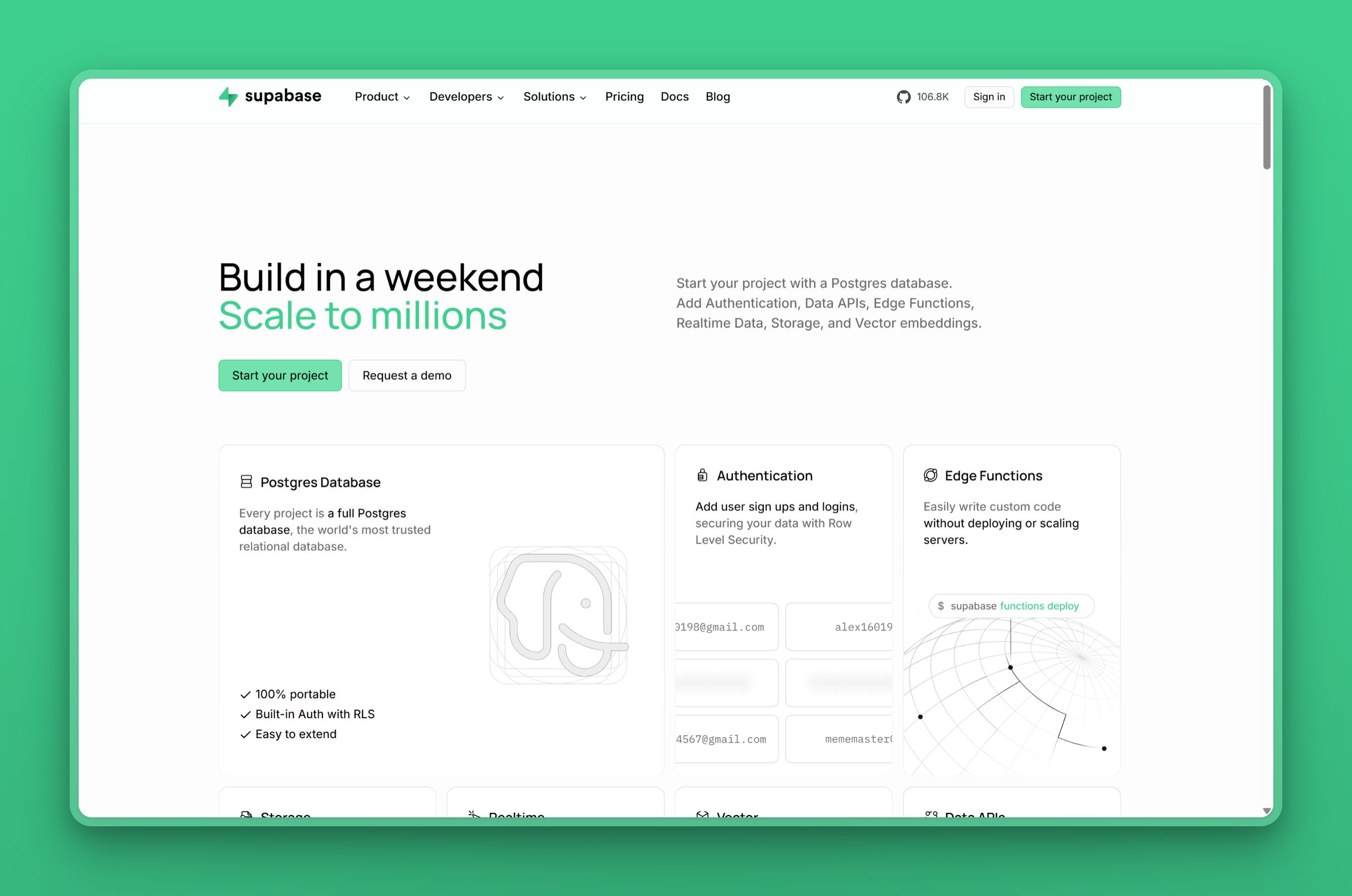
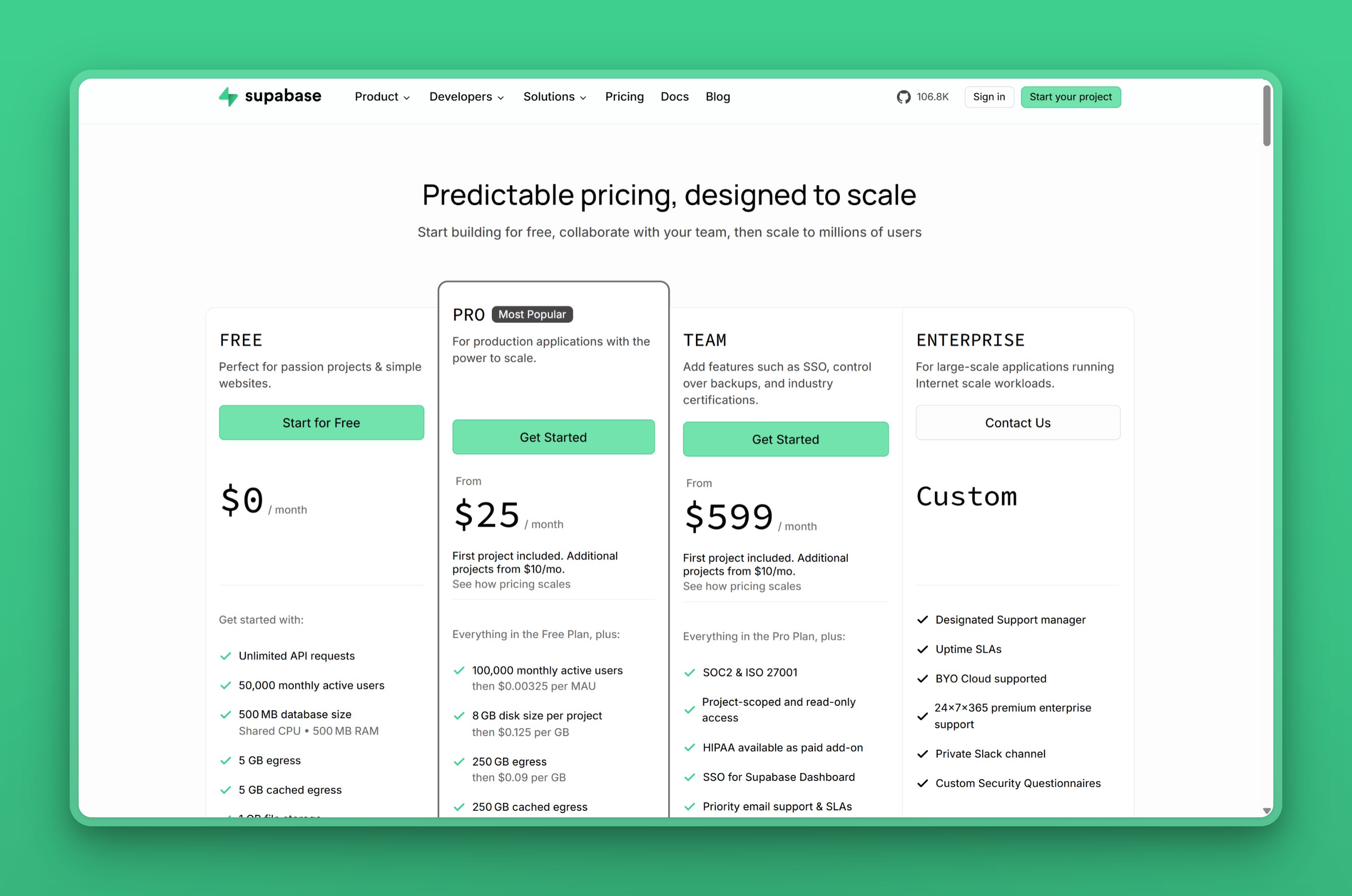 Supabase pricing page, captured at the time of writing
RDS starts cheaper on paper and stays granular. A t4g.micro on-demand instance runs about $11.68 a month, per Bytebase’s pricing comparison, before storage, backups, or data transfer are added. The gp3 storage, backup, and data-transfer lines below are from that same Bytebase breakdown; the reserved-instance rates are live-verified against Vantage’s AWS RDS pricing data:
| RDS pricing component | Rate |
|---|---|
| General Purpose gp3 storage | About $0.115 per GB |
| Backup storage (beyond the database’s size) | About $0.095 per GB |
| Data transfer out | Billed separately |
| 1-year reserved instance | About $7.88 to $8.47 a month, depending on payment option |
| 3-year reserved instance | About $5.55 to $5.69 a month (No Upfront isn’t offered on 3-year RDS terms) |
Turning on Multi-AZ for high availability roughly doubles the compute cost, and a second readable standby pushes it higher still.
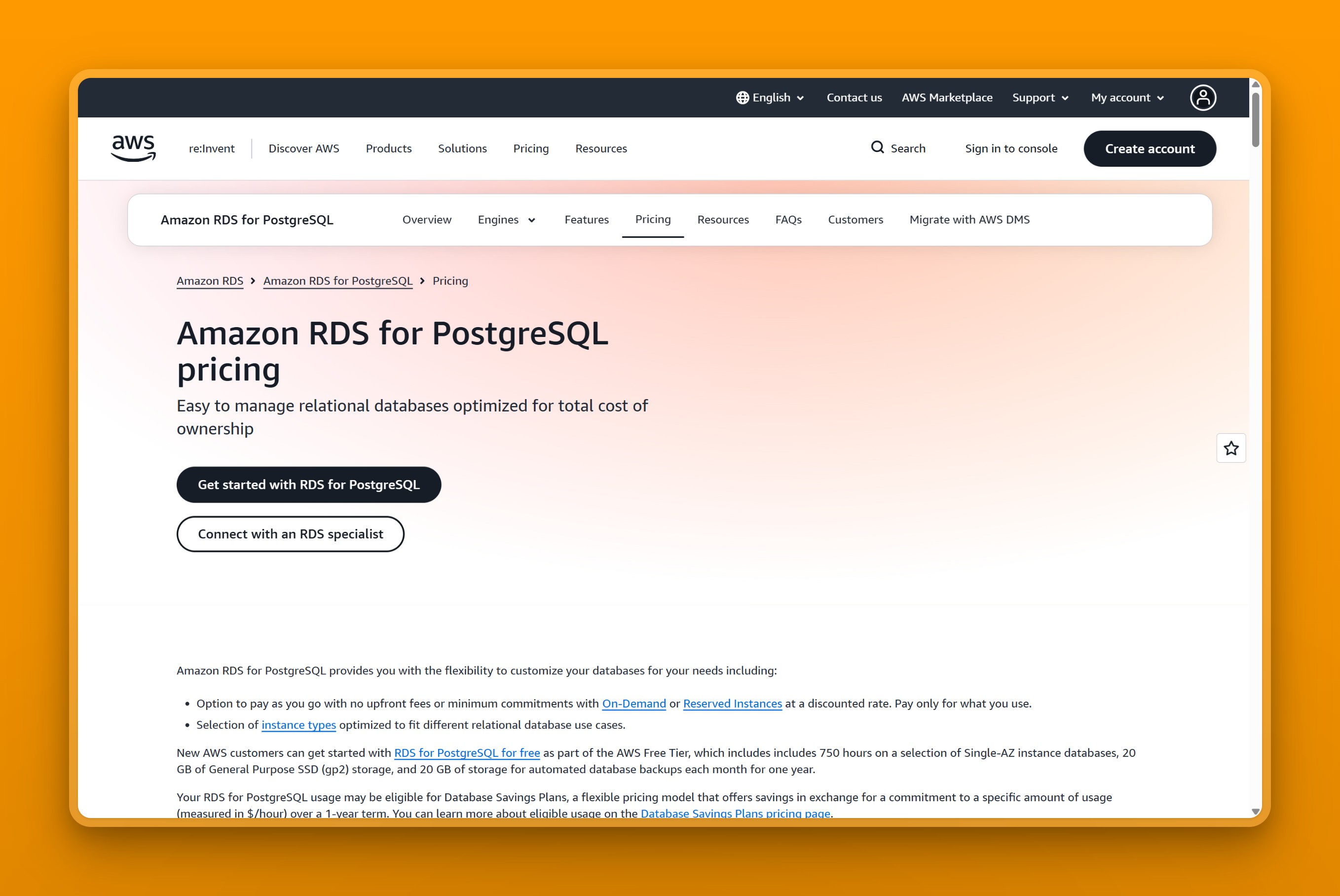 Amazon RDS for PostgreSQL pricing page, captured at the time of writing
Neither number is the full bill, and the mismatch cuts both ways: cheaper sticker, pricier reality once real usage shows up. Supabase’s flat-looking $25 tier hides the per-project fees and egress charges that start stacking up in arrears past the included quota. RDS’s lower sticker hides its own pricier reality: a bill split across compute, storage, I/O, backups, and Multi-AZ that shows up only after you’ve committed to the instance. Leanware’s comparison agrees: Supabase is simpler to estimate for small workloads, while RDS costs more to configure but gives deeper control over what you pay for.
We calculated what that looks like on a real workload below (illustrative, not a quoted bill for any actual app). A small app that stays inside the Pro plan’s 8 GB storage, 250 GB egress, and 100,000 MAU quota pays the flat $25 a month. Grow that same app to 20 GB storage, 400 GB egress, and 140,000 MAU, and the overages start adding up:
- Extra storage (12 GB): about $1.50
- Extra egress (150 GB): about $13.50
- Extra MAU (40,000): about $130
That takes the bill to roughly $170 a month, before any compute upgrade. RDS grows in a different shape. The t4g.micro instance itself stays close to $11.68 a month on-demand, while storage, backup, Multi-AZ, and data-transfer charges stack on top as separate line items rather than one usage curve.
Choose Supabase if your workload stays near the included quotas and a flat monthly number matters more than granular tuning. Choose RDS if you’re willing to shop reserved pricing and configure storage and I/O yourself to keep the bill down.
Developer experience & operational control
Supabase gives a small team a working backend in minutes. The dashboard provisions a Postgres database alongside authentication (email and OAuth), file storage, realtime subscriptions, and auto-generated REST and GraphQL APIs, skipping the work of building those services from scratch. We checked Supabase’s own security docs: row-level security is on by default for tables created in the dashboard’s Table Editor, but a table created with raw SQL needs RLS turned on by hand. Client libraries cover JavaScript, TypeScript, Python, Dart, and Swift.
RDS gives you exactly one thing, a managed Postgres instance, and leaves everything else to you. You configure VPC networking, subnet groups, security groups, and IAM permissions before you can connect. Amazon RDS for PostgreSQL handles patching, backups, and replication, while authentication, file storage, and realtime updates are separate AWS services you wire up yourself, typically Cognito, S3, and AppSync. In exchange, RDS gives full control over Postgres configuration, parameter groups, and instance sizing that Supabase’s managed container does not expose.
Supabase’s own support page points developers to Discord for code-level questions, GitHub issues for bugs, and GitHub discussions for feature requests. Paid support tickets exist too, prioritized by plan tier.
AWS backs RDS with deeper reference documentation and a tiered paid-support ladder, per AWS’s current Support plan pricing:
| AWS Support tier | Starting price |
|---|---|
| Basic | Free for every AWS customer |
| Business Support+ | $29 a month per account |
| Enterprise Support | $5,000 a month, with a designated Technical Account Manager |
| Unified Operations | $50,000 a month, for mission-critical workloads |
Supabase’s community model costs nothing extra and moves fast for common problems. RDS’s ladder costs real money at the Enterprise and Unified Operations tiers, but it buys guaranteed response times a community forum can’t promise.
Choose Supabase if you want a working backend without stitching services together yourself. Choose RDS if you need to tune Postgres settings directly, or need services RDS doesn’t lock you into.
Region coverage & latency
Supabase pins each project to one region, chosen at creation. Three “general” regions get auto-assigned by available capacity: East US (Virginia), Central EU (Frankfurt), and Southeast Asia (Singapore). We pulled Supabase’s full exact AWS region list from its docs: picking one widens Asia coverage to Mumbai, Tokyo, and Seoul, plus Sydney for Oceania. There’s no Middle East region, and Jakarta, Manila, Kuala Lumpur, Hong Kong, Dubai, and Bangkok aren’t covered.
RDS runs in most of AWS’s regions. Jakarta, Hong Kong, Singapore, Tokyo, and Seoul all have one, as does a Malaysia region near Kuala Lumpur and a Thailand region. Two Middle East regions, UAE and Bahrain, round out the list. Every one of those is still a general-purpose hyperscaler zone built for global workloads, not a locally operated regional data center.
Choose Supabase if your users sit in one of its four Asia-Pacific regions. Choose RDS if you need a region beyond Supabase’s list, or multi-region flexibility inside one account.
Managed scope, high availability, and reliability
Supabase handles provisioning, patching, and daily backups for you, with 7-day retention on the Pro plan and 14-day retention on Team, per Supabase’s own pricing page. Point-in-time recovery is available as a paid add-on. Standby and failover topology beyond that isn’t publicly documented.
RDS documents its high-availability options in detail. A Multi-AZ deployment with one standby fails over automatically during a planned or unplanned outage; a Multi-AZ deployment with two readable standbys adds read capacity on top of the same protection. Read replicas scale reads further, and RDS Proxy adds managed connection pooling for traffic spikes. That depth is also the trade-off: each piece is something you choose and pay for separately.
Choose Supabase if you want backups and patching handled without configuring HA yourself. Choose RDS if you need documented, tunable failover and read-scaling options.
Performance, connection limits, and scaling
Supabase’s connection ceiling scales with your compute tier, not with traffic. Three tiers, per Supabase’s own pricing page, set the ceiling:
| Supabase tier | Direct connections | Pooled (Supavisor) |
|---|---|---|
| Micro | 60 | 200 |
| Large | 160 | 800 |
| 16XL | 500 | 12,000 |
Serverless or edge-function traffic should use Supavisor’s transaction mode, which multiplexes many short-lived clients onto a small number of backend connections; a persistent backend uses a direct connection or Supavisor’s session mode instead. Pick the wrong mode, or grow past your tier’s pooler limit, and new connections start queuing or failing.
RDS connection limits scale with instance memory instead of a fixed table. Amazon RDS documents max_connections as a static, memory-dependent default, so a bigger instance class allows more connections out of the box. A custom parameter group can raise it further, at the cost of memory RDS would otherwise give Postgres. Amazon RDS Proxy sits in front of the database and pools connections the way Supavisor does, queuing excess requests instead of letting a traffic spike overwhelm the instance directly.
We found the same Reddit thread in r/Supabase at the top of Google for this exact query. A team moved a backend to Supabase, saw page loads climb to around 13 seconds even after upgrading to a larger instance, and reverted to RDS. That’s the real-world version of the ceiling above. Supabase’s shared, managed compute works well inside a tier’s stated limits. A workload that regularly needs more than a tier provides either pays for a bigger Supabase instance or moves to a platform, like RDS, where you size the instance and pooling yourself.
Choose Supabase if your connection count fits your compute tier’s pooler limit and you’d rather size up a managed instance than tune Postgres yourself. Choose RDS if you expect to outgrow a fixed connection ceiling and want to size max_connections, pooling, and instance class independently.
Data residency & lock-in
Both platforms let you pick a region at setup, but neither publishes dedicated data-residency tooling beyond that choice. Lock-in is where they diverge: Supabase’s authentication, storage, and realtime layer is specific to Supabase, so moving off it later means rebuilding those pieces, typically on Cognito and S3. RDS runs standard PostgreSQL with no proprietary layer on top, so the database itself is portable to another Postgres host; only the AWS services around it (VPC, IAM, CloudWatch) are not.
Choose Supabase if you accept rebuilding auth and storage as the cost of moving later. Choose RDS if database portability matters more than Supabase’s built-in convenience.
Verdict: who each platform is for
Supabase trades deep configuration for a backend that works in minutes, and RDS trades that speed for full control over the Postgres instance underneath.
Supabase: pros, cons, and who it’s for
Who it’s for
Supabase fits full-stack and indie developers who want a Firebase-style backend on real Postgres and will actively watch a usage-based bill.
Concrete fits, based on what the platform actually bundles:
- Rapid app prototyping where auth, storage, and a database need to work together on day one
- Firebase migrations, since Supabase is built and marketed as the open-source Firebase alternative
- Indie and solo-founder MVPs where one dashboard replacing several services saves real setup time
- Small teams that want realtime subscriptions out of the box instead of wiring up a separate service
What it does well
It’s the best Postgres developer experience available: auth, storage, realtime, and edge functions ship bundled into one platform instead of stitched together by hand. It carries a 4.7 out of 5 rating on G2, from eighty-nine reviews at the time of writing.
Where it falls short
Supabase bills compute, egress, and per-project fees in arrears on top of the $25 base, and developers report ghost-compute charges, sudden egress lockouts, and projects suspended over small balances. Skip it if you want a predictable flat-rate database, run egress-heavy or file-serving workloads, or need a database that never pauses or surprises you on the invoice.
Pricing recap
Pro starts at $25 a month with metered overages once you pass the included quota. Supabase’s real strength is speed to a working backend, which is why the migration guide from RDS to Supabase exists.
RDS: strengths, tradeoffs, and who it’s for
Who it’s for
RDS fits teams already standardized on AWS that want a battle-tested managed Postgres with deep VPC, IAM, and KMS integration, and are willing to pay for it.
Concrete fits, based on what its configuration options actually cover:
- AWS-ecosystem workloads already running on AWS that want the database next to everything else
- Compliance-driven enterprise apps that need VPC isolation, IAM permissions, and KMS-managed encryption keys under their own control
- High-throughput apps that need to tune Postgres parameter groups and instance sizing directly, not through a managed container
- Teams that need Multi-AZ failover or read replicas for documented, configurable high availability
What it does well
It’s the safe default for teams already deep in AWS who value the ecosystem and managed reliability more than a predictable bill. It carries a 4.5 out of 5 rating on G2, from more than nine hundred reviews at the time of writing.
Where it falls short
The metered bill escalates as storage, I/O, Multi-AZ, and backups stack up, and there is no OS-level or superuser access to the underlying instance. Skip it if you want a cheap flat-rate database as a cost-sensitive startup or solo developer. The same goes if you need superuser access, or if a flat, predictable bill matters more than granular AWS pricing control.
Pricing recap
On-demand starts around $11.68 a month, down to about $7.88 to $8.47 on a 1-year reserved term depending on payment option, before storage and Multi-AZ costs stack on top.
RDS’s real strength is that nothing about it is a black box. Every setting, from storage type to backup window to instance class, is something you configure and audit, which is what regulated or AWS-committed teams actually need.
Neither platform gives you a flat, predictable bill
Supabase’s overage-metered tiers and RDS’s multi-line metered bill share the same root problem: neither gives a small team one flat number to budget against every month. Region coverage isn’t the gap: RDS already reaches every city in this comparison except Manila, where AWS has only a Local Zone, not a full Region. Price predictability, not a coverage gap, is the real reason to look further. Our broader guide to the best Postgres hosting providers covers the wider field if you want more than a two-way comparison.
Nearbase runs managed PostgreSQL in ten regions across Asia, the Middle East, and North America: Jakarta, Manila, Kuala Lumpur, Hong Kong, Singapore, Tokyo, Seoul, Dubai, and Bangkok, plus Virginia, US. Its regional footprint is a separate benefit for teams whose users are genuinely far from Supabase’s or RDS’s nearest region, and Nearbase targets sub-10ms latency by design for queries that never leave the region.
Nearbase’s flat instance pricing is a different answer to the cost side of that same story. Pricing is flat and identical in every region, billed as one instance line plus one predictable storage line, with no per-query or egress fees on top. An entry instance runs $6 a month with storage billed separately at $3.6 per 10 GB, so the smallest instance costs about $13 a month all-in, per Nearbase’s pricing page. Every instance ships with:
- A 99.99% uptime SLA
- Automatic failover
- Encryption at rest and in transit
- One-click scaling with zero downtime
The residency footprint also helps meet regional data laws like PDPA, PDPO, and PIPL. Nearbase is the option for a team that wants one predictable regional price, in an actual local data center, instead of a metered bill running through a general-purpose hyperscaler zone.
The same flat-bill point turns up outside Nearbase’s own marketing, too. In a 2026 r/SaaS thread about Supabase alternatives, one developer wrote:
For managed Postgres, I’ve been using Nearbase. The entry instances are inexpensive, the price is fixed monthly plus storage, and backups and maintenance are handled.
That’s a single Reddit user’s comment, not a customer testimonial Nearbase solicited or reviewed.
Nearbase is not the fit if you need Supabase’s bundled auth, storage, and realtime layer built into the database itself. It is also not the fit if your users sit outside its ten regions, the nine Asia and Middle East cities plus Virginia.
If cost and region are your real constraints, not a bundled backend or deep AWS integration, start building on Nearbase and see the same flat price in every region.
Frequently asked questions
Is Supabase cheaper than RDS?
At the entry level, no. Supabase Pro starts at $25 a month; an RDS t4g.micro instance runs about $11.68 a month on-demand, or as low as $5.55 on a 3-year reserved term. Neither figure includes storage and overage fees. Supabase’s flat tier can still work out cheaper once you count the services (auth, storage, realtime) you’d otherwise build on AWS yourself.
What are the downsides of Supabase?
The recurring complaint is usage-metered billing that breaks the “flat $25” expectation: developers report compute, egress, and per-project fees stacking up in arrears, including ghost-compute charges, sudden egress lockouts, and projects suspended over small balances once usage passes the included quota. It also covers only four Asia-Pacific cities, with no Middle East presence.
Is there anything better than Supabase?
It depends on what “better” means for your job. RDS is the better call if you need deep AWS integration or full control over Postgres configuration. A flat-priced regional provider like Nearbase is the better call if your users are in a city Supabase doesn’t cover, or you just want a bill that stays the same every month.
Why is everyone using Supabase?
Supabase bundles Postgres with authentication, storage, realtime updates, and auto-generated APIs behind one dashboard, so a small team ships a working backend without assembling separate AWS services first. That speed, plus a genuinely free forever tier for small projects, is the main draw.
Can I migrate from RDS to Supabase, or the other way around?
Both directions are straightforward for the database itself, since both run standard PostgreSQL: export with pg_dump and restore with pg_restore. The harder part is rebuilding whatever sits on top: moving to RDS means replacing Supabase’s Auth, Storage, and Realtime with Cognito, S3, and AppSync (or equivalents), while moving to Supabase means giving up fine-grained RDS configuration for a managed dashboard.
Can I self-host Supabase and still use RDS underneath?
Yes, in principle. Supabase is open source, so its Auth, Storage, and Realtime services can run self-hosted against any standard PostgreSQL database, RDS included. The hosted platform compared in this article handles that wiring for you instead, which is the point of choosing it over assembling the pieces yourself.
Which is better for a startup MVP?
For a brand-new MVP, Supabase is usually the faster path: one dashboard gets you a database, auth, and storage without assembling separate AWS services. That matches the who-it’s-for call in the Verdict section above. RDS makes more sense once the startup is already running production infrastructure on AWS.
Is Amazon RDS more reliable than Supabase?
There is no public evidence that RDS is more reliable than Supabase in practice; RDS simply documents more of its high-availability mechanics than Supabase does. It offers Multi-AZ deployments with automatic failover and read replicas, covered in the Managed scope, HA & reliability section above. Supabase’s own failover topology beyond daily backups is not publicly documented, which does not mean it goes down more, only that RDS gives you more to inspect and configure.
Last updated 2026-07-30 Originally published 2026-07-30