Vercel Postgres Is Gone: 9 Alternatives for 2026
Compare 9 Vercel Postgres alternatives after the shutdown and find the right fit for your runtime, region, recovery needs, and production budget.
Neon is the best Vercel Postgres alternative for most existing users. Vercel Postgres already ran on Neon, and Vercel moved existing stores there before retiring its own product. If your database worked, staying on Neon avoids a second migration. Switch only when you need something Neon doesn’t give you. Supabase adds auth, storage, and realtime. Aurora fits an application already built around AWS. Nearbase fits Vercel apps serving Asia or the Middle East that need a closer database and a predictable bill. We priced all 9 options against their own documentation before making the recommendations below.
Table of contents
- What is Vercel Postgres?
- Key takeaways for Vercel Postgres alternatives
- What Vercel Postgres alternatives already offer that Vercel Postgres did not
- How to choose a Vercel Postgres alternative: the question that sorts this list
- 9 Vercel Postgres alternatives at a glance
- 9 Vercel Postgres alternatives worth considering in 2026
- Which Vercel Postgres alternative should you choose?
- When staying on Neon is actually the right call
- How to migrate from Vercel Postgres
- Bottom line on Vercel Postgres alternatives
- Vercel Postgres alternatives: frequently asked questions
What is Vercel Postgres?
Vercel Postgres is no longer available as a Vercel-owned storage product. Existing stores moved to Neon during Q4 2024 through Q1 2025. Vercel then announced on June 9, 2025 that Marketplace Storage integrations had replaced Vercel Postgres.
The database was already running on Neon infrastructure. The transition changed the account and ownership around it, not the underlying Postgres engine. Existing customers kept unified Vercel billing through the transition. New projects now install a database provider from the Marketplace or connect any Postgres host with environment variables.
If your app still imports @vercel/postgres, the package remains downloadable and existing code may continue to run, but it is deprecated and its source is archived. Migrate to a provider-supported client such as @neondatabase/serverless or the compatibility package. Vercel’s current Postgres documentation points new projects toward Marketplace integrations and provider-supported clients.
The database provider now runs the database. That is the practical change. A Marketplace integration can handle installation and environment variables; with a manual connection, you add the provider’s connection string yourself.
Key takeaways for Vercel Postgres alternatives
| Takeaway | Why it matters |
|---|---|
| Most teams don’t need to migrate again | Vercel Postgres already ran on Neon. Existing stores moved there. Unless you can name a specific constraint Neon doesn’t solve, staying put avoids a second migration for no gain. |
| Name the constraint before you pick the provider | Region, recovery, runtime route, or budget. One of these is the reason to switch. A provider picked before the constraint is named is a provider you’ll migrate off again. |
| Entry prices need context | Scale-to-zero savings disappear under steady use, usage credits can be exhausted, Render’s free database expires after 30 days, and fixed development tiers remain limited even when their price does not change. Price the production setup: compute, storage, backups, replicas, and transfer. |
| Marketplace convenience is real but not universal | Neon, Supabase, Prisma Postgres, and AWS Aurora are Vercel Native storage integrations. Railway also has a third-party Marketplace integration, and PlanetScale has a third-party listing documented for Vitess/MySQL. Billing and provisioning behavior varies by integration. |
| Recovery and HA aren’t included by default everywhere | Supabase charges about $100/mo for seven-day PITR. Render bills a matching standby at the same compute-and-storage rate as the primary. Railway now offers native backups, roughly four-week PITR, and optional PostgreSQL HA, although its template remains unmanaged. Check what recovery actually costs before committing. |
| Asia and Middle East coverage varies dramatically | Neon stops at Singapore and Sydney. Aurora covers 16 Asia-Pacific and Middle East regions through AWS. Nearbase covers 9 Asian and Middle Eastern cities at a flat monthly price. The region rules out providers before the feature list does. |
What Vercel Postgres alternatives already offer that Vercel Postgres did not
Vercel Postgres was a wrapper around Neon with Vercel billing. That wrapper is gone. Every alternative on this list is a standalone product with its own pricing, regions, and roadmap.
Every alternative has its own published billing
Vercel Postgres billed through Vercel with Neon running underneath. Each provider below publishes pricing directly. Marketplace integrations can keep the invoice on Vercel for some providers, but that’s optional. Manual connections bill through the provider entirely. You can price the production setup before you commit.
Most alternatives cover regions Vercel Postgres never reached
Vercel Postgres inherited Neon’s region list: Singapore and Sydney in Asia-Pacific. The alternatives below reach further. Supabase lists Mumbai, Singapore, Tokyo, Seoul, and Sydney. Aurora covers 14 Asia-Pacific regions plus Bahrain and the UAE. Nearbase covers 9 Asian and Middle Eastern cities, including Manila, Kuala Lumpur, and Dubai. Aurora reaches several of these through AWS regions, but at AWS complexity and cost; Nearbase offers them as managed Postgres at a flat monthly price.
Recovery and HA controls you configure directly
Vercel Postgres users didn’t manage backups, failover, or standby design. Each provider below exposes those decisions: daily backups, PITR windows, Multi-AZ clusters, automated failover, and standby nodes you can see and configure.
Standard Postgres connections keep data portable
The wire protocol keeps data portable, but provider-specific caches, branching workflows, and drivers still create migration work. Keep a standard connection path and rehearse pg_dump and pg_restore for small databases. Larger systems need a planned logical-replication or provider-migration path.
How to choose a Vercel Postgres alternative: the question that sorts this list
Start with the reason you’re leaving Neon, then compare only the providers that solve it. If you can’t name that reason, continuity is probably worth more than another migration. Three tracks cover all nine providers.
| Marketplace-native | PaaS-bundled | Independent managed | |
|---|---|---|---|
| What you get | Vercel setup automation and optional unified billing | App, workers, and Postgres in one project | A standalone database connected with a standard string |
| What you operate | Provider dashboard alongside Vercel | Platform project dashboard | Provider console only |
| Providers | Neon, Supabase, Prisma Postgres, Aurora (AWS Marketplace) | Railway, Render | PlanetScale, Nearbase, DigitalOcean |
Marketplace-native: setup is automated, billing varies
Vercel Marketplace integrations automate account setup and environment variables, but their billing paths differ. A new Neon Marketplace account and a Marketplace-created Supabase project are billed through Vercel. The AWS integration bills directly through AWS.
Each listing sets its own billing path. Not every integration moves the invoice onto Vercel, and the ones that do don’t all charge the same way. Check the listing you pick. Marketplace status also says nothing about runtime compatibility: a normal Node.js function can use a standard Postgres connection string from any provider here.
Vercel’s storage catalog also includes Nile, which is designed around virtual-tenant databases for B2B applications. It belongs on a B2B-specific shortlist; the 9 options below are broader managed Postgres choices.
PaaS-bundled: app and database move together
Railway and Render put Postgres beside your application and workers in one project. Railway has a third-party Vercel Marketplace integration that synchronizes project variables; Render requires a manual cross-platform connection. The co-location convenience is real when the entire stack moves.
Independent managed Postgres: a standalone database connected manually
PlanetScale, Nearbase, and DigitalOcean each sell managed Postgres as a standalone product. You connect with a standard Postgres string and operate the database through the provider’s own console. PlanetScale has a third-party Vercel Marketplace listing, although its published integration guide is Vitess/MySQL-oriented. DigitalOcean and Nearbase have no current Marketplace listing.
Edge Runtime requires an HTTP/WebSocket-capable provider route
The standalone Edge Runtime can’t open a raw Postgres TCP connection. It needs an HTTP data API or an HTTP/WebSocket driver: Neon’s serverless driver, Supabase’s JavaScript client, or Prisma’s Accelerate endpoint. Neon, Supabase, Prisma Postgres, and PlanetScale Postgres publish Edge-compatible HTTP or HTTP/WebSocket routes. For the rest, plan on the Node.js runtime unless the provider documents an HTTP path. Vercel’s Edge runtime guidance recommends Node.js for most workloads anyway. If you’re on Node.js, all nine providers work with standard clients like pg, Prisma, and Drizzle. Use a pooler. Without one, serverless invocations can rapidly exhaust the database’s connection limit.
Remove providers that can’t sit near your Vercel function
The function-to-database hop is the latency you control. Put the function and database close together in the region serving most of your traffic. Vercel lets projects configure function regions, so check that your database provider has a region near the one you pick. If your users are in Southeast Asia and your provider only offers Singapore and Sydney, that narrows the list before you compare prices. If they’re in Jakarta or Dubai, only Aurora (via AWS) and Nearbase have regions there. Manila is covered only by Nearbase.
Compare the production bill, not the entry price
Neon’s scale-to-zero saving disappears under steady use, Railway’s included credit can be exhausted, and Render’s free database expires after 30 days. PlanetScale’s $5 single-node EBS tier remains $5 but is performance-limited and does not provide production HA. Price a real production month: compute, storage, backups, transfer, replicas, and any add-ons. A cheap database isn’t a production plan if it lacks the recovery window you need. Render’s standby doubles the bill. Supabase’s PITR is $100/mo extra. Aurora charges separately for every part of the cluster.
9 Vercel Postgres alternatives at a glance
| Provider | Best for | Entry price | Runtime route | Recovery and HA | Main catch |
|---|---|---|---|---|---|
| Neon | Vercel Postgres continuity and branching | Free: 100 CU-hours and 0.5 GB | Node.js TCP or Neon’s HTTP/WebSocket driver | Managed backups and PITR by plan | Cold resume and a usage bill for always-on compute |
| Supabase | Full backend around Postgres | Free: 500 MB database | Node.js Postgres or HTTP data API | Daily backups on Pro; paid PITR | PITR costs $100/mo and requires a compute add-on |
| Prisma Postgres | Prisma ORM projects on Vercel | Free: 200,000 operations and 500 MB | Any PostgreSQL client; Prisma ORM is the native path | Not clearly published; confirm before production | Operations pricing and conflicting query-duration docs |
| Amazon Aurora PostgreSQL | AWS-native production systems | Usage-based; eligible new accounts may receive credits | Node.js Postgres; private path needs network setup | Multi-AZ designs and replicas | Multi-part pricing and AWS configuration depth |
| PlanetScale Postgres | Managed HA and NVMe Metal | $5 single-node development tier | Standard Postgres connection | 3-zone HA on higher configurations | Entry plan has 512 MB of RAM |
| Railway | App and database in one PaaS project | $5 minimum with $5 included credit | Postgres service inside a Railway project | Native scheduled backups and restore; optional PITR with roughly four weeks of retention; PostgreSQL HA with automatic failover; template remains unmanaged | More database responsibility than a purpose-built DBaaS |
| Render | Teams already running services on Render | Free database for 30 days | Standard Postgres connection | PITR on paid plans; HA requires at least 1 CPU | Standby costs the same as the primary |
| Nearbase | Vercel apps serving Asia and the Middle East | $6 instance plus storage | Standard Postgres TCP; built-in pooler available, off by default (per Nearbase) | Daily backups; support-handled restore; automatic failover | Storage cannot scale down; no self-service PITR |
| DigitalOcean | DigitalOcean-native teams | About $15/mo for 1 GiB | Standard Postgres connection with PgBouncer | Backups and optional paid standby nodes | Scale-down needs projected disk use at or below 80% |
9 Vercel Postgres alternatives worth considering in 2026
1. Neon: Best for the easiest Vercel Postgres migration
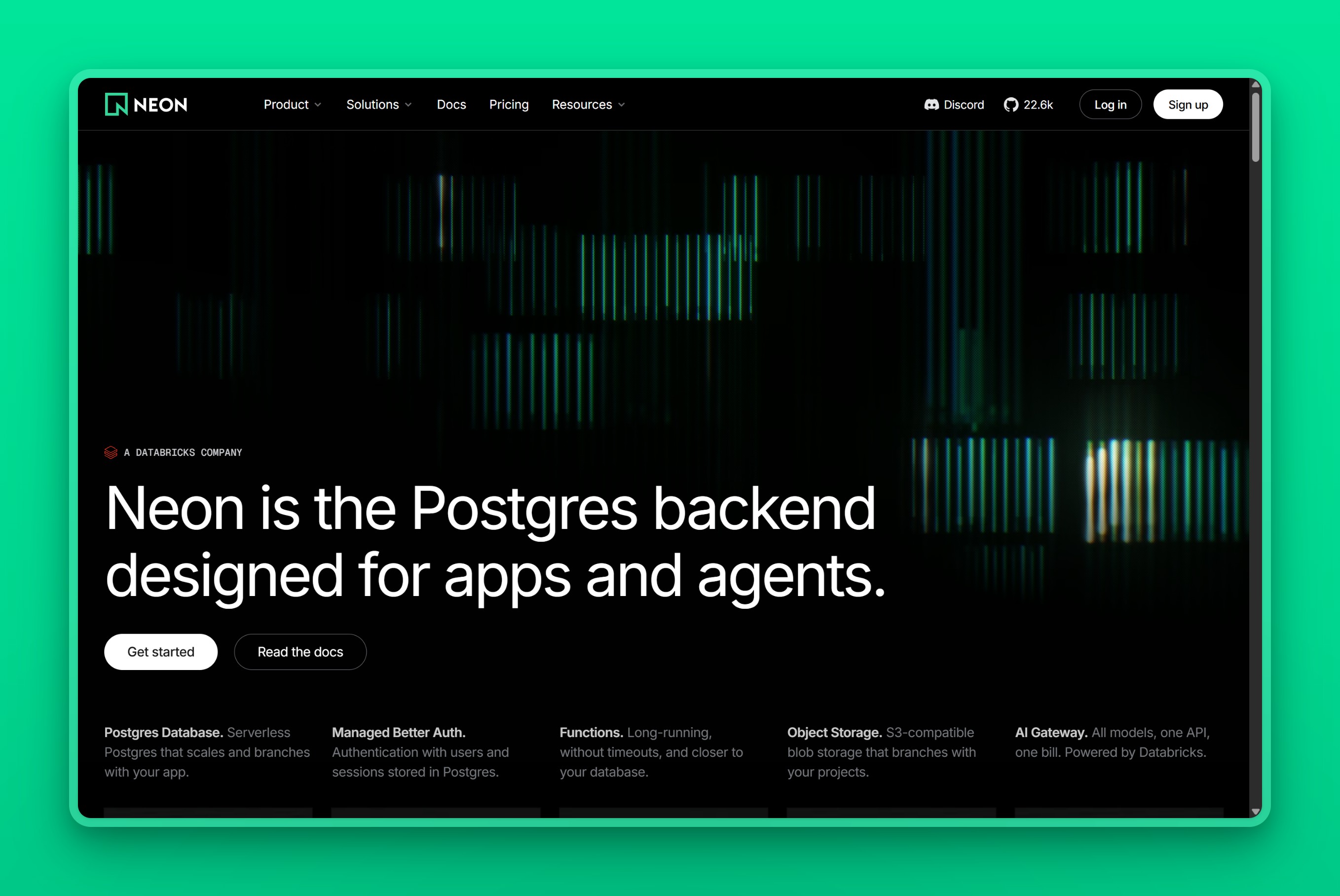
Neon is where we’d start. It already hosted Vercel Postgres, so staying there removes the work of moving the same database twice. Neon’s transition guide confirms that existing stores moved during Q4 2024 through Q1 2025 and remain billed through Vercel.
Neon separates storage from compute, so an endpoint can pause after 5 idle minutes and wake on the next query. Neon’s compute documentation puts that wake-up delay at a few hundred milliseconds. If branching isn’t the reason you’re staying, our Neon alternatives guide covers the wider field.
Key Features
- Native Vercel Marketplace integration with unified billing
- Compute scales to zero after 5 idle minutes and wakes on the next query
- Database branching: copy-on-write clones for every preview deployment
- Point-in-time restore with plan-specific windows; paid restore-history storage costs $0.20 per GB-month of data changes
- Regions (Asia-Pacific): Singapore and Sydney
Pros
- Direct Vercel Postgres successor: avoids a second migration
- Scale-to-zero keeps preview and low-traffic databases free of compute charges
- Branching is included by plan; instant restore is available by plan, with paid restore-history storage billed separately
Cons
- Cold resume can add hundreds of milliseconds to the first query after idle
- An always-on database eliminates the scale-to-zero advantage
- Asia-Pacific coverage limited to two cities
Pricing
- Free: 100 CU-hours and 0.5 GB of storage per project
- Launch: no monthly minimum, $0.106 per CU-hour plus $0.35 per GB-month of database storage
- Always-on scenario: one CU running around the clock puts compute alone at about $77 a month before storage. Neon’s pricing works when the database actually idles. Keep it awake under steady traffic and that saving disappears. The bill follows compute use.
User Reviews
“Neon is a great product because they are run by Postgres enthusiasts. They have decent customer-friendly pricing, real serverless HTTP endpoints, and they’re always on the latest version of Postgres as soon as it is stable. From what I can tell, no other provider has this positioning, driven by dedication.”
- betteryet, on Hacker News
Best For
Teams migrating from Vercel Postgres that want continuity without a second migration, and workloads that spend real time idle between requests.
vs Vercel Postgres: Vercel Postgres ran on Neon’s infrastructure. Staying on Neon keeps the same engine, removes the Vercel wrapper, and gives you direct access to branching, scale-to-zero, and pricing you can read on Neon’s own page.
2. Supabase: Best for Vercel apps that need a complete backend
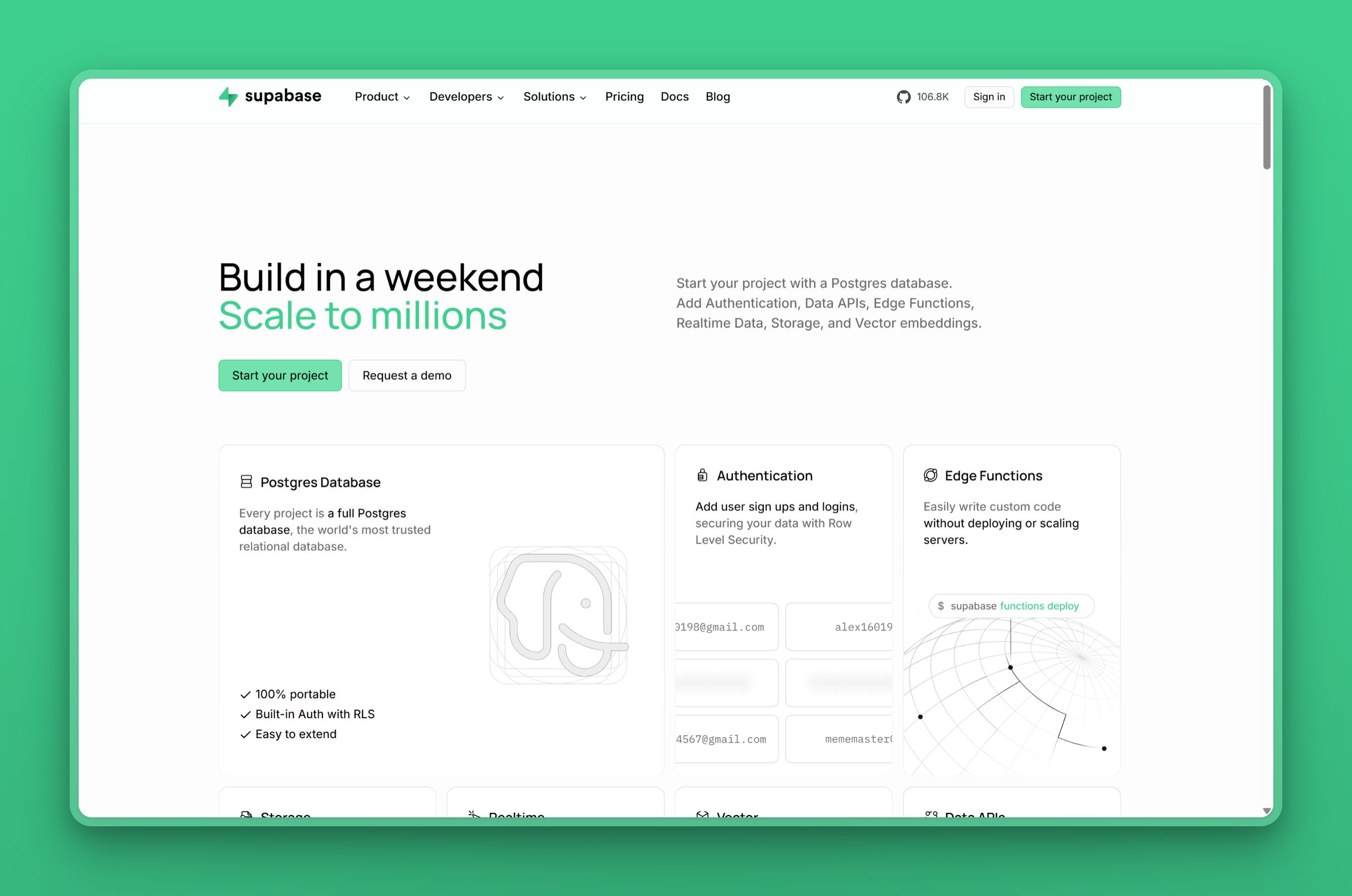
Supabase replaces Vercel Postgres with auth, object storage, realtime, edge functions, and generated APIs in the same backend. Its Vercel integration can provision the project, put invoices through Vercel, and synchronize the database and API environment variables.
The bundle is the reason to choose it. If you need auth, storage, and realtime alongside your database, Supabase replaces several separate services with one project and one billing relationship.
Key Features
- Connection pooling through Supavisor, Row Level Security, and auto-generated APIs
- Auth, file storage, and realtime subscriptions from the same project
- Native Vercel Marketplace integration
- Supabase’s backup documentation gives Pro 7 days of daily backups; PITR available as a separate add-on
- 17 regions including Mumbai, Singapore, Tokyo, Seoul, and Sydney
Pros
- Replaces several separate services with one backend bundle
- Vercel Marketplace integration keeps billing unified
- Broad Asia-Pacific region coverage among Marketplace options
Cons
- PITR costs $100 a month per 7 days of retention, plus a required compute add-on
- If all you need is a connection string, the platform around the database is overhead
- Usage allowances need monitoring on Pro
Pricing
- Free: 500 MB database and 5 GB of egress
- Pro: $25 a month, includes $10 of compute credit, an 8 GB disk, 250 GB of egress, and daily backups retained for 7 days
- PITR: listed at $100 a month per 7 days of retention, requires at least a Small compute add-on
PITR alone costs four times as much as the base plan, and the required Small compute add-on raises the production floor further.
User Reviews
“I really love supabase. And I’m glad they are getting some funding because I’m terrified they’ll get bought by Amazon or google and completely ruined. The developer experience is first rate. It’s like they just read my mind and made everything I need really easy.”
- jonplackett, on Hacker News
Best For
Teams building a full backend around Postgres: auth, storage, realtime, and generated APIs in one project with a native Vercel Marketplace integration.
vs Vercel Postgres: Vercel Postgres gave you a database. Supabase gives you a database plus auth, storage, realtime, and generated APIs. The trade is that you take on a platform: its usage model, its allowances, and its PITR pricing. If the bundle fits, it replaces several services at once. If it doesn’t, you’re carrying weight.
3. Prisma Postgres: Best for Prisma ORM projects on Vercel
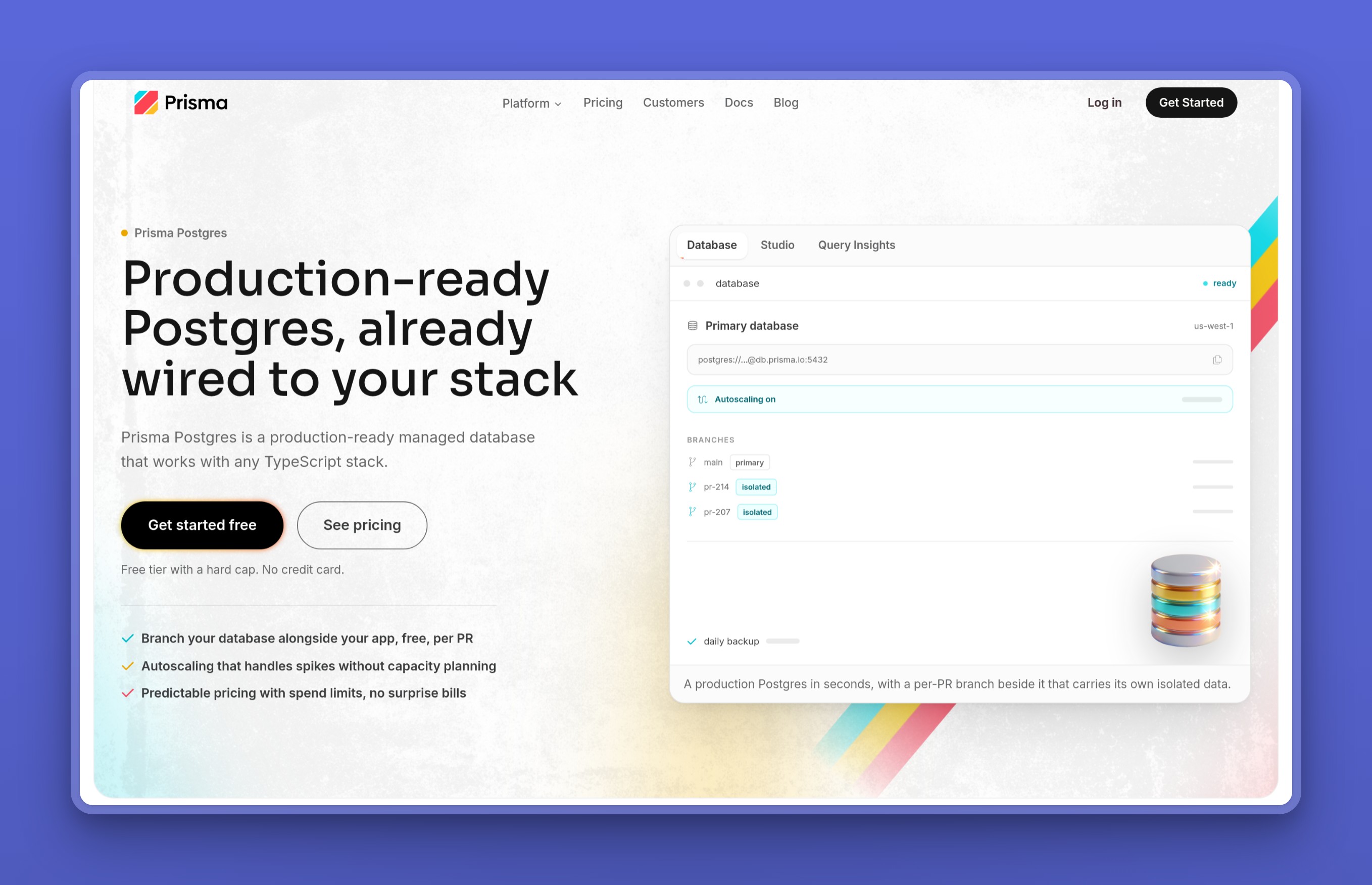
Connection pooling and cached reads on the Prisma path put Prisma Postgres near the top when Prisma ORM already owns your data layer. It’s still a regular PostgreSQL database, not an ORM-locked service. Prisma’s current product docs list Prisma ORM, psql, Kysely, Drizzle, and node-postgres as supported clients.
Pooling, caching, and query insights come built in. The Vercel integration adds zero cold starts, scalable pooling, and globally cached reads, strengths that matter most when the ORM already owns the data layer.
Key Features
- Serverless Postgres with Prisma Accelerate caching and Query Insights
- Scalable connection pooling built in
- Supports Prisma ORM,
psql, Kysely, Drizzle, andnode-postgres - Native Vercel Marketplace integration
- Regions: 6 total; Tokyo and Singapore in Asia-Pacific
Pros
- Tightest path to built-in pooling and cached reads for Prisma-native applications
- Standard PostgreSQL clients and other ORMs still work
- Free tier includes 200,000 operations and 500 MB
Cons
- Operations pricing: chatty apps burn quota regardless of storage size
- Query timeouts vary by tier: the FAQ lists 10-second timeouts on Free and Starter, 20 seconds on Pro, and 60 seconds on Business, while the pricing page says unlimited, so plan against the stricter values
- Cached reads count as operations
Pricing
- Free: 200,000 operations and 500 MB
- Starter: $10 a month for 1 million operations and 10 GB
- Pro: $49 for 10 million operations and 50 GB
User Reviews
“I LOVE Prisma. I’ve used Django, SQLAlchemy, Sequelize, Knex, and TypeORM in the past. all had rough edges that continually frustrated me or didn’t provide the functionality i needed. Prisma is different. It’s absolutely got rough edges, but the extremely strong type safety makes Sequelize look like a joke.”
- dickfickling, on Hacker News
Best For
Prisma-native applications on Vercel that want built-in connection pooling and globally cached reads on the ORM path.
vs Vercel Postgres: Vercel Postgres already exposed pooled Neon connections. Prisma Postgres adds built-in pooling plus globally cached reads, with operations-based billing. The trade is that you pay per query rather than per compute hour. For a Prisma project already handling Vercel’s serverless connection pattern, the match is natural. For everything else, the operations bill is a new variable.
4. Amazon Aurora PostgreSQL: Best for Vercel apps already on AWS
Amazon Aurora PostgreSQL makes sense when AWS already owns the rest of your system. Multi-AZ cluster options, up to 15 read replicas, IAM-scoped credentials, automated backups, and Serverless v2 compute that follows demand all fit the stack you already run. Our AWS RDS alternatives guide covers the cases where a simpler provider wins.
Key Features
- Multi-AZ cluster options with up to 15 read replicas
- IAM integration and automated backups
- Serverless v2: compute scales with demand
- AWS Marketplace integration for Vercel
- 14 Asia-Pacific and 2 Middle East regions
Pros
- Broadest regional map of any provider on this list
- AWS’s 99.99 percent SLA applies to qualifying Multi-AZ clusters
- Replicas, failover, and IAM-controlled access for production systems already on AWS
Cons
- Multi-part pricing: compute, storage, I/O, backups, and transfer each bill separately
- Vercel functions don’t land inside your AWS VPC automatically
- The depth is exhausting when you just need one database behind a Vercel app
Pricing
- Virginia Serverless v2 example: $0.12 per ACU-hour, $0.10 per GB-month of Standard storage, and $0.20 per million I/Os. Rates vary by region and configuration.
- Always-on scenario: one ACU running around the clock puts compute alone at about $88 a month before storage, I/O, backups, and transfer. Serverless v2 follows usage, but a steady database still means steady compute.
Aurora doesn’t have one useful headline price. That complexity pays for itself inside a real AWS stack, not when you just need one database behind a Vercel app.
User Reviews
“Over the next six months we rebuilt on plain AWS: EKS for the Next.js app, Aurora Postgres in-VPC, SQS for jobs, all managed with Terraform.”
- chrisfrantz, on Hacker News
Best For
Teams already running production systems on AWS that need Multi-AZ failover, up to 15 read replicas, and IAM-controlled access from the broadest regional map on this list.
vs Vercel Postgres: Vercel Postgres was one managed database with one billing line. Aurora is an AWS subsystem: flexible, deep, and priced accordingly. If your stack is already on AWS, Aurora’s controls are natural. If you’re adding AWS just for the database, the operational cost exceeds the sticker price.
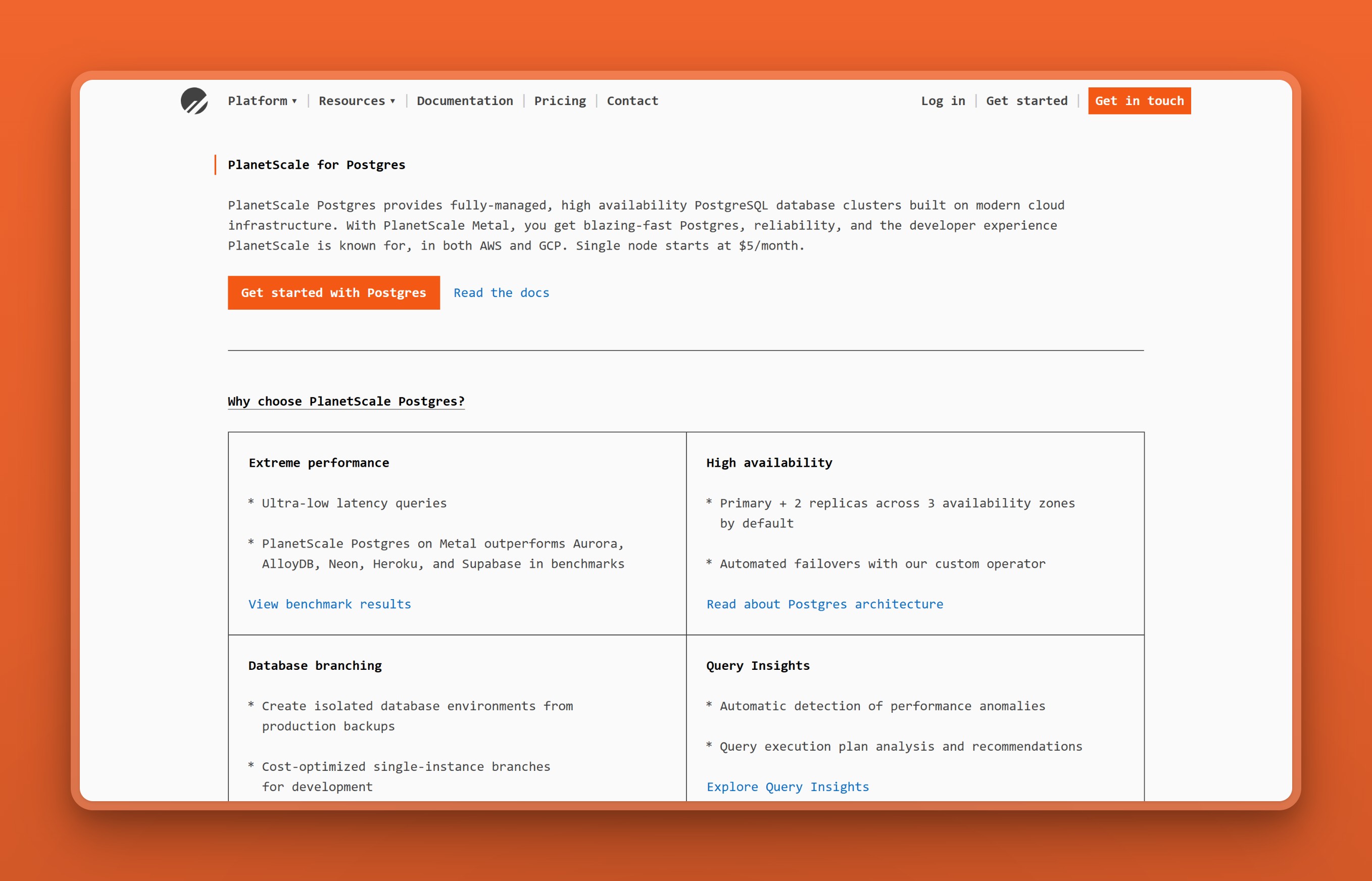
5. PlanetScale Postgres: Best for managed HA and NVMe
PlanetScale Postgres is for teams moving beyond the starter plan toward HA or local-NVMe Metal. It offers branches from production backups and guided zero-downtime provider migration, but zero-downtime PostgreSQL schema deployment is not part of its documented capabilities.
The $5 development tier gets you started, but the managed HA and Metal tiers are the reason to choose PlanetScale. HA runs across three availability zones with automated failover, and Metal puts the database on local NVMe storage. Both tiers come with guided zero-downtime provider migration.
Key Features
- 3-availability-zone HA with 1 primary and 2 replicas
- NVMe Metal tiers with local storage
- Guided zero-downtime provider migration
- Connection management and automated failover, typically within 30 seconds
- Regions (Asia-Pacific): Tokyo, Mumbai, Singapore, Sydney, Seoul
Pros
- HA and Metal tiers offer genuine production-grade managed Postgres
- Automated failover usually completes within 30 seconds
- Broad Asia-Pacific coverage with five cities
Cons
- Entry tier has 512 MB of RAM, tight for anything beyond light development
- HA starts at $15 a month and scales steeply
- No documented zero-downtime PostgreSQL schema changes
Pricing
- Single-node EBS: from $5 a month with 512 MB of RAM and 10 GB of storage
- Metal: from $50 a month with local NVMe
- HA: 3-zone with 1 primary and 2 replicas; from $15 a month
User Reviews
“Using PlanetScale for db management is like using an iPhone after being accustomed to a Treo. The experience is just better in every way.”
- kellysutton, on Hacker News
Best For
Teams ready for managed three-zone HA or NVMe Metal tiers as a standalone Postgres provider with automated failover and guided migration tooling.
vs Vercel Postgres: Vercel Postgres didn’t expose HA configuration, Metal hardware, or migration tooling. PlanetScale puts all of those on the table. PlanetScale has a third-party Vercel Marketplace integration, but its current documentation describes the Vitess/MySQL connection flow; PlanetScale Postgres support is not explicitly documented. The entry tier is too small for production.
6. Railway: Best when the app and database move together
Railway Postgres puts the app, workers, and database in one project so the whole stack ships together. A maintained template deploys Postgres beside your application services with persistent storage, generated connection variables, and metrics. For a small team that wants everything under one roof, the co-location convenience is genuine.
Railway’s Pro plan includes $20 of usage credit, and the template-driven setup makes initial deployment fast. The platform handles provisioning, networking between services, and basic monitoring out of the box.
Key Features
- Platform-hosted Postgres deployed beside your app and workers
- Maintained templates for common stacks
- Persistent storage, generated connection variables, and metrics
- Regions: California, Virginia, Amsterdam, Singapore
Pros
- Whole stack ships together in one Railway project
- Template deployment makes initial setup fast
- Pro plan includes $20 of usage credit
Cons
- Native backups and HA are available, but the template remains unmanaged, so you take on more database responsibility than with a purpose-built DBaaS
- Singapore is the only Asia location
Pricing
- Hobby: $5 minimum with $5 of usage credit
- Pro: $20 minimum with $20 of credit
- CPU, memory, storage, and service egress eat into that credit before you pay extra. Think of the $5 as a floor you’re always paying, not a prediction of what your app will cost.
User Reviews
“I’ve been using a Postgres DB on Railway’s free plan (that is going away) and it was great. It did everything I wanted (excluding external access and PostGIS) for cents. The support community is nice. I didn’t use it for much more, but my experience has been great. They deserve way more air time than they currently get.”
- solarkraft, on the since-retired free plan, on Hacker News
Best For
Small teams moving the entire stack (app, workers, and Postgres) into one Railway project where the whole system ships together.
vs Vercel Postgres: Vercel Postgres was a database service inside the Vercel platform. Railway is a platform that includes a database. The consequence is that with Railway, you’d run the app on Railway too, not on Vercel. If the app stays on Vercel, the Marketplace integration syncs variables but can’t co-locate a Vercel function with a Railway database, so you lose the platform’s main advantage.
7. Render: Best when your Vercel app is moving to Render
Render Postgres is easiest to recommend when the application, workers, and database already run on Render. Postgres sits beside your other services with PITR on paid databases and IP-level access controls. HA requires at least 1 CPU; check the HA documentation for the current plan and version requirements.
Key Features
- Point-in-time recovery on paid plans; 7-day window on Pro or higher
- HA requires at least 1 CPU; check Render’s HA docs for current plan requirements
- Read replicas available; standby and replica capacity billed separately
- Free database for 30 days with a 14-day grace process
- Regions: Singapore in Asia; other database regions in the United States and Europe
Pros
- Postgres beside an existing Render stack is genuinely convenient
- PITR and HA available on paid plans
- Free database useful for short evaluations
Cons
- Free database becomes inaccessible after 30 days; Render gives a 14-day upgrade grace period before deletion
- Standby costs the same as the primary, so HA doubles the compute bill
- Using Render only for the database behind a Vercel app removes all the co-location advantages
Pricing
- Paid compute: from $6 a month; storage is separate, starts at 1 GB, and costs $0.30 per GB-month
- HA: adds a standby with the same compute and storage as the primary. For an instance with 1 CPU and 4 GB, the standby costs the same $55 as the primary, before extra storage.
User Reviews
“I can control the external IPs that have access to my postgres database. I usually keep them all off and only let the webapp access it internally, and then whitelist an IP as needed.”
- nickromano, on Hacker News
Best For
Teams already running services on Render that want Postgres beside their existing stack with PITR and HA available on paid plans.
vs Vercel Postgres: Vercel Postgres was integrated into the Vercel platform. Render Postgres is integrated into the Render platform. Connecting a Vercel app to Render means cross-platform operation with none of the co-location benefit either platform is designed around.
8. Nearbase: Best for Vercel apps serving Asia and the Middle East
Nearbase starts at about $13 a month: $6 for the instance plus $3.60 per 10 GB of storage with a 20 GB minimum. That price is the same whether you pick Kuala Lumpur, Jakarta, Manila, Bangkok, Hong Kong, Dubai, or Virginia. Aurora reaches several of these cities through AWS regions, but Nearbase offers them as simple managed Postgres at a flat monthly price without the AWS configuration overhead.
Nearbase targets sub-10 ms latency for nearby users. That’s their goal, not a guarantee for every city, so measure from your own function region. A new instance is typically ready in 2 to 5 minutes; you then connect over standard Postgres on port 5432 with required SSL. Nearbase says there’s a built-in connection pooler, but it’s off by default. You enable it explicitly. The connection guide also covers app-side pooling with pg, Prisma, and SQLAlchemy if you’d rather handle it yourself.
Key Features
- 9 Asian and Middle Eastern cities plus Virginia
- Daily full and incremental backups; support-handled restore
- Automatic failover and a 99.99% uptime SLA
- Built-in connection pooler, disabled by default; Nearbase says you turn it on explicitly
- TLS in transit and AES-256 encryption at rest
- CPU, memory, and storage scale up independently with zero downtime
Pros
- Managed Postgres in cities most rostered providers skip, without AWS complexity
- Region-flat pricing: same price whether you pick Kuala Lumpur or Virginia
- No per-query fee and egress is unmetered
Cons
- No scale-to-zero or database branching
- Storage can increase but can’t be reduced
- Support-handled restores rather than self-service PITR
- No Vercel Marketplace integration; manual connection required
- A free tier or trial is not publicly listed
Pricing
- Instance: $6 a month for a 1 vCPU and 2 GB General Purpose ARM instance
- Storage: $3.60 per 10 GB with a 20 GB minimum
- Those components total $13.20; the calculator displays a rounded $14. The price is the same in every region, with no per-query fee and unmetered egress.
User Reviews
Nearbase users on Reddit come back to the same two things: a predictable bill and a database close to their users.
“location does matter if each request is making a few database calls. I moved one workload closer to users in Asia and the difference was noticeable.”
“I’m using Nearbase for it now since they have Postgres regions across Asia and the Middle East. just keep the app server close to the database too.”
- u/Little-Bird7446, on Reddit
Best For
Vercel apps serving users in Asia or the Middle East that need a closer database and a predictable, region-flat bill starting at about $13 a month.
vs Vercel Postgres: Vercel Postgres ran in Neon’s regions: limited to Singapore and Sydney in Asia-Pacific. Nearbase runs in 9 Asian and Middle Eastern cities, including several that only Aurora otherwise covers and one (Manila) that no other rostered provider reaches. The trade is that you lose Marketplace convenience, scale-to-zero, and branching. You gain regional proximity and a predictable monthly bill.
9. DigitalOcean Managed PostgreSQL: Best for DigitalOcean teams
DigitalOcean Managed PostgreSQL is the straightforward pick when Droplets or App Platform already host the rest of your system. Plans include database features like connection pools, standby nodes, and selected extensions.
DigitalOcean can resize CPU, RAM, and storage both up and down. The current resize rules allow scale-down when projected disk utilization stays at or below 80 percent and the target fits plan limits.
Key Features
- Automated backups, standby nodes, and read-only nodes
- PgBouncer-backed connection pools out of the box
- Selected Postgres extensions included
- CPU, RAM, and storage can scale both up and down
- Regions: Singapore, Bangalore, Sydney in Asia-Pacific; 16 data centers across 13 regions total
Pros
- Simple plans with no surprises
- Scale-down allowed when projected disk use stays at or below 80 percent
- PgBouncer pooling is included; standby nodes are optional and billed separately
Cons
- Standby and additional nodes add to the bill beyond the base plan
- No Vercel Marketplace integration
- No serverless scale-to-zero or database branching
- Asia coverage limited to Singapore, Bangalore, and Sydney
Pricing
- Entry: about $15 a month for 1 GiB base; the standby is additional
- Scale-down depends on backup size, later growth, and the required 20 percent disk buffer
User Reviews
“I switched to DigitalOcean and it’s been a delight. $15/month for a managed Postgres is a good deal, and I am really tired of the hellscape that has become AWS configuration even for the most simplest things. Isn’t the whole point of the cloud is simplicity?”
- renegade-otter, on Hacker News
Best For
DigitalOcean-native teams that want predictable Postgres plans with included PgBouncer pooling and optional paid standby nodes.
vs Vercel Postgres: Vercel Postgres was a first-party product with automated setup inside Vercel. DigitalOcean requires a manual connection and a separate dashboard. Straightforward plans, honest pricing, and no Marketplace abstraction between you and the database are what make it worth considering.
Which Vercel Postgres alternative should you choose?
Choose Neon unless you can name the specific constraint that makes another migration worthwhile. For every other case, this is how we’d decide:
- Keep the database decision small: Neon is the continuity path.
- Adopt a full backend: Supabase adds auth, storage, and realtime around Postgres.
- Keep Prisma at the center: Prisma Postgres puts pooling and cached reads on the ORM-native path.
- Keep the database inside AWS: Aurora brings the AWS access, replica, and recovery model.
- Move the app and database onto one PaaS: Railway and Render make that the product decision.
- Move toward managed HA or NVMe: PlanetScale is the hardware-led option.
- Put Postgres closer to users in Asia or the Middle East: Nearbase covers the regional gap with the same flat monthly price in every region.
- Stay inside DigitalOcean: Its managed PostgreSQL plans fit teams already running the rest of the stack there.
If you still have several options, run 4 checks:
- Put the Vercel function and database on the same regional map.
- Choose the recovery window and HA shape the production system requires.
- Price that shape with its compute, storage, backups, transfer, replicas, or operation count.
- Verify the connection route and pooling from the runtime you will deploy.
The provider that survives those checks is the one to migrate to. If you need to compare beyond this Vercel shortlist, use our managed Postgres hosting guide to choose by workload rather than by logo.
When staying on Neon is actually the right call
Not everything points toward switching. Three situations make Neon the right home rather than a fallback.
Your Vercel Postgres store already moved and works
If your database transitioned to Neon during Q4 2024 through Q1 2025 and has been running without problems, another migration adds risk for no gain. Continuity is worth more than a marginally better feature list, especially when the underlying Postgres engine didn’t change.
You use database branching for preview deployments
Neon’s copy-on-write branching gives every preview deployment its own database clone without a full copy of the data. No other provider on this list does this with the same Vercel integration. If branching is part of your deployment workflow, switching means rebuilding that workflow.
Your workload has idle periods that benefit from scale-to-zero
Neon’s compute pauses after 5 idle minutes and wakes on the next query. If the database spends real hours idle every day, the compute bill reflects that. It saves money when the database actually idles, and saves nothing when it doesn’t.
How to migrate from Vercel Postgres
Existing Vercel Postgres stores already moved to Neon, so many teams don’t need another database migration. If you choose a different provider, treat the move as a standard Postgres migration and make the new setup prove itself before cutover.
- Create the replacement database in the region where your Vercel functions run.
- Move a copy of the data and verify the application against it before changing production traffic.
- Replace the database environment variables and use the connection route supported by your deployed runtime.
- Test connection pooling, backups, restores, and the rollback path before the final switch.
For a small database, the standard export and restore path may be enough. A larger or constantly changing database needs a provider-supported migration or logical-replication plan. Discovering the recovery or connection model after production traffic has moved is a mistake you can’t undo.
Bottom line on Vercel Postgres alternatives
Name the specific constraint that makes another migration worthwhile, then pick the provider that solves exactly that. Most people searching for Vercel Postgres alternatives don’t need to switch at all: Neon is the direct successor, and the database is already there.
If your Vercel app serves users in Asia or the Middle East, start a Nearbase instance. Pick the region, choose the configuration, and allow 2 to 5 minutes for provisioning.
Vercel Postgres alternatives: frequently asked questions
Migration
What replaced Vercel Postgres?
Existing Vercel Postgres stores transitioned to Neon, which already supplied the underlying database infrastructure. Vercel replaced the product surface with Marketplace Storage integrations. The transition ran from Q4 2024 through Q1 2025. New projects can install Neon or another Marketplace provider, or connect any standard Postgres service manually.
Do I need to rewrite code that uses @vercel/postgres?
@vercel/postgres is deprecated and archived. Existing code may still run, but migrate to a provider-supported client or compatibility package. Switch to Neon’s driver, a standard Node.js Postgres client, or your ORM’s connection path before the old package becomes a problem.
Pricing and billing
Does a Vercel Marketplace database always bill through Vercel?
No. Billing depends on the integration mode and provider. Marketplace-created Neon and Supabase projects can invoice through Vercel, while AWS billing runs directly through AWS. Read the selected listing’s billing terms rather than assuming every integration follows one model.
Runtime and regions
Can Vercel Edge Runtime connect directly to Postgres?
Not with an ordinary raw TCP client. Edge Runtime needs a compatible HTTP data API or HTTP/WebSocket Postgres driver. Vercel recommends the Node.js runtime for most functions, and Node.js can use standard Postgres clients with proper pooling.
What is the best database for Vercel and Next.js?
For an existing Vercel Postgres user, Neon is the best default because it is the direct successor and supports serverless connection options. For a new Vercel or Next.js app, let the requirement decide. Supabase adds auth, storage, and realtime. Aurora fits an AWS-native system. Nearbase fits users and functions in Asia or the Middle East when regional hosting matters.
Nearbase runs managed Postgres in 9 Asian and Middle Eastern cities plus Virginia, starting at about $13 a month. Try it now.
Last updated 2026-10-12