Supabase vs Neon: Serverless Postgres or Backend Platform
Supabase vs Neon comes down to scope: a $25/mo backend platform vs usage-priced Postgres whose idle compute drops to zero. Crossover near 8 hr/day.
Our lean is toward Neon as the better pick for workloads that sit idle most of the day: side projects, CI pipelines, staging environments. Compute drops to zero while nothing is querying, though storage still bills at $0.35/GB-month. Supabase is the better pick when the project needs more than just a database: auth, storage, realtime, and edge functions ship together on one $25/mo Pro plan, and a 24/7 Micro instance costs ~$25/mo versus about $77/mo for 1 CU always-on (not capacity-equal: Micro is 1 GB RAM, 1 CU is roughly 4 GB).
The crossover sits near 8 hours of compute activity per day at 1 CU. For teams where neither billing model fits, Nearbase charges one fixed price per configuration at about $13/mo all-in, with no per-query fees and no end-of-month surprises.
Table of contents
- What is Supabase?
- What is Neon?
- Supabase vs Neon at a glance
- Key takeaways
- What Supabase offers that Neon does not
- What Neon offers that Supabase does not
- How to choose between Supabase and Neon
- Supabase vs Neon pricing
- How Supabase works
- How Neon works
- What changed: Neon’s backend suite and the Databricks deal
- Which fits your workload
- Gotchas
- When neither fits: a flat-rate alternative
- Which should you choose?
- When Supabase is actually the right call
- When Neon is actually the right call
- Bottom line on Supabase vs Neon
- Supabase vs Neon FAQ
What is Supabase?
Supabase is an open-source backend platform built on Postgres. Auth, S3-compatible file storage, WebSocket realtime, Deno edge functions, and an auto-generated REST API all ship with the database, covered by one $25/mo Pro plan. You create a project and the full backend is ready within minutes. Assembling those same pieces from separate services produces multiple billing relationships, multiple dashboards, and integration edge cases you would not have with a single platform. Supabase trades a platform fee for the whole stack in one place. For teams comparing Supabase to AWS RDS, the scope difference is the answer: RDS is a database, Supabase is a backend.
What is Neon?
Neon is a serverless Postgres database where compute shuts down when nobody is querying and starts again when the next query arrives. Idle compute consumes no CU-hours after suspension, while storage and history charges may continue. If most databases spend most of their time waiting, there is no reason to pay for a running instance.
Neon’s copy-on-write branching is the other distinctive feature: a full-data clone of any database, created in seconds regardless of size. Each pull request gets its own isolated database for integration tests. Neon was acquired by Databricks for approximately $1 billion in 2025 and remains a distinct product within Databricks. For a broader look at the serverless Postgres field, Neon alternatives covers the category.
Supabase vs Neon at a glance
| Dimension | Supabase | Neon |
|---|---|---|
| What it is | Backend platform on Postgres: auth, storage, realtime, and edge functions included | Serverless Postgres database with beta auth, object storage, functions, and AI gateway |
| Billing shape | $25/mo platform fee plus usage (compute, storage, egress billed beyond included limits) | Pure usage: $0.106/CU-hour on Launch, $0.222 on Scale, plus $0.35/GB-month storage |
| Free tier | 500 MB database, 2 projects, pauses after 1 week idle | 0.5 GB storage per project, 100 projects, 100 CU-hours per project, true scale-to-zero |
| Entry paid price (1 CU always-on) | ~$25/mo (Pro at $25; $10 compute credit covers one Micro, 1 GB RAM) | ~$77/mo compute (1 CU × 730 hours × $0.106, roughly 4 GB RAM) on Launch; Launch permits as low as 0.25 CU |
| Best feature | Auth, storage, realtime, and edge functions, all GA and bundled | Scale-to-zero and instant copy-on-write database branching |
| Ownership | Independent, VC-backed, fully open source | Acquired by Databricks for ~$1B |
| Compliance | SOC2 and ISO 27001 on Team tier; HIPAA available as an add-on | SOC2 and HIPAA on Scale tier |
| Where it falls short | Billing across several charges surprises people; no scale-to-zero on paid plans | Compute cost grows with load; cold starts on resume; all backend services still in beta |
The single question this comparison resolves is how much of the stack you need managed. If the answer is just the database, Neon’s billing model rewards that. If the answer is the whole backend, Supabase’s platform fee is the price of having it ready.
Key takeaways
| Takeaway | Why it matters |
|---|---|
| Supabase is a backend platform; Neon is database-first | Supabase bundles auth, storage, and realtime at $25/mo. Neon charges for the database and now offers beta auth, object storage, functions, and AI gateway. Choosing the wrong scope means paying for services you do not use or wiring together services you could have gotten bundled. |
| At 1 CU, the crossover sits near 8 hours of compute per day | Below that threshold, Neon’s per-CU-hour billing is cheaper. Above it, Supabase’s flat Pro floor wins. This compares Supabase Micro (1 GB RAM) with Neon at 1 CU (roughly 4 GB RAM) and is not capacity-equal. |
| Neon’s free tier is 50x larger than Supabase’s | Neon offers 100 projects on the free tier. Supabase offers 2. For pre-production experiments, Neon gives more room before requiring a paid plan. |
| Neon branching carries full data; Supabase branching does not | Neon’s copy-on-write branches include production data. Supabase branches are schema-only by default. Teams that depend on branch-per-PR testing with real data need Neon. |
| Neon has shipped auth in beta and is narrowing the gap | Neon auth, storage, functions, and AI gateway are all beta, available in AWS US East (Ohio) and Europe (Frankfurt). For full-stack needs today, Supabase covers more ground at production grade. |
| Neither billing model is predictable | Supabase charges across compute, storage, egress, and add-ons. Neon charges per CU-hour and per GB-month. Both can surprise you. A flat-rate managed Postgres like Nearbase removes the variable billing entirely. |
What Supabase offers that Neon does not
GA backend suite that ships on day one
Supabase ships auth, S3-compatible storage, WebSocket realtime, and Deno edge functions alongside the database, all GA, all covered by the same $25/mo Pro plan. Neon Auth (built on Better Auth) is currently beta on all plans including Free, and object storage, functions, and the AI gateway are also beta, available in AWS US East (Ohio) and Europe (Frankfurt). If the project needs more than a database today, Supabase’s backend services are the ones running in production.
Always-on compute with no cold-start penalty
On a Supabase paid plan, the database runs 24/7. There is no scale-to-zero, no wake-up delay, and no cold-start risk on production endpoints. Neon’s compute resumes in a few hundred milliseconds after idle, but for an API endpoint users hit directly, any delay is visible. Always-on compute removes the problem entirely.
Full open-source self-hosting
Supabase’s core auth, storage, realtime, and database services are self-hostable, although some managed-platform features (branching, managed backups/PITR, advanced metrics) are hosted-only. Neon is Apache 2.0 licensed and can be self-hosted; its managed cloud control plane and operations differ from a self-hosted deployment. If owning and running the backend stack matters, Supabase covers more of it out of the box.
Lower floor for always-on production
One always-on production project costs ~$25/mo on Supabase Pro once the compute credit is applied. A Neon Launch database held at 1 CU for 730 hours costs about $77/mo in compute alone. Supabase is cheaper by roughly $52/mo for a 24/7 database at these configurations.
What Neon offers that Supabase does not
True scale-to-zero billing
When nothing queries Neon, compute shuts off and consumes no CU-hours. Storage and history charges continue, but compute (the largest cost component for most workloads) drops to zero. A side project running 2 hours a day at 0.5 CU costs about $3.20/mo in compute. Supabase has no equivalent: paid plans run always-on at $25/mo whether the database sees traffic or not.
Copy-on-write database branching with full production data
Neon creates a full-data clone of any database in seconds, regardless of size. Each branch is isolated, independently addressable, and costs the compute and storage it actually uses; at an assumed average of 1 CU, 50 five-minute test runs use about $0.44 of compute, with storage and excess branch-hour charges possible on top. Supabase branches are data-less by default (though dashboard-created branches can optionally include data), which means integration tests run against a real schema without extra setup steps.
100 free-tier projects vs 2
Neon’s free tier gives you 100 projects, each with 100 CU-hours per month and true scale-to-zero. Supabase gives you 2 and pauses them after a week of inactivity. That 50x difference matters for pre-production work: running multiple experiments in parallel, keeping side projects alive without babysitting them, or just evaluating the platform before committing to a paid plan.
Deeper Vercel and serverless integration
Neon previously powered Vercel Postgres before that product was retired, and the native serverless driver is designed for edge and serverless function environments where connections are short-lived. If the stack is Next.js on Vercel and the backend is just the database, Neon’s integration is the more direct setup.
How to choose between Supabase and Neon: the question that sorts this decision
Both run modern Postgres with connection pooling. The question that sorts the decision is how much of the stack you need managed and how much the database actually runs.
Full-stack track: you need more than just the database
If the project needs auth, storage, and realtime alongside Postgres, Supabase bundles everything at $25/mo. Assembling the equivalent from Neon plus separate services means multiple billing relationships, multiple dashboards, and integration edge cases that Supabase handles for you. For the full-stack track, the platform fee is the price of not wiring it yourself.
Database-only track: you need Postgres and nothing else
If the project is just Postgres, Neon charges for exactly what it uses. Idle compute consumes no CU-hours. A CI workflow with 50 branches runs under a dollar in compute. Supabase’s $25/mo floor is overhead for a project that never touches auth or storage, and you cannot get that floor lower.
Predictable-cost track: you want a fixed monthly bill
If neither billing model appeals, a flat monthly rate removes the math entirely. Nearbase charges one fixed price per configuration, the same in every region: no per-query fees, no egress charges, no compute surcharges. The entry point is about $13/mo all-in.
| Full-stack | Database-only | Predictable-cost | |
|---|---|---|---|
| What you get | Auth, storage, realtime, and Postgres bundled | Postgres with scale-to-zero and branching | Managed Postgres at a flat monthly rate |
| What you pay | $25/mo floor + usage overages | Usage-priced: $0.106/CU-hour compute + $0.35/GB-month storage | ~$13/mo all-in at entry |
| What you operate | One dashboard, one SDK | One database, wire your own services | One database, one invoice line |
| Best for | Full-stack SaaS, mobile apps | Side projects, CI branches, spiky workloads | Steady production, predictable budgets |
| Pick | Supabase | Neon | Nearbase |
Supabase vs Neon pricing: the platform fee vs pay-per-use
The billing models start from opposite assumptions.
Supabase charges a $25/mo platform fee on Pro. That fee includes a $10 compute credit, which covers one Micro instance, so the effective entry for a single always-on project is $25/mo. Add a second project and you pay for its Micro compute without the credit: the total moves to $35/mo immediately. Each additional line item adds its own charge: database disk at $0.125/GB past the 8 GB included (file storage is billed separately after its 100 GB Pro allowance), egress at $0.09/GB past 250 GB, point-in-time recovery at $100/mo per 7-day window. The bill is spread across several charges, but if your workload stays inside the plan limits, $25/mo holds.
Neon is usage-priced with no fixed cap. On Launch, every compute unit-hour costs $0.106, and storage at $0.35/GB-month accrues whether compute is active or not. A database that spends most of its time waiting costs almost nothing in compute. A 1-CU database running around the clock costs about $77/mo in compute alone, which is more than double Supabase Micro’s price, though Micro provides 1 GB RAM while 1 CU provides roughly 4 GB, so the comparison is not capacity-equal.
At 1 CU, the compute-only crossover against Supabase’s $25 Micro price lands near 8 hours of average compute activity per day. Below that, Neon is cheaper. Above it, Supabase’s flat floor wins. This is not a universal crossover: it applies only at these specific configurations.
| Workload shape | Supabase Pro cost/mo | Neon Launch cost/mo (compute only) | Verdict |
|---|---|---|---|
| Side project (2 hrs/day avg, 0.5 CU) | ~$25 (flat floor) | ~$3.20 | Neon |
| Dev/preview (50 branches/mo, 5 min each, 1 CU assumed) | ~$0.06 (schema-only by default) | ~$0.44 (full data) | Neon (full-data branches) |
| Steady production (1 CU, 24/7) | ~$25 (Micro, 1 GB RAM) | ~$77 (1 CU, ~4 GB RAM) | Supabase |
| Growing SaaS (capacity-matched, 8 GB RAM, 24/7) | ~$125 (Large, after credit) | ~$155 (2 CU) | Supabase |
Neon’s costs above are compute only. Storage at $0.35/GB-month, history at $0.20/GB-month, and excess branch-hour charges add to every entry in the table above. At 10 GB of storage, that is $3.50/mo on top of the compute figure.
The per-CU-hour rate costs almost nothing at low load but adds up fast once the app runs steadily.
How Supabase works
Supabase bets that a developer building a web or mobile app should not have to stitch together five separate services before writing the first feature. Auth, S3-compatible file storage, WebSocket realtime, Deno edge functions, and an auto-generated REST API all ship alongside the database. All arrive on the same dashboard, through the same SDK, on the same monthly bill.
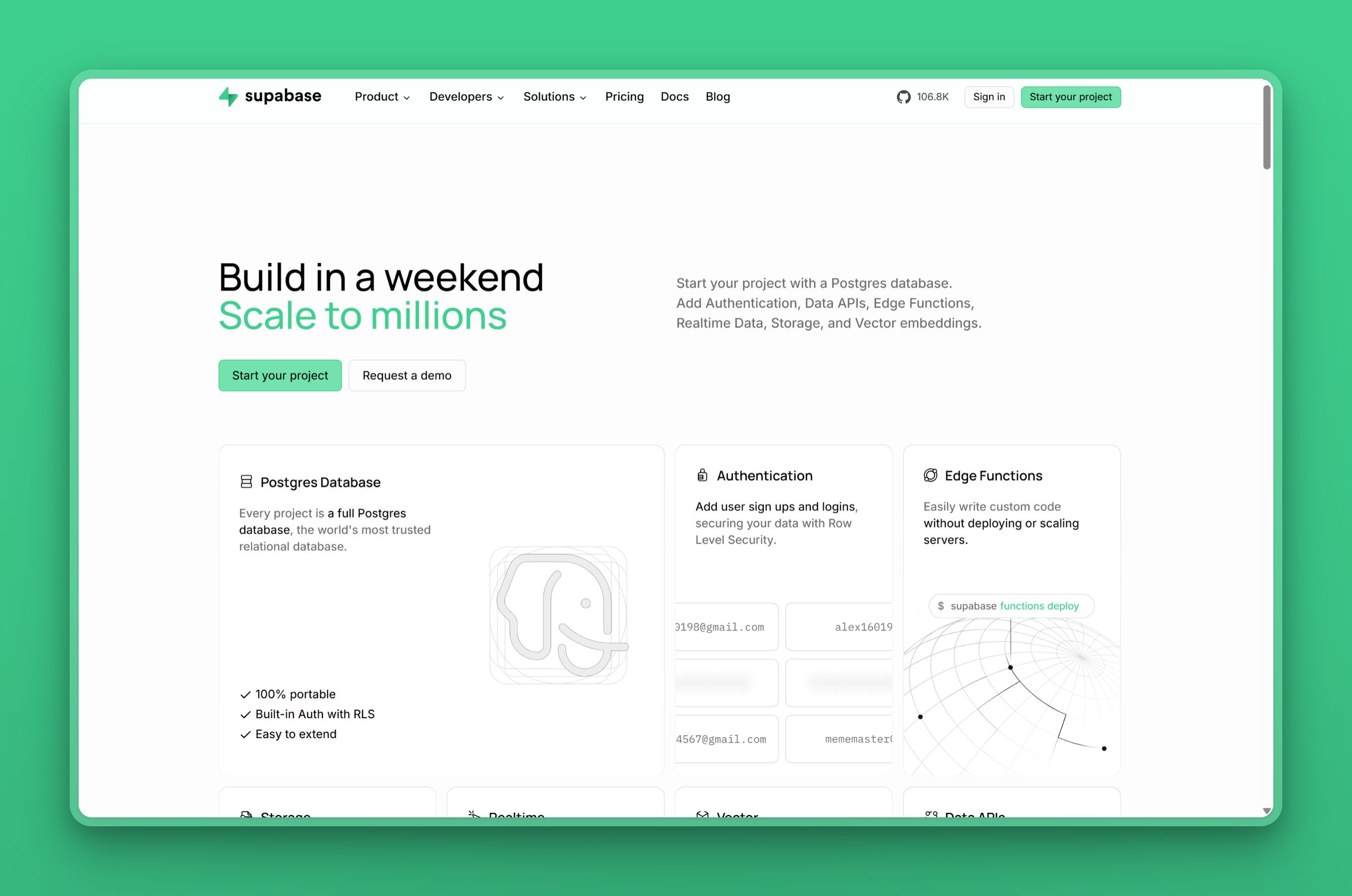
Create a project and within minutes you have a Postgres database with row-level security, an auth layer for social and email/password login, a storage bucket, and a realtime channel. The full stack would take days to assemble from separate services.
The tradeoff is billing complexity. The $25/mo Pro base is the floor, not the cap: a second project adds $10/mo immediately, since the plan’s compute credit covers only one. Egress past 250 GB costs $0.09/GB. Database disk past 8 GB costs $0.125/GB (file storage is billed separately). And the compute billing starts when you create the project, not when you deploy an app against it. One developer described four idle projects producing $32.85 in compute charges, reduced to $22.85 by a $10 adjustment, noting that the charges accumulated without alerts.
Key Features
- Auth with social and email/password login, row-level security, and JWT-based sessions
- S3-compatible file storage with CDN and transformation pipeline
- WebSocket-based realtime subscriptions on database changes
- Deno-powered edge functions for server-side logic
- Auto-generated REST and GraphQL APIs from the database schema
- 17 regions including Tokyo, Seoul, Singapore, Mumbai, and Sydney
- Fully open source and self-hostable
Pros
- One platform covers auth, storage, realtime, and the database: no separate services to wire together
- $25/mo Pro floor is cheaper than Neon at 1 CU for steady workloads (see the pricing crossover for the math)
- Core auth, storage, realtime, and database are open source and self-hostable; some managed-platform features are hosted-only
- Widely documented with a large ecosystem of tutorials, SDKs, and community integrations
Cons
- Billing adds charges across compute, storage, egress, and add-ons beyond the plan limits
- No scale-to-zero on paid plans: you pay the floor whether the database sees traffic or not
- Free tier pauses projects after one week of inactivity, requiring manual resume
- Branching is data-less by default, limiting its usefulness for integration tests against real data
Pricing
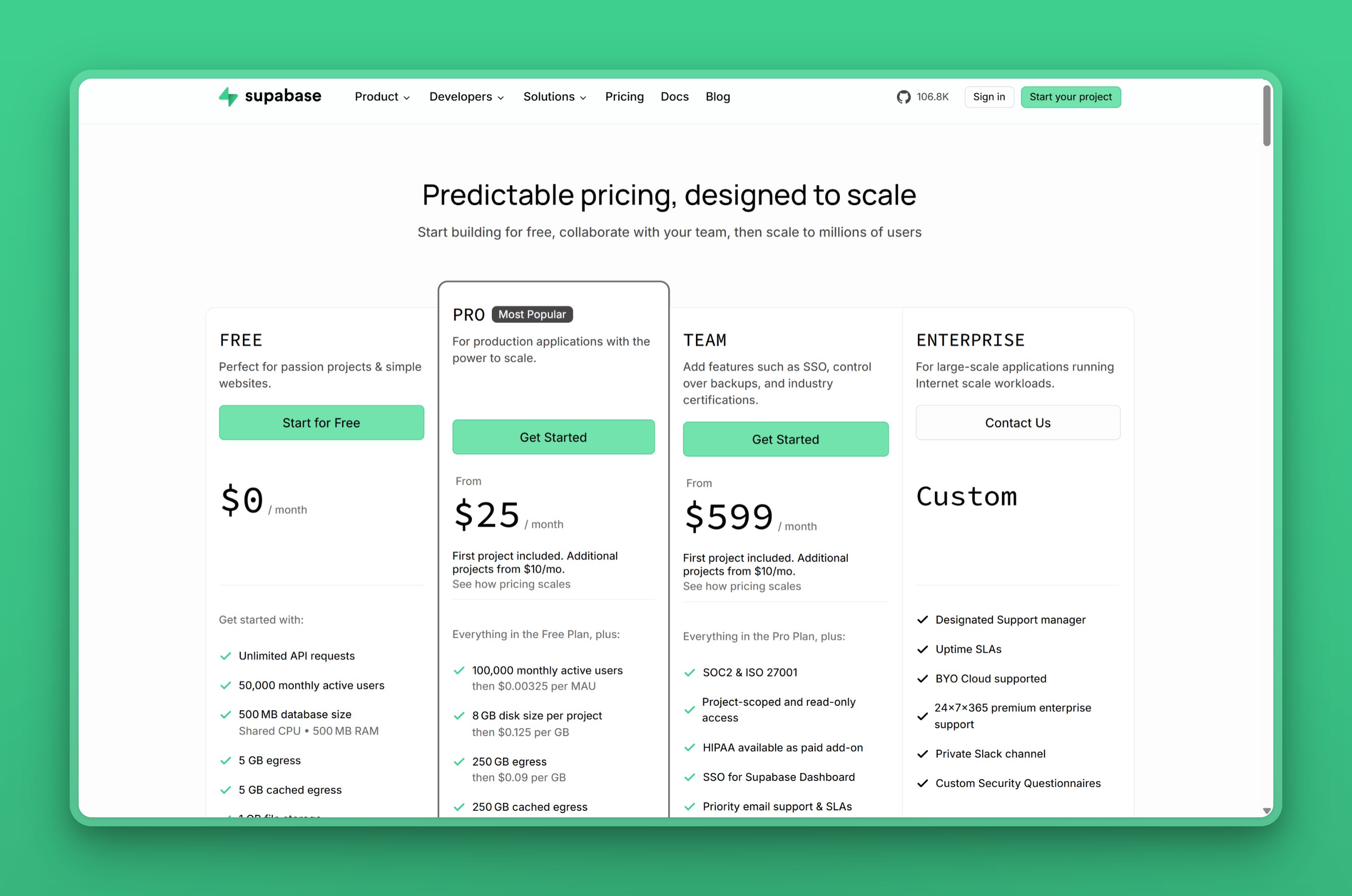
- Free: $0/mo (500 MB database, 2 projects, pauses after 1 week idle)
- Pro: $25/mo + compute add-ons (8 GB, 100K MAU, 250 GB egress, $10 compute credit covering one Micro instance)
- Team: $599/mo (SOC2, ISO 27001, HIPAA add-on, SSO, 14-day backups)
- Enterprise: custom
User Reviews
One user praised the bundled backend as what stands out most:
“I’m a happy Supabase customer. It’s not just postgres, it’s postgres + auth + functions + storage all in one place, with a very good local Docker environment and a variety of nice client SDKs.”
- nmfisher, on Hacker News
Best For
Teams building a full-stack SaaS or mobile app that needs auth, storage, and realtime alongside Postgres. Supabase wins when the database runs most of the day and the $25/mo floor beats the alternatives.
vs Neon: Supabase bundles the full backend at $25/mo with GA services. Neon remains database-first and its backend services are beta. For a full-stack product where the database runs most of the day, Supabase costs less and covers more. For a project that only needs Postgres and runs mostly idle, Supabase’s platform fee is overhead Neon does not charge.
How Neon works
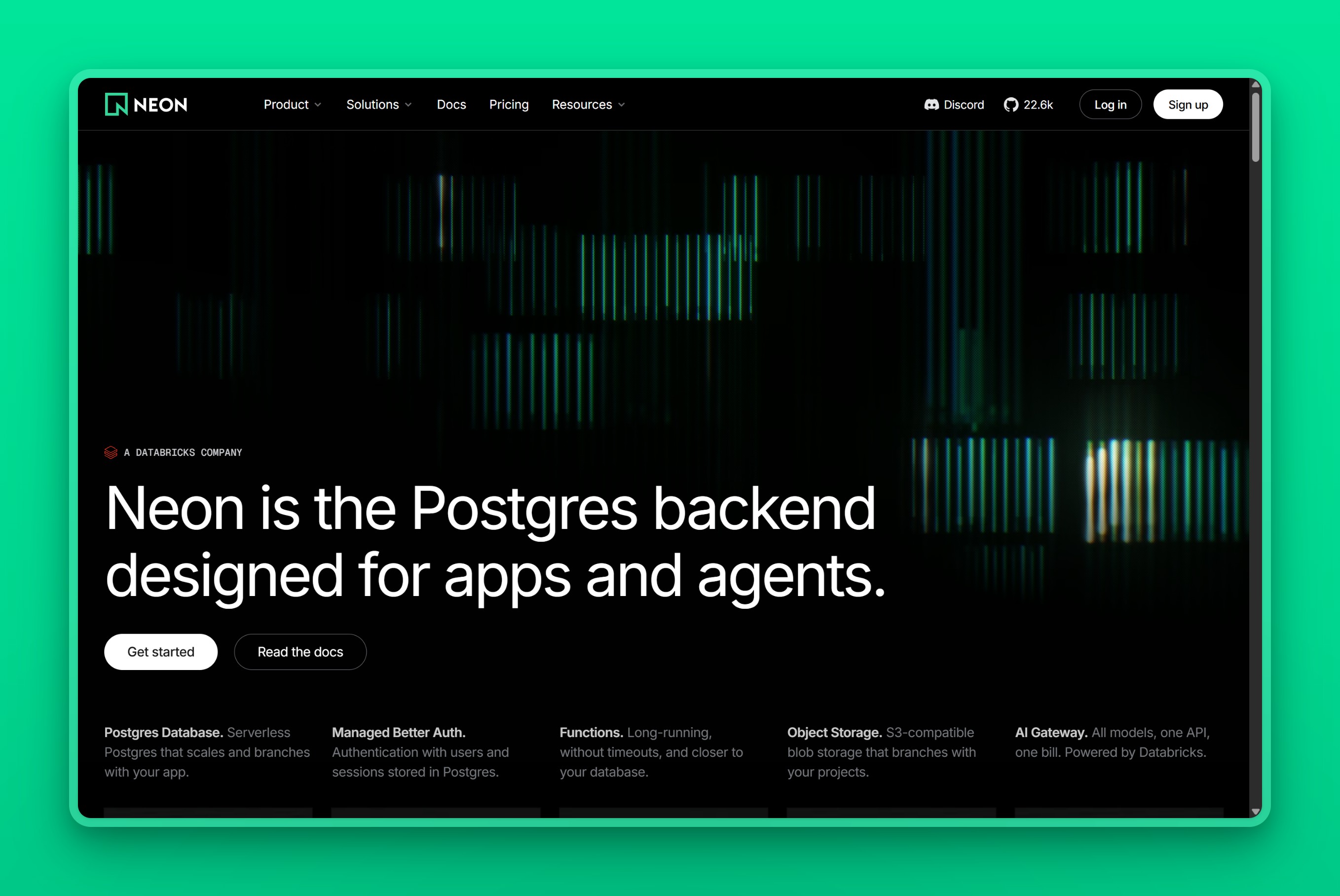
Neon takes the opposite bet from Supabase: compute spins down when nobody is querying and consumes no CU-hours while suspended, though storage and history charges may continue. The database stays reachable. When the next query arrives, compute resumes, serves the result, and goes idle again.
The branching workflow is where Neon beats Supabase decisively. Copy-on-write storage means creating a branch takes seconds regardless of database size, and each branch carries the full production data, not a schema snapshot. A CI pipeline that creates 50 test databases, runs migrations and tests against them, and deletes them all can do that for well under a dollar.
The catch is the cold start. Neon describes wake-up as taking a few hundred milliseconds; its pricing example uses about 350 ms, while one user measured 600 to 980 ms. For a latency-sensitive production endpoint, that wake-up penalty is the deciding factor. The standard fix is disabling scale-to-zero on a paid plan, but keeping compute always-on defeats the savings you chose Neon for.
Key Features
- Scale-to-zero compute: idle compute consumes no CU-hours; storage and history still bill
- Copy-on-write branching: full-data database clones in seconds regardless of size
- Auth (built on Better Auth), currently beta on all plans including Free
- Object storage, serverless functions, and AI gateway (beta, AWS US East Ohio and Europe Frankfurt)
- Serverless driver designed for edge and serverless function environments
- 100 free-tier projects with true scale-to-zero
- 8 active AWS regions; SOC2 and HIPAA on Scale tier
Pros
- Scale-to-zero billing means idle compute consumes no CU-hours: a side project at 2 hrs/day costs ~$3.20/mo in compute
- Copy-on-write branching with full production data is the stronger CI workflow tool of the two
- 100 free-tier projects give 50x more room for experimentation than Supabase’s 2
- Deeper Vercel/serverless integration through the native serverless driver
Cons
- Always-on production is expensive: 1 CU running 24/7 costs ~$77/mo vs Supabase’s ~$25/mo
- Cold starts of a few hundred milliseconds (one profiled case hit 600 to 980 ms) affect latency-sensitive endpoints
- Storage bills at $0.35/GB-month even when compute is at zero: “scales to zero” applies to compute only
- All backend services including auth are beta, available in AWS US East (Ohio) and Europe (Frankfurt)
Pricing
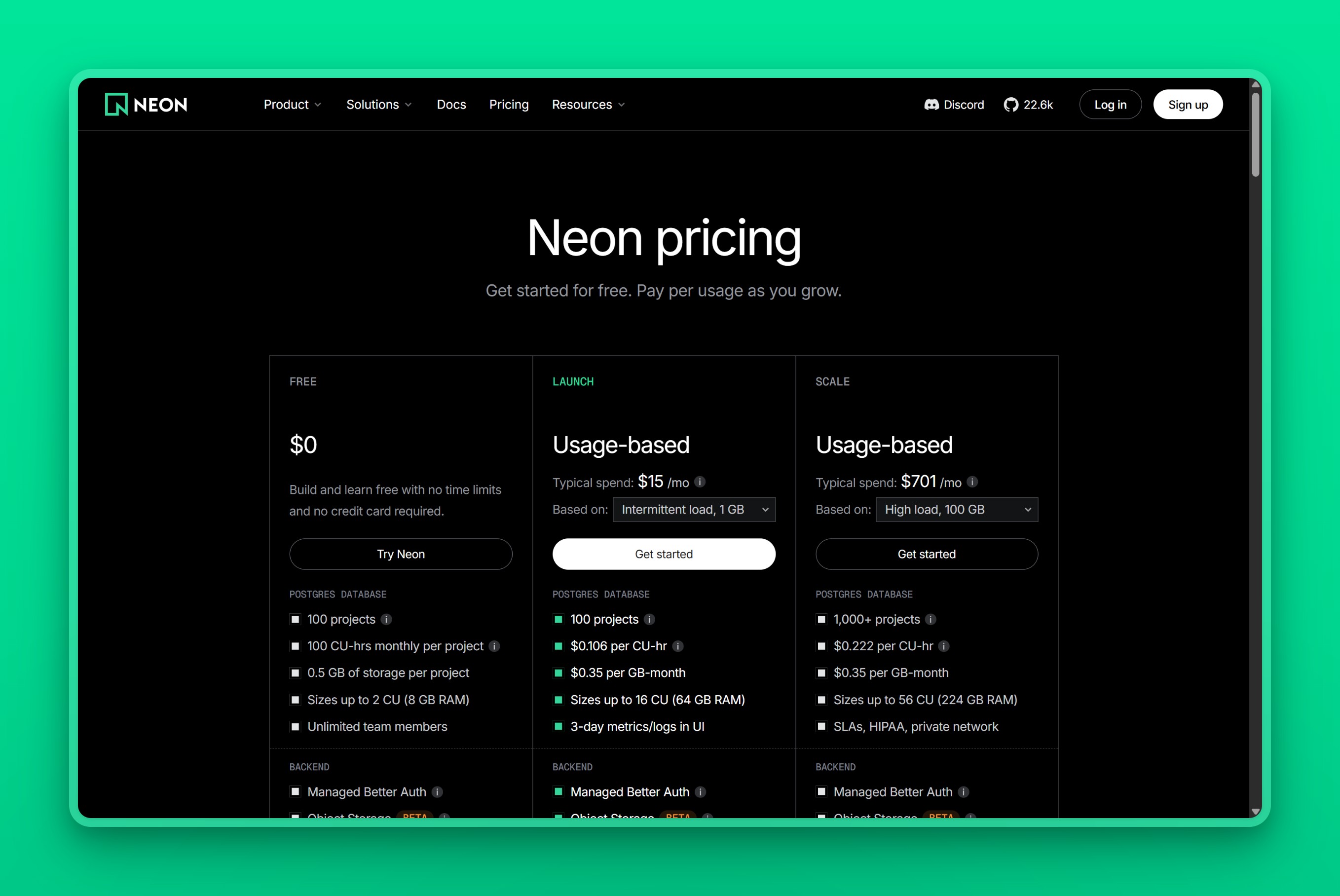
- Free: $0/mo (0.5 GB per project, 100 projects, 100 CU-hours per project, scale-to-zero, 5 GB egress)
- Launch: $0.106/CU-hour ($0.35/GB-month storage, $0.20/GB-month history retention, $0.10/GB egress past 500 GB, up to 16 CU, 7-day history)
- Scale: $0.222/CU-hour ($0.35/GB-month storage, $0.20/GB-month history retention, $0.10/GB egress past 500 GB, up to 56 CU, HIPAA/SOC2, private networking, SLA)
User Reviews
One developer on Hacker News described switching to Neon:
“I just switched over fully last week to Neon and things seem to have gone smoothly. I can now run multiple databases on the same shared compute and it scales to 0. In fact it’s scale up time is absurdly fast … it comes up in seconds instead of 30-60+ so you don’t even have to account for it.”
- joshstrange, on Hacker News
Best For
Developers and teams who need Postgres without a backend platform, where the workload is spiky or mostly idle, or where branch-per-PR database testing is central to the CI workflow.
vs Supabase: Neon remains database-first but now also offers beta auth, object storage, functions, and AI gateway. Supabase bundles GA auth, storage, and realtime at $25/mo. For a project that only needs Postgres and runs mostly idle, Neon is cheaper. For a full-stack product that needs production-grade backend services today, Supabase includes them out of the box.
What changed: Neon’s backend suite and the Databricks deal
Two recent developments shift the Supabase-versus-Neon calculus.
The Databricks acquisition. In 2025, Databricks acquired Neon for approximately $1 billion. Neon remains a distinct product within Databricks; since the acquisition, Neon has changed pricing, expanded its team, and added beta backend services. Neon’s long-term decisions now run through a much larger company with its own strategic priorities. Databricks also launched Lakebase, a managed Postgres inside the Databricks platform with Unity Catalog integration. Lakebase and Neon are distinct offerings for different audiences, but they share the same underlying storage and compute technology, This means long-term product decisions may be shaped by Databricks’ strategic priorities, a factor worth weighing if you are choosing a database for a multi-year horizon.
Neon’s backend convergence. Neon launched a backend suite: managed auth (built on Better Auth, currently beta on all plans including Free), S3-compatible object storage, long-running serverless functions, and an AI gateway. All four services are beta, available in AWS US East (Ohio) and Europe (Frankfurt). The “database vs. backend platform” fork that defines this comparison is narrowing. Neon has shipped auth in beta, and the rest needs to reach GA and expand beyond two regions before the parity is real.
For today, Supabase’s platform services have years of production use behind them. Neon’s backend suite is entirely beta. Until Neon’s services reach GA, Supabase covers more ground at production grade.
Supabase or Neon: which fits your workload
Supabase vs Neon for free-tier experiments: Neon’s 100 projects vs Supabase’s 2
If you are evaluating either product before committing, Neon is the easier starting point. You get 100 projects, true scale-to-zero so idle compute consumes no CU-hours, and 100 CU-hours per project per month. Supabase’s free tier gives you 2 projects and pauses them after one week of inactivity, so a dormant side project requires a manual resume step before it responds to connections. For pre-production work, running multiple experiments in parallel, or testing before you buy, Neon gives you 50x more room.
Supabase vs Neon for a full-stack SaaS with auth and storage
When the product needs auth, file storage, and the database together, Supabase bundles all three at $25/mo on Pro. Neon now offers beta auth (built on Better Auth), and object storage and functions are also beta and available in AWS US East (Ohio) and Europe (Frankfurt). For the full stack today, Supabase is the safer call: its backend services are GA and production-tested.
Branch-per-PR database testing: why Neon wins on CI workflows
Neon’s copy-on-write branching is the clearer winner for CI workflows. Each branch is a full data clone, created in seconds, billable for the compute and storage it uses. At an assumed average of 1 CU, a team running 50 preview branches per month with 5-minute test runs spends about $0.44 in compute, plus any storage and excess branch-hour charges. Supabase branches are schema-only by default, so integration tests against real production data require extra steps. Neon is the more capable CI database tool.
Always-on production at predictable cost: where Supabase’s flat floor pays off
A 1-CU Neon Launch database (roughly 4 GB RAM) running 24/7 costs about $77/mo in compute. Supabase Pro with Micro compute costs ~$25/mo (1 GB RAM). At 1 CU, the crossover against Supabase Micro is about 8 hours of average compute activity per day. Below that, Neon is cheaper; above it, Supabase’s flat floor wins. Neon’s compute cost scales linearly with load, so a traffic spike in a busy month is a bill spike. For steady production traffic, Supabase is the better deal.
Next.js on Vercel: which database integration fits
Neon has the deeper Vercel integration. Vercel Postgres ran on Neon before the white-label arrangement was retired, and Neon’s serverless driver is designed for edge and serverless environments where connection pooling in short-lived functions matters most. If the app is Next.js on Vercel and the backend is just the database, Neon’s native integration makes the setup straightforward. If the app also needs auth, storage, or realtime, Supabase’s SDK covers everything in one place. The scope of your project determines which fits better: database-only favors Neon, full-stack favors Supabase.
Latency-sensitive apps: cold starts vs always-on compute
Neon’s scale-to-zero is a liability for latency-sensitive production endpoints. The cold-start details are in the Gotchas section. For an API route that users hit directly, any wake-up delay is visible. Supabase’s paid plans are always-on: no cold starts, no resume delay. For latency-critical production, Supabase is the safer choice. For staging, dev, or background jobs where an occasional slow first query is fine, Neon saves money.
Supabase and Neon gotchas: billing surprises and cold-start traps after you deploy
The pricing pages do not lead with these gotchas. They surface after the first invoice.
Supabase’s compute billing starts when you create the project, not when you deploy. The $10/mo Micro instance ticks from the moment the project exists. The Pro plan’s compute credit covers exactly one project; a second project adds $10/mo immediately, even if neither project sees traffic.
Neon’s storage bill runs even when compute is at zero. Scale-to-zero means the compute shuts off; it does not mean the whole bill drops to zero. Storage at $0.35/GB-month accrues whether or not the database is being queried. A few gigabytes of data is a small charge, but “scales to zero” applies to compute only.
Supabase free-tier projects pause after one week of inactivity. Neon’s free-tier databases scale to zero and stay accessible without pausing. If you run a side project on Supabase Free and step away for a week, the project pauses and needs a manual resume before it responds to connections.
Neon cold starts are real, and health-check polling can erase the savings. Neon describes wake-up as taking a few hundred milliseconds; its pricing example uses about 350 ms, and one user measured 600 to 980 ms. The common fix is disabling scale-to-zero on a paid plan, but keeping compute always-on eliminates the savings you chose Neon for. External health-check probes and serverless framework warmers have the same effect: they silently keep compute alive at a cost that does not appear until the bill arrives.
Supabase PITR costs $100/mo on top of Pro. Daily automated backups are included on Pro, but point-in-time recovery requires a separate add-on at $100/mo per 7-day retention window. Neon includes a history window on all paid plans (7 days on Launch, 30 days on Scale), but history retention bills at $0.20/GB-month on top of base storage.
Migrating away from Supabase is straightforward for the database and harder for everything else. Postgres data moves cleanly with standard tools. Supabase Auth stores bcrypt hashes, and most auth providers can import bcrypt directly, so passwords transfer without forcing users to reset. The harder parts are row-level security policies, realtime subscriptions, and storage bucket integrations, all of which need rebuilding on whatever replaces them.
When neither Supabase nor Neon fits: a flat-rate alternative
The crossover math tells you which billing model wins at which utilization. It has no answer for a team that does not want to run the math at all. Supabase’s layered charges and Neon’s per-CU-hour rate share the same problem: the final number is not known until the month ends.
For teams that want managed Postgres with a fixed, predictable monthly bill, Nearbase takes the utilization question off the table.
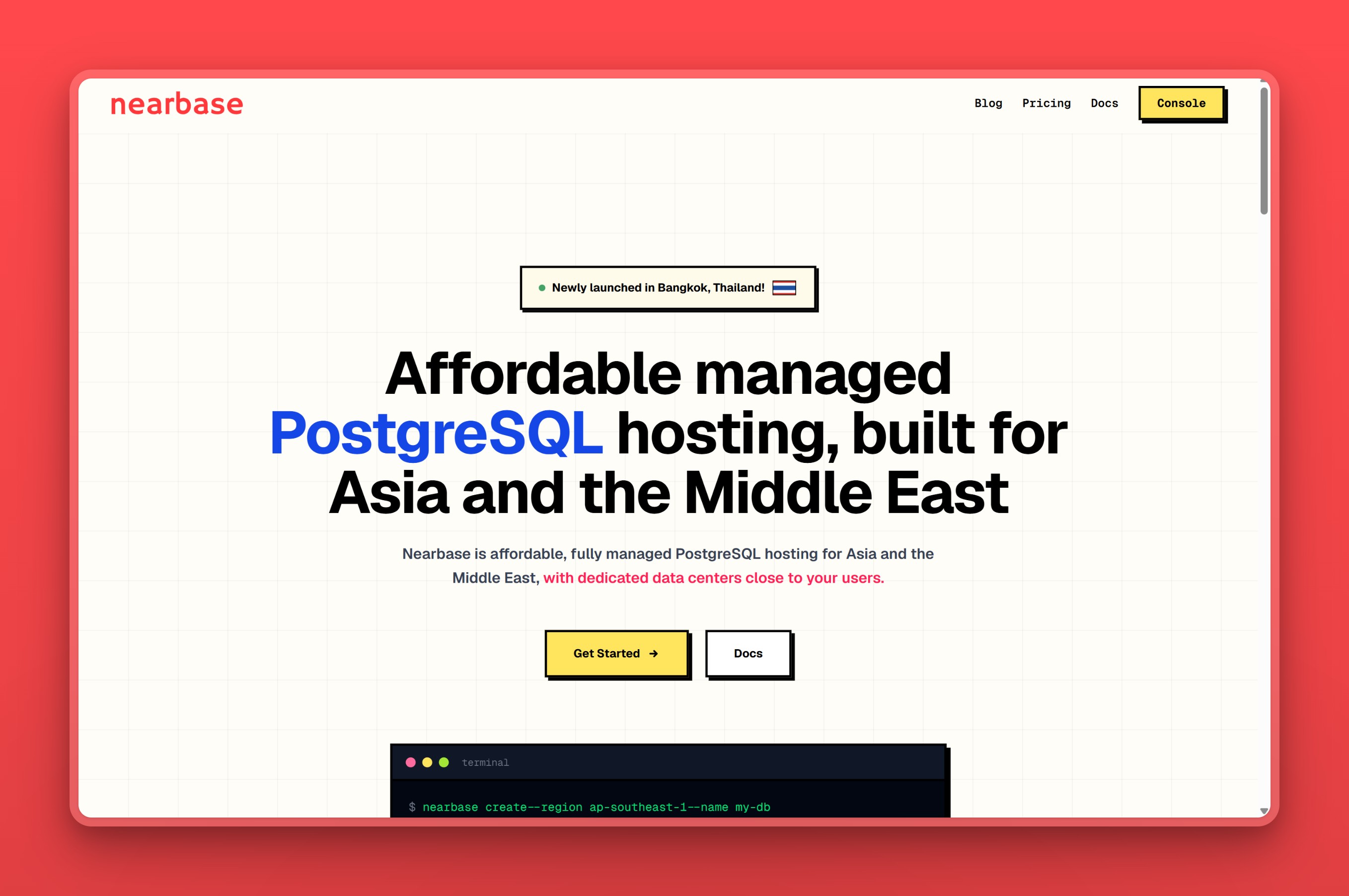
Nearbase charges one fixed price per configuration, the same in every region. The entry instance (General Purpose ARM, 1 vCPU / 2 GB) is $6/mo, with storage billed separately at $3.6 per 10 GB per month and a 20 GB minimum. That puts the all-in entry at about $13/mo. No per-query fees, no egress charges, no compute surcharges.
Key Features
- Managed PostgreSQL with provisioning, patching, backups, and failover handled
- Flat monthly pricing, one fixed price per configuration, the same in every region
- 10 regions: Jakarta, Manila, Kuala Lumpur, Bangkok, Singapore, Hong Kong, Tokyo, Seoul, Dubai, and Virginia
- 99.99% uptime SLA
- No per-query fees, no egress charges, no compute surcharges
- Built-in connection pooler; Nearbase says it is not enabled by default and the customer enables it explicitly.
- TLS in transit and AES-256 encryption at rest
Pros
- Predictable billing: one invoice line, no usage math, no end-of-month surprises
- Regional presence in cities neither Supabase nor Neon reaches with managed Postgres: Jakarta, Manila, Bangkok, and Dubai
- 99.99% uptime SLA
- No per-query or per-egress charges at any scale
Cons
- Managed database only: no bundled auth, storage, realtime, or edge functions
- No scale-to-zero: the instance runs and bills whether traffic is active or not
- No copy-on-write branching for CI workflows
- Smaller ecosystem and community compared to Supabase and Neon
Pricing
- Entry: $6/mo instance (General Purpose ARM, 1 vCPU / 2 GB) + $3.6 per 10 GB/mo storage (20 GB minimum), about $13/mo all-in
- Largest: $2,682/mo (Dedicated, 32 vCPU / 256 GB) + storage
- Volume discounts available for annual commitments
User Reviews
One developer who moved their database off Supabase put it this way:
“I ended up moving the DB to Nearbase and keeping the rest of the stack separate. It’s been a better fit for me: normal always-on Postgres, backups handled, and the monthly cost is easier to predict.”
- u/starlitlavenderkiss, on Reddit
Best For
Nearbase fits teams running steady production Postgres workloads who want a single invoice line and a database close to their users. That includes regions in Asia and the Middle East that neither Supabase nor Neon reaches with managed Postgres.
vs Supabase and Neon: If the project needs Supabase’s bundled auth and storage, or Neon’s scale-to-zero and branching for CI, those tools cover it. If what you need is a flat monthly number and a database close to your users, compare configurations on the pricing page.
Which should you choose?
Here is how we would route it.
If the project is a full-stack SaaS or mobile app that needs auth, storage, and realtime alongside Postgres, Supabase. The $25/mo Pro plan bundles everything, and the database runs always-on with no cold starts.
For a side project, staging environment, or CI workflow where the database sits idle most of the time, Neon. Scale-to-zero means idle compute consumes no CU-hours, and 100 free-tier projects give room to experiment.
If the CI pipeline depends on branch-per-PR databases with full production data, Neon. Copy-on-write branching with complete data in seconds beats Supabase’s schema-only branches.
For a Next.js app on Vercel where the backend is database-only, Neon. The native serverless driver and Vercel integration are the straightforward path.
For steady production Postgres with no usage math and one predictable invoice line, Nearbase. Flat monthly pricing, no per-query or per-egress fees, $13/mo all-in at entry, and the price is the same in all 10 regions including Jakarta, Manila, Bangkok, and Dubai.
When Supabase is actually the right call
Full backend platform needed, not just the database
If the app needs auth, storage, and realtime on top of Postgres, Supabase ships them all from one dashboard for $25/mo. Assembling the equivalent from Neon plus separate services adds operational overhead: multiple dashboards, multiple bills, and integration edge cases around connection pooling and row-level security that Supabase handles natively.
Database runs all day and the platform fee beats per-CU-hour billing
At 1 CU, Supabase’s $25/mo flat floor costs less than Neon above about 8 hours of daily compute. For a capacity-matched comparison at 8 GB RAM running 24/7, Supabase Large totals about $125/mo after the compute credit, while Neon 2 CU costs about $155/mo in compute alone.
Self-hosting matters
Supabase’s core auth, storage, realtime, and database services are self-hostable, although some managed-platform features are hosted-only. Neon is Apache 2.0 licensed and can be self-hosted, but its managed cloud control plane and operations differ from a self-hosted deployment. If owning and running the backend stack matters, Supabase covers more of it out of the box.
When Neon is actually the right call
Database sits idle most of the time and you want the bill to reflect that
Scale-to-zero is Neon’s defining feature. A side project at 2 hours a day, 0.5 CU, costs ~$3.20/mo in compute. The same project on Supabase Pro costs $25/mo whether it sees traffic or not. If the workload is spiky or mostly idle, Neon’s billing matches the usage pattern in a way Supabase’s flat floor cannot.
CI workflow depends on full-data database branches
Copy-on-write branching with complete production data is where Neon beats Supabase decisively. Supabase branches are schema-only by default. For a team whose shipping workflow depends on integration tests against real data in branch-per-PR databases, this is the clear call.
Project is in pre-production and needs room to experiment
Neon’s free tier gives 50x more projects than Supabase’s, with true scale-to-zero instead of week-idle pausing. If you are building and iterating across multiple projects before committing to a paid plan, Neon gives the room to do it.
Bottom line on Supabase vs Neon
Name the workload first, then pick the billing model that matches it.
If the project needs auth, storage, and realtime alongside the database and runs all day, Supabase bundles the full stack at $25/mo. If the project needs only Postgres and the database sits idle most of the time, Neon’s scale-to-zero lets you pay for compute only when you use it. If neither billing model fits, Nearbase removes the variable pricing entirely: one flat rate, the same in every region, about $13/mo all-in.
If neither billing model works for your team, start an instance on Nearbase. Flat monthly pricing, no per-query fees, about $13/mo all-in.
At 1 CU, the compute-only crossover against Supabase Micro is about 8 hours per day: below that threshold Neon costs less, above it Supabase costs less.
Supabase vs Neon FAQ
Pricing and free tiers
Is Supabase or Neon cheaper?
Neon is cheaper for idle or spiky workloads; Supabase is cheaper for always-on ones. A side project at 2 hours a day, 0.5 CU, costs about $3.20/mo in compute on Neon Launch, against Supabase Pro’s $25/mo floor. A 1-CU database running 24/7 costs about $77/mo in compute on Neon and ~$25/mo on Supabase Micro, though these are not capacity-equivalent (1 GB vs roughly 4 GB RAM). At 1 CU, the compute-only crossover is near 8 hours of average activity per day.
Does Neon or Supabase pause free-tier databases?
Supabase pauses free-tier projects after one week of inactivity; the project becomes unresponsive until you manually unpause it through the dashboard. Neon’s free-tier databases scale to zero after 5 minutes of inactivity but stay accessible: the next query wakes compute automatically, with a cold-start delay. For a side project you return to occasionally, Neon’s scale-to-zero is more practical than Supabase’s pause-and-resume cycle.
Features and performance
Is Neon faster than Supabase?
For queries on a warm, live database, both run modern Postgres with connection pooling. The difference is the first query after the database sits idle. Neon describes wake-up as taking a few hundred milliseconds; one user measured 600 to 980 ms. Supabase’s paid plans are always-on, so there is no resume delay. For latency-sensitive endpoints that may sit idle between requests, Supabase is the safer choice.
Which has better database branching?
Neon’s branching is the better implementation. Copy-on-write means a branch of any size is created in seconds and carries the full production data. Each branch is isolated and independently addressable, billable for compute and storage it uses; excess branch-hour charges may also apply beyond the 10 branches included per project. Supabase branches are data-less by default (though dashboard-created branches can optionally include data). For teams whose workflow depends on real data in branch-per-PR databases, Neon is the clear choice.
Which is better for Next.js and Vercel?
Neon has the deeper native integration. Neon previously powered Vercel Postgres before that product was retired, and the serverless driver is designed for edge and serverless environments where connection management in short-lived functions matters. If the Next.js app needs only a Postgres database, Neon is the more direct setup for that deployment target. If the app also needs auth, storage, or realtime, Supabase’s SDK covers the full stack and works on Vercel without extra wiring.
Can I use Supabase and Neon together?
You can use separate Supabase and Neon services in one application, but Supabase client libraries cannot be pointed at Neon using a custom database connection string; Supabase clients initialize with a Supabase project URL and API key, while Neon requires a standard PostgreSQL client. You could use Supabase’s auth, storage, and realtime alongside a Neon database accessed through a separate Postgres client. In practice, the pairing adds operational complexity: two billing relationships, two dashboards, and edge cases around connection pooling. Most teams pick one or the other.
Self-hosting, migration and ownership
Can I self-host Supabase or Neon?
Supabase’s core auth, storage, realtime, and database services are self-hostable, although some managed-platform features (branching, managed backups/PITR, advanced metrics) are hosted-only. Neon’s serverless architecture is Apache 2.0 licensed and can be self-hosted; its managed cloud control plane and operations differ from a self-hosted deployment. You can run either on your own infrastructure, but the managed-cloud experience is not fully reproduced in either case.
What happens to my data if I switch from one to the other?
The database migration is standard Postgres: pg_dump, pg_restore, standard tooling. Both platforms are Postgres-compatible, so schema and data move cleanly. The hard part is the application layer. Supabase Auth stores bcrypt hashes, and most auth systems can import bcrypt directly, so password migration is possible without forcing a reset. Row-level security policies stay in the database and migrate with the schema. The application code that references Supabase-specific APIs (auth helpers, storage buckets, realtime channels) needs to be rebuilt or re-pointed. A database migration takes hours; the application migration takes days.
Does the Databricks acquisition change anything if I pick Neon over Supabase?
Neon remains a distinct product within Databricks after the ~$1B acquisition in 2025. Since the acquisition, Neon has changed pricing, expanded its team, and added beta backend services. Neon’s product decisions now run through a larger organization with its own strategic priorities. Databricks also runs Lakebase, a managed Postgres inside its platform that shares the same underlying storage and compute technology as Neon but targets a different audience. If independence matters to your infrastructure choices, that context belongs in the decision.
You can skip the billing math entirely with Nearbase’s flat monthly pricing. Start an instance on Nearbase. One flat price, the same in every region.
Last updated: 2026-09-28